
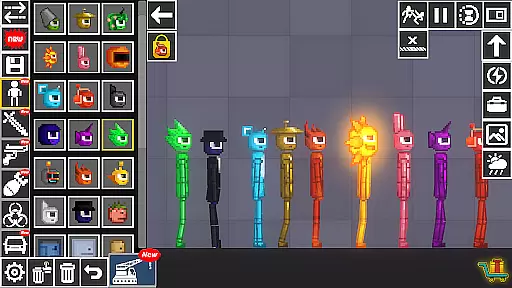
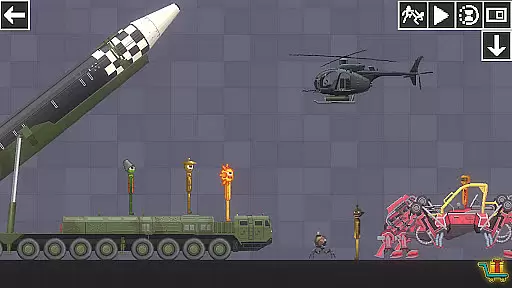
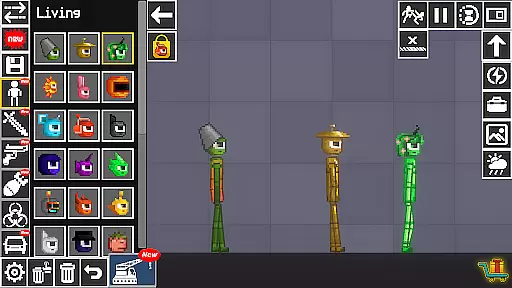

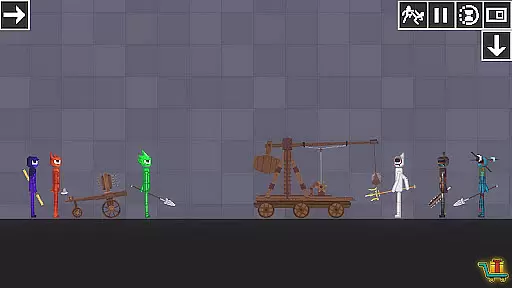
Beats Playground is a dynamic simulation app that allows users to experiment with various interactive elements. The core functionality revolves around creative experimentation, where users can manipulate beat ragdolls, weapons, vehicles, and bombs. This sandbox-style environment also enables construction of buildings and houses, which can then be destroyed using an array of crazy tools.
The app provides a unique platform for creativity and destruction, making it ideal for users who enjoy open-ended simulation games. Its value lies in the freedom it offers to create complex scenarios and observe cause-and-effect relationships in a virtual setting.
Beats Playground stands out with its diverse range of interactive features. The app includes realistic physics simulations for ragdolls and destructible environments, allowing for authentic interactions between objects. Users can choose from various weapons and tools, each with unique properties and effects.
A key feature is the ability to construct architectural structures, from simple houses to complex buildings. These creations can then be tested against the app's destructive tools, providing both creative and destructive outlets. The combination of building and demolition creates an engaging experience that stimulates creativity while delivering entertainment value.
Within Beats Playground, the economic system is designed to offer a rich and immersive experience. Players can experiment with various elements such as beat ragdolls, weapons, vehicles, and bombs, each having its own value and utility within the game's economy.
The simulation allows users to construct buildings and houses, which introduces a layer of resource management. The availability and scarcity of resources create a dynamic feedback loop that affects gameplay decisions and strategies.
Players are encouraged to think strategically about how they use their in-game assets. The economic interactions between different items and actions ensure that every choice has consequences, thus enhancing the overall depth of the simulation.
Resource management in Beats Playground strikes a careful balance between creativity and constraint. The game provides players with a variety of tools and materials to build and destroy structures, requiring thoughtful planning and execution.
With options to experiment with crazy tools and destructive elements like bombs, players must manage their resources wisely. This balance ensures that creative freedom does not lead to chaos but instead fosters a sense of achievement when successfully executing complex constructions or destructions.
The equilibrium maintained within the game promotes strategic thinking and problem-solving skills, making each session both challenging and rewarding. By balancing these aspects, Beats Playground offers an engaging experience that keeps players invested in their virtual creations.
User-friendly interface
Realistic physics engine
Variety of tools
Creative freedom
Engaging gameplay
Limited tutorials
Occasional bugs
Ads present
Heavy on device
Steep learning curve

From humble backwater to medieval metropolis - build the city of your dreams!
 4.50
4.50
Ready to be a billionaire and build your bank empire? Start your adventure now!
4.60
Mystical Mixing: little alchemy meets tiny wings spiced with potion permit magic
4.80
Cook in the kitchen, Serve food: Manage the dash fever in my restaurant games!
4.20
Step into the world of tycoon simulator games and seal profitable business deals
4.10
Make yummy Jelly and start your Mukbang livestream
4.20
Experience the sometimes hectic life of a Freddy Fazbear's Pizzeria franchisee.
4.60
Be the leader of wobblers from ancient lands, spooky places, and fantasy worlds.
4.10
Cause chaos as a mischievous kitty in this hilarious cat simulator!
4.50
Demon Castle Building Dungeon Management Simulation
4.90
Work hard and you may reach the top of the video game industry.
4.80
Control the traffic flow. Decide when the cars can pass and avoid crashes
4.60
Experience multiple vehicles in a single driving simulator game.
4.40
Build your kingdom in this atmospheric micro strategy game.
4.20
Final Fantasy Tactics: The War of the Lions has arrived for GooglePlay!
4.10
Manage your own supermarket. Order products and expand your store simulator game
3.90
I made a game for a certain kind of person. To hurt them.
3.30
Build your zoo, collect and take care of animals and make your guests happy!
4.0
start a cult from your phone in this cozy idle-clicker game.
4.2


User Reviews