
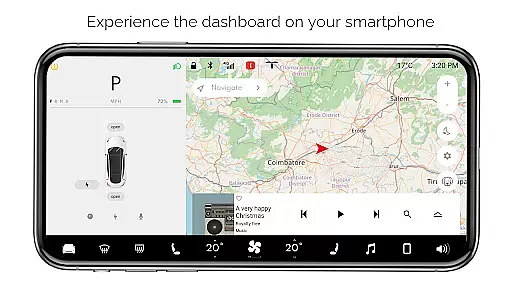
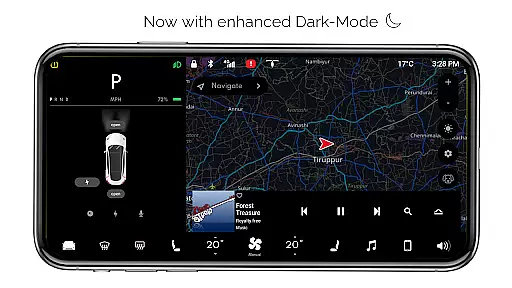
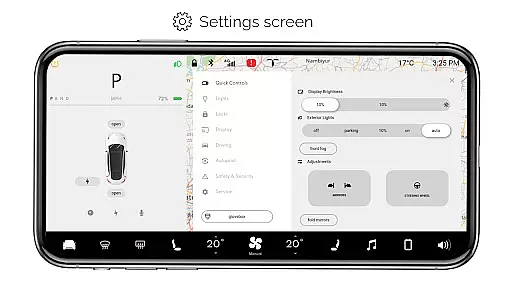
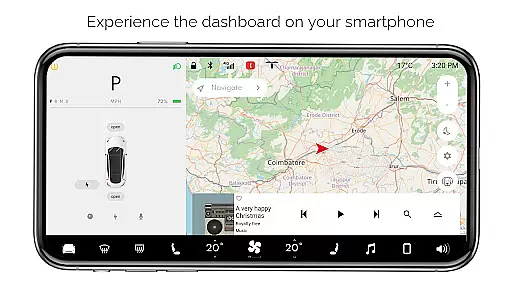
For Tesla is an innovative entertainment app that brings the native Tesla dashboard experience to your smartphone. Designed exclusively for Tesla enthusiasts, this simulator app allows users to explore nearly all features of the Tesla touchscreen system without needing an actual vehicle. The app offers a realistic user interface that mirrors the Tesla system, providing an engaging and educational experience.
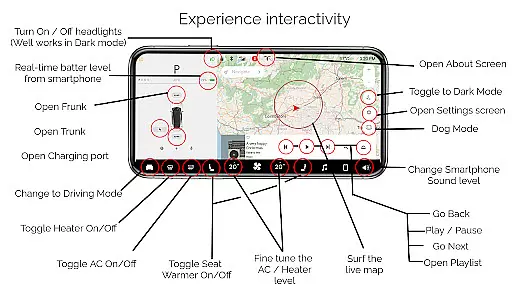
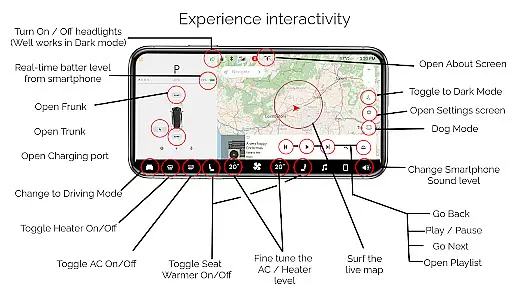
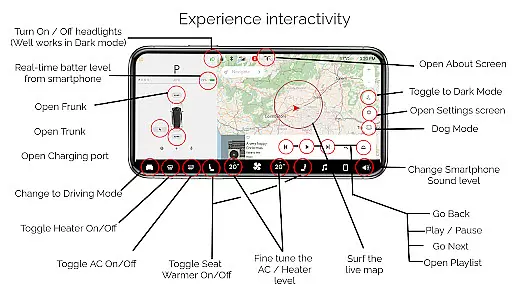
Key functionalities include interactive maps with live location tracking, customizable temperature controls, battery level monitoring, and various car control simulations like headlights, trunk, and charging port operations. The app also features driving mode simulation, music player with playlists, and multiple display modes including dark mode and dog mode. While all features are simulated, they provide an impressive approximation of the Tesla experience.
This app serves as an excellent tool for Tesla fans who want to familiarize themselves with the vehicle's interface or simply enjoy a Tesla-inspired digital experience on their mobile devices. Its detailed simulation and interactive elements make it both entertaining and informative.
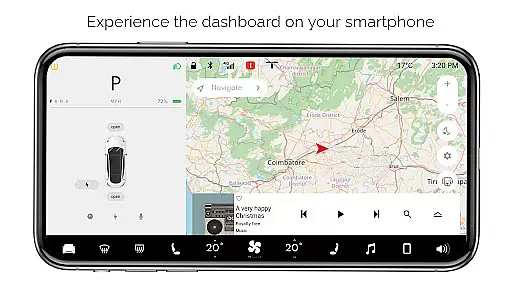
For Tesla stands out with its comprehensive feature set that meticulously recreates the Tesla dashboard experience. The app includes an interactive map system that tracks your live location, simulating the vehicle's navigation capabilities. Users can engage with various car controls such as turning headlights on/off, adjusting temperature settings, and monitoring their smartphone's battery level as if it were a Tesla vehicle.
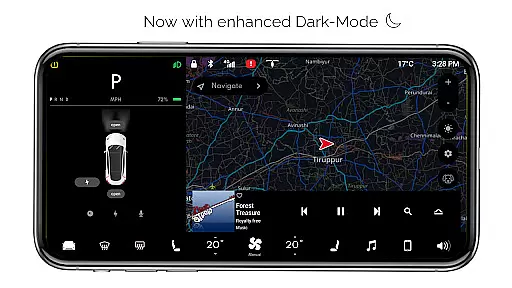
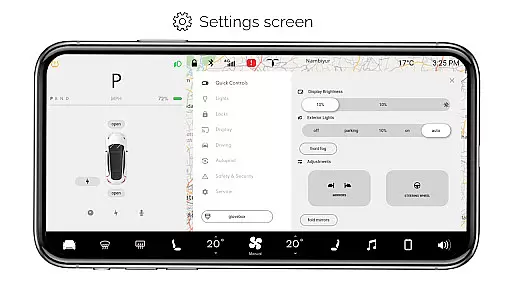
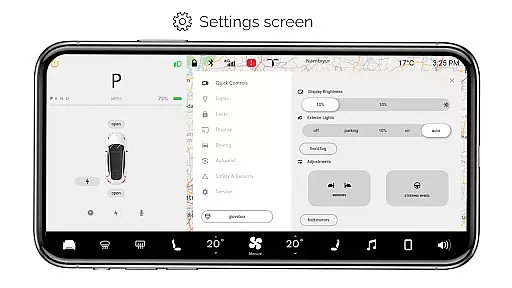
The app provides realistic simulations of various Tesla functions including opening/closing trunk, frunk, and charging ports. It features a driving mode that displays the vehicle's instrument panel, along with a complete settings screen offering multiple configuration options. Additional features include dark mode optimization, dog mode simulation, and an about screen displaying model information.
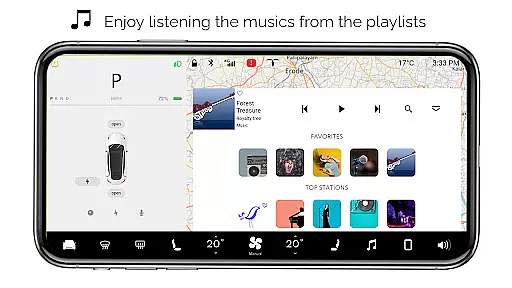
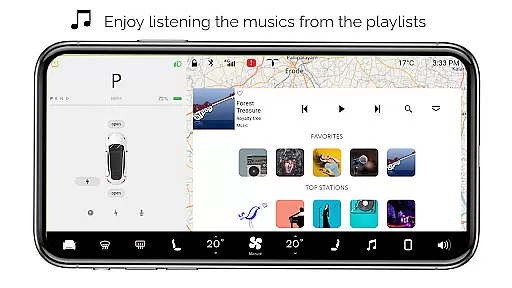
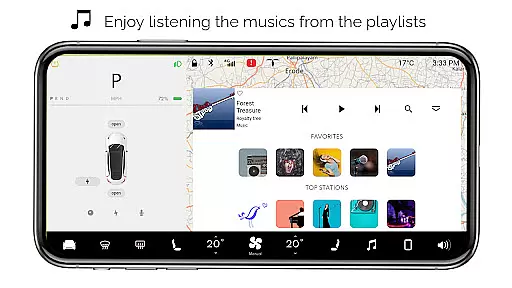
One of the most engaging aspects is the interactive music player with playlist functionality. While all features are simulated and not connected to actual Tesla vehicles, the app demonstrates impressive attention to detail in replicating the Tesla interface. These features collectively create an immersive experience that captures the essence of Tesla's sophisticated system while providing entertainment value to users.
In the realm of entertainment applications, content variety and freshness are paramount to maintaining user interest and engagement. For Tesla, this app offers a rich simulation of a Tesla vehicle's dashboard, providing users with an interactive experience that includes features such as maps, driving modes, and even a music player. This vast array of functionalities ensures that users have multiple touchpoints within the app to explore and enjoy.
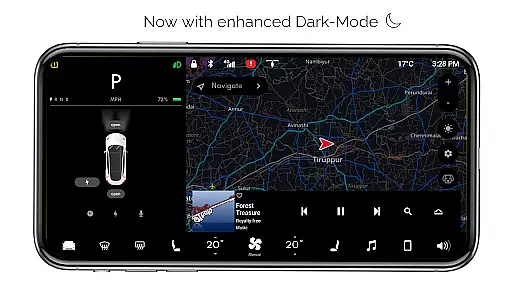
The application goes beyond mere replication by incorporating engaging elements like Dog Mode and Dark Mode, which add a layer of novelty and fun. These simulated features are meticulously crafted to offer a fresh experience every time the user interacts with the app, mimicking the native user experience of an actual Tesla system.
Moreover, the developers behind For Tesla have ensured that the app is regularly updated with new features and improvements. Although it is clearly stated that not all functions will work as in a real Tesla, the constant addition of new interactive elements keeps the content feeling current and exciting. This commitment to ongoing development helps maintain a sense of discovery and anticipation among its users.
User engagement duration and retention are critical metrics for any entertainment app, indicating how well the app can hold users' attention over time. For Tesla captivates its audience by offering a deeply immersive simulation of a Tesla caru2019s dashboard, encouraging prolonged interaction through its diverse set of features. Users can spend significant amounts of time exploring different functionalities, from adjusting temperatures to interacting with the music player.
The app's design focuses on creating an engaging environment where users can simulate various aspects of owning a Tesla vehicle. By providing realistic scenarios such as driving mode and settings adjustments, it fosters a strong connection between the user and the virtual Tesla experience. This deep level of interaction naturally leads to longer sessions within the app, enhancing overall user engagement duration.
Retention is further bolstered by the app's continuous updates and refinements. As new features are introduced, users are incentivized to return and explore what's new. The fan-made nature of the app also cultivates a community-driven approach, where feedback and suggestions can lead to meaningful changes. This collaborative ecosystem not only retains existing users but also attracts new ones eager to be part of an evolving Tesla-inspired journey.
User-friendly interface
Comprehensive feature set
Realistic Tesla simulation
Interactive elements
Educational value
Limited real-world application
No actual car integration
Some features non-functional
Only for entertainment
Requires imagination

Binge-worthy short dramas on DramaRush—engaging stories that fit your day.
 3.90
3.90
The OFFICIAL PeeWee Purpdrank Soundboard!
4.80
A companion app for the game Elite Dangerous
4.10
Stream videos to VIDAA & VEWD TVs from Hisense, Sharp, Skyworth, Vestel & TiVo
3.00
Fetch money rewards all just for playing games. Cash out for gift cards in app.
4.50
Just play games to earn gift cards. Keep playing, keep earning.
4.50
Himnario LLDM - Fast and Easy to read , updated Hymnal 2019 Edition Official
4.20
Binaural Brainwave Doses for Every Imaginable Mood
3.60
Companion app for Elden Ring to track quests, bosses, progress and more.
4.70
Catalog & tracker of your DVD, Blu-ray & Digital Movie and TV Collection Library
4.80
Watch Reels, Drama Shorts & TV Series Anytime. Download DramaWave Now!
4.70
Find out if you're on Santa's Naughty or Nice List with this magical scanner!
4.60
Geooh GO is the most feature rich geocaching app available today.
4.50
Rain and lightning effects for your Philips Hue lights
4.30
Atomus is a 10-finger multi-touch interactive visualizer.
4.30
Start EVP/Spirit Box tonight: real EMF, offline, recording. One-time purchase.
4.10
Watch New Episodes & Live TV
3.80
Your choice of 350+ networks plus movies and full TV series on-demand.
3.70
Create your Songs. Cover Maker with any Voice, Song Generator
3.30


User Reviews