
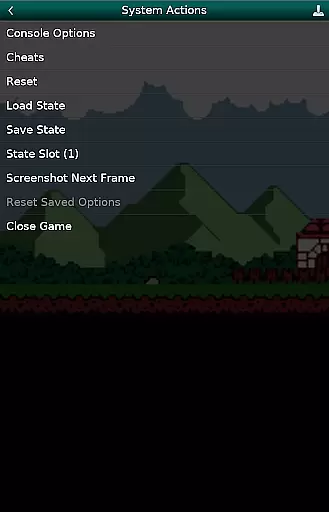
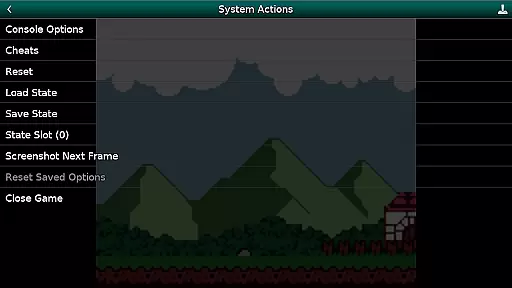
GBC.emu is an advanced open-source Gameboy emulator that offers a minimalist UI with a focus on low audio and video latency. It supports a wide range of devices, from the original Xperia Play to modern devices like the Nvidia Shield and Pixel phones. The app provides multiple color palettes for original GB games, cheat code support in Game Genie and Gameshark formats, and compatibility with .gb and .gbc file formats.
With configurable on-screen controls and support for Bluetooth/USB gamepads and keyboards, GBC.emu ensures a versatile gaming experience. It leverages Android's storage access framework to allow users to open files from both internal and external storage. This makes it an ideal choice for retro gaming enthusiasts who value performance and flexibility.
GBC.emu stands out with its advanced feature set tailored for retro gaming aficionados. One notable feature is the support for multiple color palettes, allowing users to customize the look of original GB games. The inclusion of cheat codes in popular formats like Game Genie and Gameshark enhances gameplay flexibility.
The emulator supports .gb and .gbc file formats, even when compressed with ZIP, RAR, or 7Z, providing convenience for users with large game libraries. Configurable on-screen controls offer a personalized touch, while robust Bluetooth/USB gamepad and keyboard support ensure compatibility with a variety of HID devices such as Xbox and PS controllers. These features collectively deliver a seamless and customizable gaming experience.
GBC.emu brings the authentic arcade experience to your fingertips by emulating classic Game Boy and Game Boy Color games with precision. The emulator is based on Gambatte, ensuring that each game runs as it did on the original hardware.
With multiple color palettes for original GB games, users can relive the nostalgia of their favorite childhood titles while enjoying enhanced visuals. This attention to detail extends to support for cheats in Game Genie and Gameshark formats, allowing players to customize their gaming experience just like in traditional arcades.
The minimalist UI focuses on delivering low audio and video latency, making gameplay smooth and responsive. By supporting a wide range of devices from Xperia Play to modern ones like Nvidia Shield and Pixel phones, GBC.emu ensures that the arcade feel is accessible to all gamers regardless of their device.
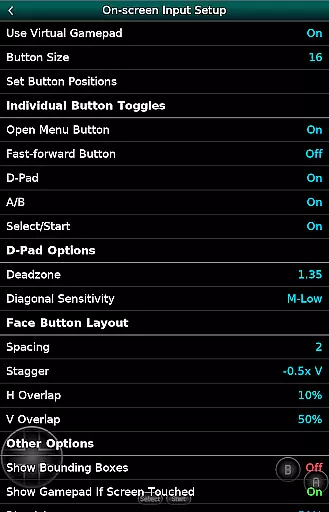
Control responsiveness is at the heart of GBC.emu's design, offering an intuitive and seamless user experience. Configurable on-screen controls allow players to adjust button layouts according to their preferences, ensuring comfortable and efficient gameplay sessions.
In addition to touch controls, GBC.emu supports Bluetooth and USB gamepads, including popular models like Xbox and PS controllers. This compatibility with any HID device recognized by the OS enhances control precision and responsiveness during intense gaming moments.
By focusing on low-latency input processing, the emulator guarantees that every action translates instantly into the game world. Whether you're navigating menus or engaging in fast-paced platforming challenges, GBC.emu delivers a consistently responsive control scheme that captures the essence of arcade gaming.
Low audio/video latency
Wide device compatibility
Multiple color palettes
Cheat code support
Configurable controls
No ROMs included
Requires technical knowledge
Limited customer support
Interface not intuitive
Advanced settings complex

Enter Double Dragon Trilogy, a compilation of the beloved arcade series
 4.10
4.10
Antistress & relaxing games,stress relief; Antistress toys, calming games.
4.20
Local offline 2 3 4 player multiplayer minigames - race, tanks, football
4.60
Cool car builder & racing simulator: make a car to win the obstacle course race!
4.60
Meet Snake Run Race! Slither through an obstacle course in our fun running game!
4.70
Join the breathtaking chase!
4.80
Play all your favorite Playstation games in your android device!!
4.50
This is an emulator for a certain 64 bit console with online cloud backup.
4.80
Jump and fly your way through danger in this rythm-based action platformer!
4.50
Punch your way through the Streets of Rage once again!
4.80
Catch ghosts, shoot monsters and defeat bosses in this RPG idle shooting game.
4.70
GBA Emulator
4.40
Mine & Craft Block Mini World! Survival Crafting and Building & Creative Online.
4.30
NEOGEO's masterpiece game is now available in the app!
4.10
Dig yourself a way to gold, diamonds and success with this addictive mining game
3.90
A fast, full-featured GBA emulator with link cable emulation.
3.90
Fast reflexes, glowing obstacles, endless action.
4.1
M64Pro FZX Classic Emulator for Android
4.0
A fluid, action-packed arcade space shootout!
4.2


User Reviews