
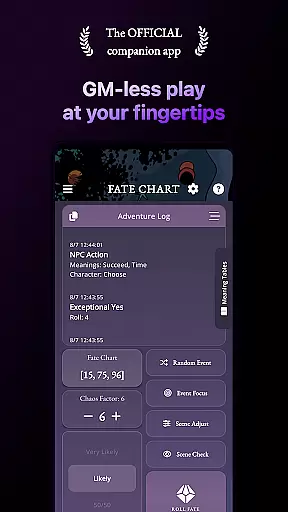
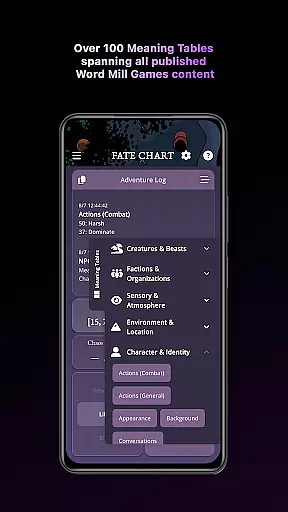
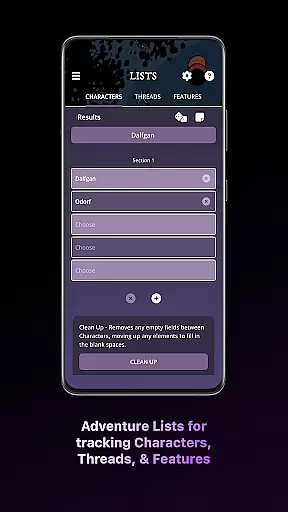
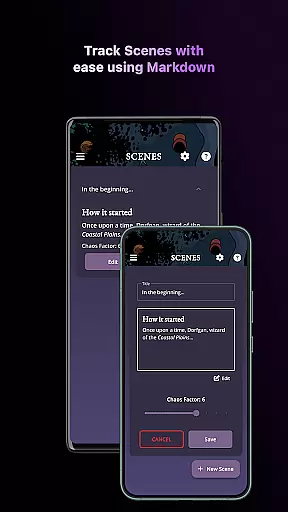
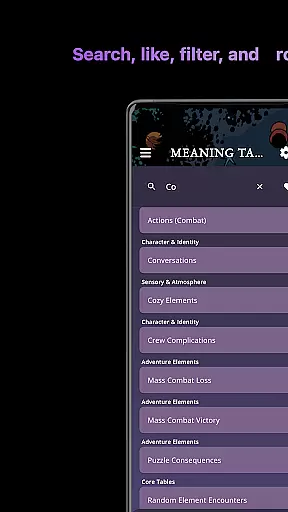
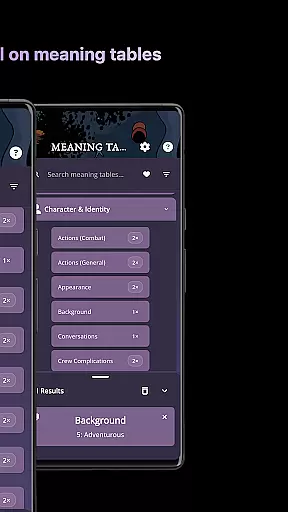
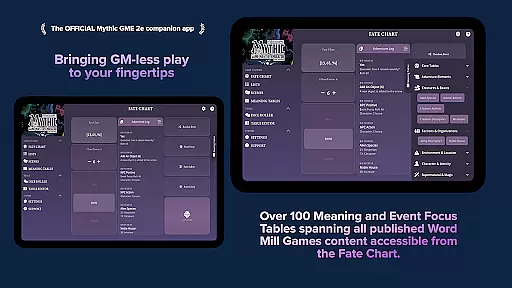
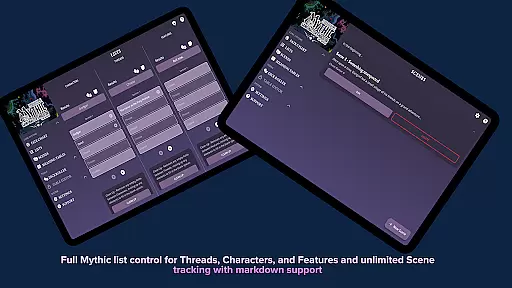
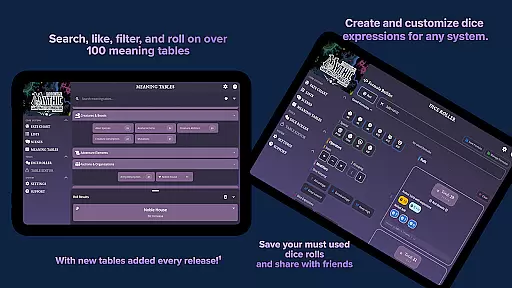
Mythic GM Emulator 2e is the ultimate companion app for solo role-playing and storytelling enthusiasts. This powerful tool allows users to create epic adventures, manage detailed game journals, and access over 100 customizable oracle tables. The app features an enhanced dice roller, scene management tools, and character development systems that cater to both experienced GMs and creative writers.
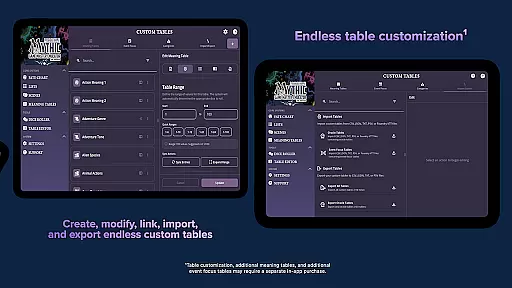
The application's standout feature is its versatile customization options. Users can create and import their own tables in multiple languages, adjust game settings to match their playstyle, and enjoy accessibility features like screen-reader support and adjustable font sizes. Whether you're crafting intricate plots or need a creativity boost, Mythic GM Emulator 2e provides all the tools necessary for immersive role-playing experiences.
Ideal for travel and remote play, this offline-first application ensures uninterrupted gaming sessions. The app's optimized interface works seamlessly across devices, while its multilingual support makes it accessible to international players. With its comprehensive feature set, Mythic GM Emulator 2e stands out as an essential tool for anyone seeking to elevate their tabletop role-playing experience.
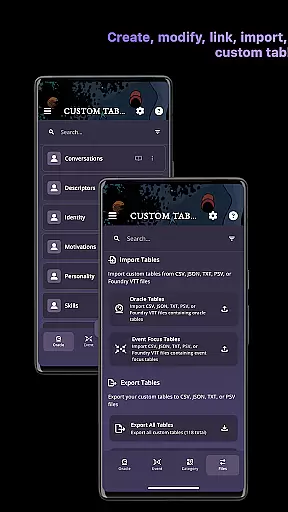
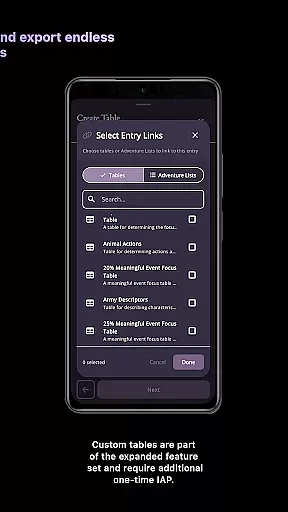
Mythic GM Emulator 2e distinguishes itself through innovative features designed to enhance storytelling capabilities. The v1.5 update introduces Custom Tables functionality, allowing users to create, import, and export oracles in various formats. The Ask Your Fate Question feature provides contextualized answers by first capturing the question's intent before generating results, leading to more meaningful outcomes.
The app's core functionality includes robust journaling tools with markdown support, character management systems with randomization options, and flexible oracle settings. Players can maintain multiple adventure logs, build detailed character profiles, and export their work in standard file formats. The redesigned dice roller offers precise calculations and maintains a comprehensive roll history for reference.
Accessibility remains a top priority with features including left-hand operation mode, high-contrast color schemes, and adjustable UI elements. The application supports multiple languages and offers officially translated content in several major languages. These thoughtful design choices make Mythic GM Emulator 2e suitable for diverse users across different platforms and playing styles.
Rule authenticity and flexibility are crucial for any board game app, ensuring that the digital version accurately reflects the original tabletop experience while adapting to different play styles. Mythic GM Emulator 2e excels in this area by offering both the iconic Fate Chart and the streamlined Fate Check, which can guide any tabletop role-playing game system.
The app allows players to adjust odds and the Chaos Factor on the fly, providing dynamic control over the narrative flow. This feature ensures that the rules remain true to the source material while accommodating various levels of complexity and randomness desired by the players.
Additionally, the Dealer's Choice functionality lets users switch off 'Choose' rolls, roll once on Meaning Tables, or tweak any oracle setting to match their table's style. Such flexibility empowers players to customize their gaming sessions according to personal preferences without compromising rule integrity.
By combining faithful implementation with customizable options, Mythic GM Emulator 2e delivers an authentic yet adaptable board gaming experience that caters to both purists and innovators alike.
While Mythic GM Emulator 2e is primarily designed for solo RPG play and doesn't feature traditional AI opponents, it offers sophisticated tools that serve a similar purpose in guiding the narrative and creating challenging scenarios. The app includes over 50 core tables straight from Mythic GME 2e, expandable to more than 100 tables with additional content, which act as virtual dungeon masters providing endless inspiration.
These tables generate context-rich responses to player queries through its Ask Your Fate Question feature, where you write your question first and roll second. This process creates deeper engagement with each 'Yes/No' or 'Exceptional' answer, simulating the unpredictability of an intelligent adversary.
Moreover, the versatile dice roller supports standard, advanced, and custom formulas like keep/highest, drop/lowest, etc., adding another layer of strategic depth akin to facing off against skilled AI opponents.
Through these innovative mechanics, Mythic GM Emulator 2e effectively replicates the challenge and excitement typically associated with competing against high-quality AI adversaries, making every adventure uniquely compelling.
User-friendly interface
Extensive customization options
Offline functionality
Multilingual support
Comprehensive oracle system
Requires rulebook for full use
Steep learning curve
Premium features locked
Limited free content
Complex setup process

Handcrafted Sudoku puzzles by the most popular Sudoku channel!
 4.50
4.50
Meet adorable cats and sew the coziest quilts.
3.90
Nostalgia Color: Relive Your Fondest Memories
4.40
Enjoy tile matching puzzles and unlock fun stories!
4.90
Train your brain with classic backgammon and become the lord of this board game!
4.30
Start Playing this cool Domino Game right now!
4.70
Chose clever, score better!
4.60
Experience a fresh take on the classic crime-solving board game.
4.60
Roll the dice, pass go and win! Play Hasbro's official MONOPOLY mobile game.
4.20
Enjoy the classic board game of dice with friends. Roll Yatzy? Go!
4.90
Play free Bingo with millions worldwide, enjoy nonstop fun and win great prizes!
4.80
Colorful Twist on Dice
4.70
Domino Frenzy - Tile board game.
4.70
The fastest way to learn and improve your Chess! The ultimate Chess teacher!
4.70
Trade stickers & Get dice
4.70
Plunder your way to Viking adventure in the award-winning board game!
4.60
Addictive, challenging and beautiful - test yourself in this ancient game!
4.30
Roast coffee beans and compose a delicious cup of coffee.
3.80
Pick a Theme, Play the Game
4.4


User Reviews