
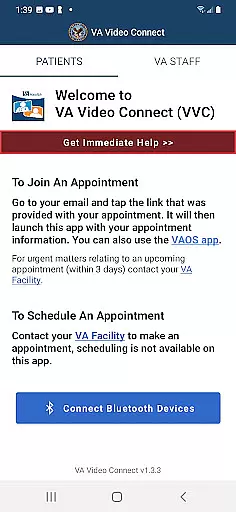
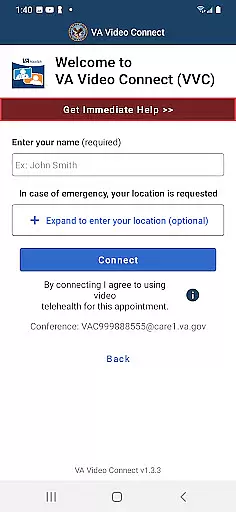
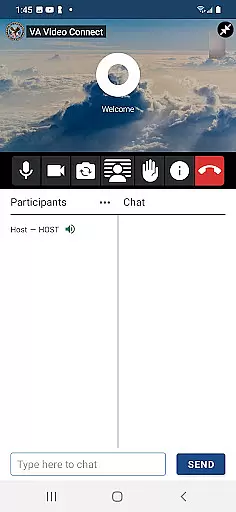
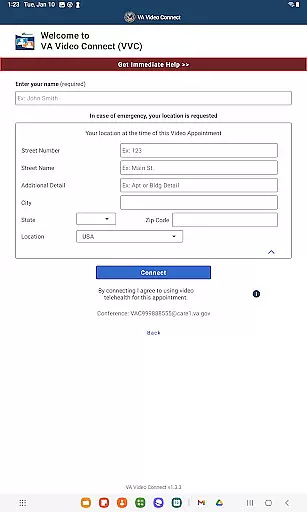
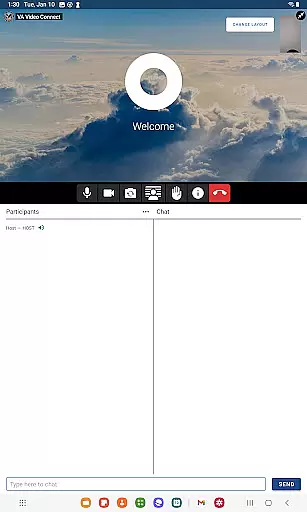
VA Video Connect is a telehealth application specifically designed for veterans to access medical care remotely. The app enables secure video consultations with healthcare providers, ensuring privacy through encryption protocols. It is particularly beneficial for veterans in rural areas who face challenges accessing traditional healthcare facilities.
The application supports Android devices, making VA healthcare more accessible and convenient. By reducing the need for travel, VA Video Connect significantly improves the quality of care for veterans, allowing them to consult with their healthcare team from any location. This flexibility enhances continuity of care while maintaining high security standards.
VA Video Connect offers a robust set of features tailored for telehealth services. The app provides end-to-end encrypted video sessions, ensuring that all communications between patients and healthcare providers remain confidential. Its user-friendly interface allows veterans to easily schedule and join virtual appointments.
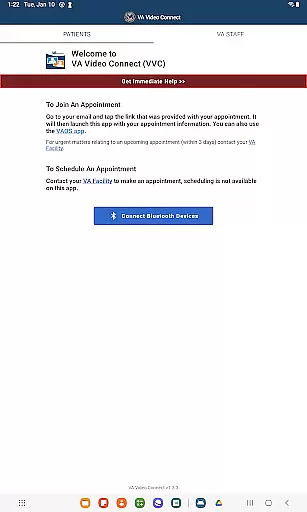
Additional functionalities include appointment reminders, secure messaging, and integration with VA's existing healthcare systems. These features collectively streamline the healthcare process, offering veterans timely access to medical expertise without geographical constraints. The app also supports multiple device types, enhancing accessibility for all users.
In the realm of telehealth, the credibility of medical content and expert review is paramount. VA Video Connect sets a high standard by ensuring that all health care interactions are secure and private through advanced encryption protocols.
This application has been developed with input from medical professionals to facilitate genuine health consultations. The Veterans Affairs health care team, accessible via this app, comprises licensed practitioners whose expertise ensures reliable medical advice and support.
For users, this means peace of mind knowing that their health consultations are not only convenient but also grounded in verified medical knowledge. The app's commitment to expert-reviewed content guarantees that veterans receive accurate diagnoses and treatment recommendations.
Teleconsultation quality is a critical factor for remote health care services, and VA Video Connect excels in providing top-notch virtual consultations. By leveraging secure video technology, it enables veterans to connect with their health care providers seamlessly.
The app reduces the need for travel, which is particularly beneficial for those residing in remote areas. Its ability to deliver quick and easy access to health care professionals means timely medical attention without compromising on quality.
With features designed to streamline communication between patients and doctors, VA Video Connect ensures that each teleconsultation is as effective as an in-person visit. This dedication to maintaining high-quality standards makes it an invaluable tool for modern health care delivery.
User-friendly interface
End-to-end encryption
Appointment scheduling
Reduced travel time
Wide device compatibility
Limited to VA patients
Requires internet connection
Android-focused features
No offline functionality
Potential technical issues

Explore human anatomy with this rich learning experience.
 4.00
4.00
Leafly is a weed app for finding dispensaries, cannabis strains, & more.
4.70
The Omada app enhances your program experience and helps you stay engaged.
4.50
Enables quick access to medical data and contacts in case of emergency (ICE)
4.70
Elegant, easy-to-use period tracker for fertility, PMS symptoms, and more
4.90
Zepbound & Mounjaro support & resources for savings, tracking & more
3.90
Donating plasma just got easier with the BioLife Plasma Services mobile app.
3.90
The Client Portal app empowers you to manage care from one secure place
4.10
Online Doctors & Condition Management
4.40
Manage your prescriptions and pharmacy care anytime, anywhere.
4.80
Manage your healthcare through the FollowMyHealth® Universal Health Record.
4.80
Take your aphasia therapy to the next level with 4 evidence-based advanced apps
4.70
This app is simply 1 book (also large app) and 17 other apps combined into 1
4.70
Adaptive-learning flashcards and quizzes for the Top 250 Drugs
4.60
Take on apraxia and aphasia with a powerful video-driven speech therapy app.
4.60
We’ve made it easy for Oscar members to get care on the go.
4.30
Molina Members: My Molina. Manage your health anytime, anywhere!
4.30
Crush your paramedic exam with NREMT-style tests, ECGs, and top-tier prep!
3.90
Care Simplified by MyChart
3.40


User Reviews