
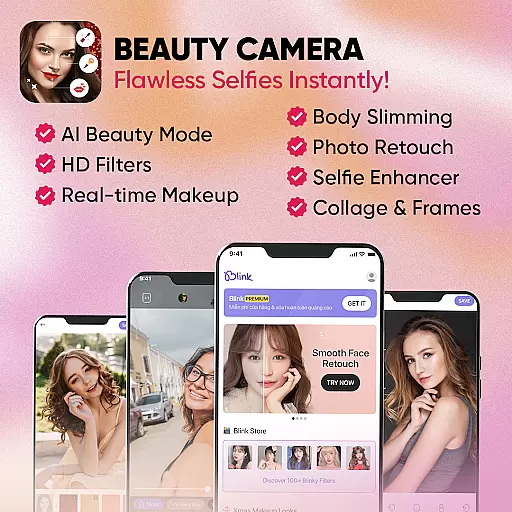
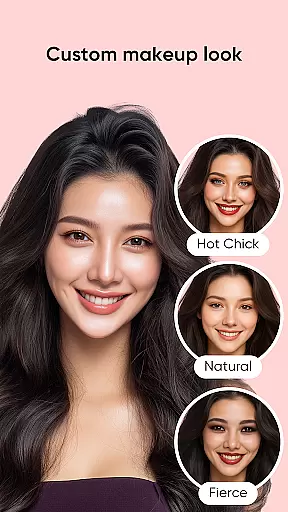
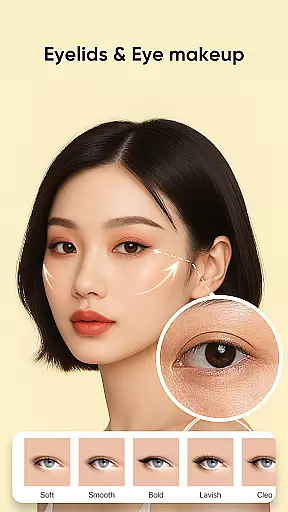
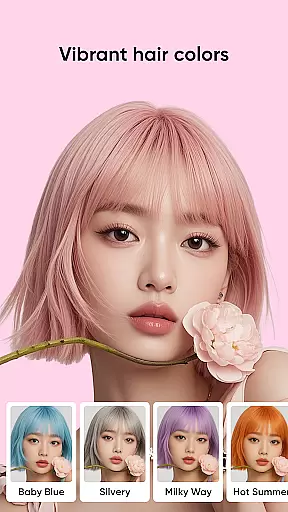
Blink Beauty Cam is a feature-rich photo editor application designed specifically for beauty enthusiasts who want to enhance their selfies with professional-grade tools. The app offers an impressive array of face beautifying filters and makeup options that allow users to retouch facial features, apply various makeup styles, and experiment with different looks effortlessly.
One of the standout features of Blink Beauty Cam is its ability to provide detailed editing of each facial contour. Users can adjust face shapes, correct imperfections, whiten teeth, and even change hair color using AI technology. With over 50 makeup styles ranging from gentle to bold, including trending themes like Christmas and Halloween, this app caters to diverse aesthetic preferences. Additionally, it includes pro tools for image editing such as cropping, flash modes, and photo enhancement.
Whether you're looking to capture the perfect selfie or edit existing photos with precision, Blink Beauty Cam delivers a comprehensive suite of tools that make photo retouching accessible and enjoyable. Its intuitive interface and powerful features ensure that users can achieve stunning results without needing professional skills.
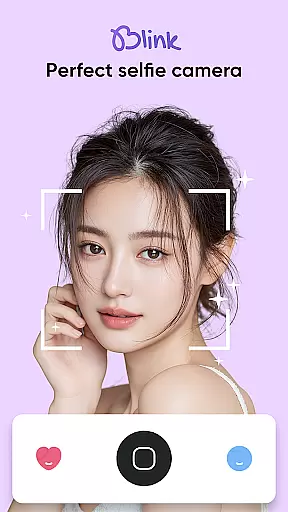
Blink Beauty Cam stands out with its extensive set of features tailored for both amateur and experienced photo editors. The app provides a natural selfie camera experience with skin-smoothing effects and blemish removal, ensuring every shot looks flawless. It supports live scoring while shooting, giving real-time feedback on your photos.
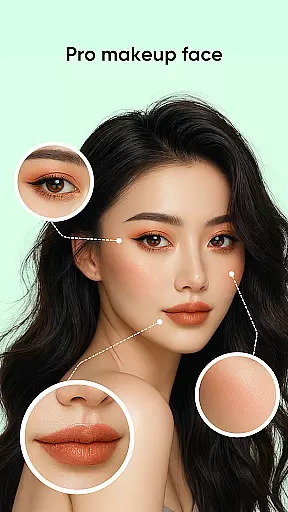
The professional photo makeup section includes over 50 styles, allowing users to customize their look down to the smallest detail—eyes, lips, eyebrows, and more. The face retouch feature enables precise adjustments, such as nose shaping, eye correction, and skin whitening. Moreover, the AI-powered hair color changer helps users try trendy colors virtually before committing to a real change.
Additional functionalities include pro tools for advanced image editing, such as setting timers, flash modes, and touch capture. The Blink Store offers 100+ unique filters categorized by themes like trends, festivals, and nature, providing endless creative possibilities. These robust features collectively empower users to produce high-quality, aesthetically pleasing images with ease.
When it comes to beauty applications like Blink Beauty Cam, the depth of the product database plays a crucial role in providing users with comprehensive makeup solutions. This app offers over 50 different makeup styles ranging from gentle looks to more personalized themes such as Christmas or Halloween.
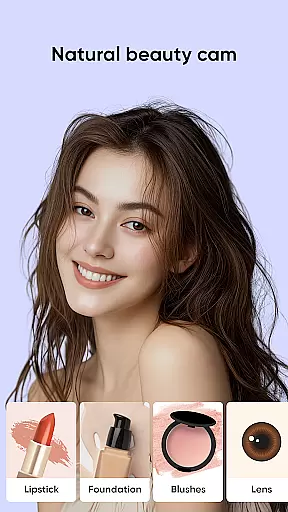
The extensive database allows users to experiment with various makeup elements including lipstick colors, eye shadows, mascaras, and even contouring options. Each style is crafted to cater to different preferences and occasions, ensuring that users can find the perfect look for their needs.
Besides offering a wide range of makeup styles, Blink Beauty Cam also provides users with the ability to edit specific facial features. From changing hair color to retouching facial contours, the app supports detailed customization down to the shape of the eyes, lips, and eyebrows.
This level of detail in the product database ensures that users have access to professional-grade tools without needing any prior expertise. The app's vast array of options empowers users to express their creativity and achieve high-quality results, making it an invaluable tool for anyone interested in beauty and makeup.
Personalization precision in beauty apps refers to the accuracy and adaptability of customized beauty solutions tailored to individual users. Blink Beauty Cam excels in this area by offering highly personalized makeup and photo editing features.
One of the standout features is the app's capability to apply live makeup filters that adapt to the user's facial features in real-time. This ensures that the makeup looks natural and fits the user's unique face shape and skin tone.
In addition to makeup personalization, the app provides advanced face retouching options. Users can adjust specific details such as nose shape, eye size, and skin tone with precision. These features are powered by sophisticated AI algorithms that learn from user preferences and continuously improve the personalization process.
By focusing on personalization precision, Blink Beauty Cam not only enhances user satisfaction but also sets itself apart from other beauty apps. The ability to create bespoke beauty solutions makes it an essential tool for users seeking professional-quality edits and personalized beauty experiences.
User-friendly interface
Wide range of makeup styles
Advanced facial editing tools
AI-powered hair color changer
Comprehensive filter library
Some features may require in-app purchases
Occasional ads can be intrusive
High resource consumption on older devices
Limited offline functionality
Steep learning curve for beginners

Photo enhancer 360, image enhancement, restore old photos, colorize photo ai
 4.70
4.70
Make beautiful Hairstyles for girls with your own hands in little bit of time
4.00
The Official Voting App
3.90
True mirror app with zoom, LED light, for makeup & shaving anywhere!
4.20
Wacky mirror filter, waves effect & wavy effect to make your own funny videos.
4.60
Salon appointment booking and scheduling software for beauty pros and barbers.
4.80
Book beauty salon, hair or health and wellness experiences in an instant
4.90
DSLR Hd camera capture high quality 4k hd picture with filters and blur editor
4.50
Mirror app that shows your image with photo editor, zoom and light!
4.70
The ultimate beauty membership
4.70
Monthly Perfume Subscription
4.70
Beauty Camera - Selfie Camera with beauty editing tool, makeup, filter, sticker
4.60
Unleash your (Pro)tential with the hottest hair, nails and beauty brands!
4.60
Your on-demand aesthetician
4.40
This application is for the Luvme Hair official website: shop.luvmehair.com .
4.30
All-in-one solution for independent beauty pros to manage & grow their business
4.30
Beauty Camera AI Photo Editor with effect, filter, makeup tools for photo editor
4.30
Design your nails, manicure and pedicure with nail paint art and nail idea app
3.90
Change your hairstyle and color instantly with AI-powered virtual makeovers.
3.90


User Reviews