
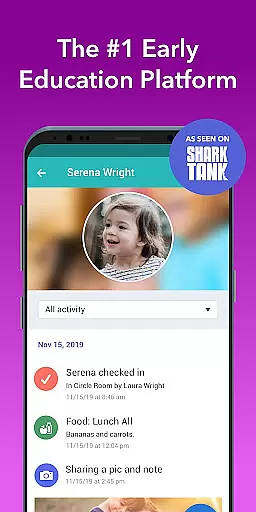
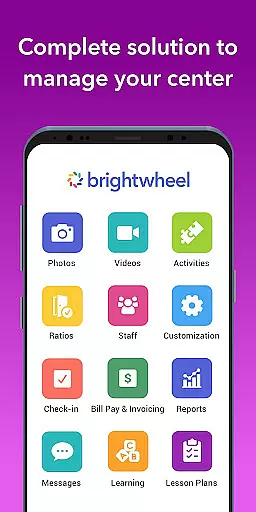
Brightwheel is a comprehensive childcare management software designed to streamline operations for early education providers. This all-in-one platform combines essential tools like billing, attendance tracking, family communication, and lesson planning, allowing educators to focus more on children and less on administrative tasks.
The app's intuitive design ensures quick setup and ease of use for both staff and families. With features such as automated billing, real-time messaging, photo sharing, and detailed reporting, brightwheel simplifies daily operations while strengthening family connections. Backed by robust security measures and reliable performance, it provides peace of mind with 99% uptime and industry-leading support.
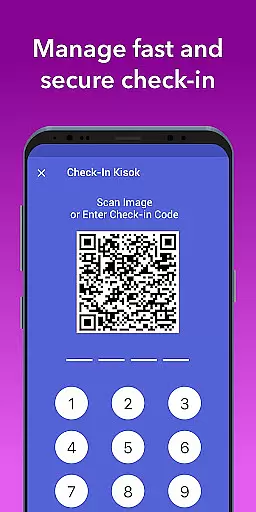
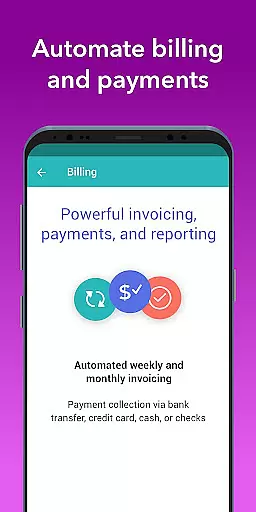
Brightwheel stands out with its extensive feature set tailored for early education providers. The platform offers automated billing and payment processing, customizable financial reports, and expense tracking, making financial management seamless. Its user-friendly interface allows for easy attendance tracking through quick scans or codes, ensuring compliance with room ratios and capacity requirements.
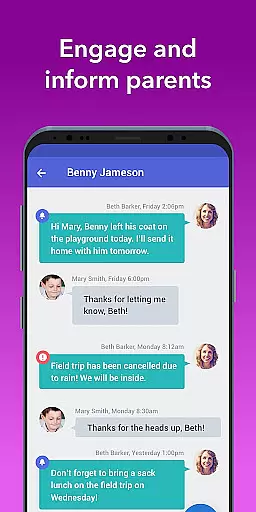
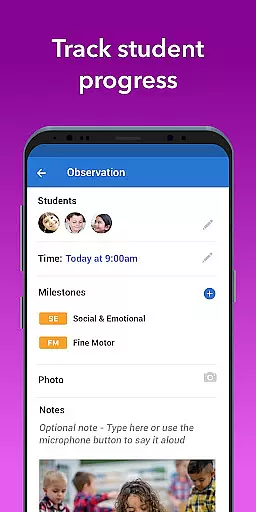
A key strength is its robust family engagement tools. Educators can communicate in real-time, share photos/videos, and send daily activity reports to parents. The lesson planning feature enables teachers to create and share curriculum plans, while assessment tools help track student progress using pre-loaded state standards. With additional features like admissions management, calendar sharing, and DRDP observation tools, brightwheel provides a complete solution for modern childcare centers.
In the realm of early education, content accuracy and authority are paramount. Brightwheel stands out by providing educators with tools that ensure lesson plans and assessments align with state standards. The platform includes pre-loaded state standards and a DRDP tool, enabling teachers to track progress and achievements effectively.
Brightwheel's curriculum management features allow educators to add, customize, and share lesson plans seamlessly. By upgrading to Experience Curriculum, programs can further enhance quality through digital lessons and hands-on learning materials. This ensures that the educational content delivered is not only accurate but also enriched with diverse teaching methodologies.
The app's dedication to reliable performance and robust security underpins its authoritative stance in the education sector. With advanced security features like two-factor authentication and compliance with the highest data protection standards, educators and families can trust the integrity of the information shared on the platform.
Ultimately, Brightwheel empowers educators to focus more on teaching and less on administrative tasks, thanks to its comprehensive and authoritative approach to managing educational content. This results in an enhanced learning experience for children and peace of mind for families.
Brightwheel revolutionizes personalized learning paths by offering tailored solutions that adapt to each childu2019s unique needs. Through its intuitive platform, educators can create customized lesson plans and assessment tools that cater to individual learning styles and paces, ensuring every child receives the attention they deserve.
The app facilitates ongoing observation and documentation of each child's progress. Teachers can make notes of activities, achievements, and areas needing improvement, which can be shared privately among staff or with families. This transparency fosters a collaborative environment where learning objectives are clearly communicated and progress is tracked meticulously.
Moreover, Brightwheelu2019s real-time syncing capability ensures that updates made on one device are immediately reflected across all platforms. This seamless integration allows educators to adjust learning paths dynamically based on current observations and feedback from families, thus maintaining a truly personalized educational journey for each child.
By reducing administrative burdens and enhancing communication between educators and families, Brightwheel enables a more focused and effective approach to personalized education. This ultimately leads to better outcomes and a more engaging learning experience for young learners.
User-friendly interface
Comprehensive feature set
Reliable performance
Robust security
Excellent customer support
Premium features costly
Steep learning curve
Limited offline functionality
Occasional bugs
Feature overload for small centers

An animated storybook app to help ease your child through toilet training.
 3.70
3.70
Your guide to thousands of satellites and spacecraft in orbit around Earth!
3.90
Study the questions most likely to be asked during the Oral & Practical Exams.
2.80
Listen, request and record pronunciations in more than 450 languages. Everywhere
3.90
Visit Daniel's house & make believe. Play doctor, make music, & feed fish.
3.20
An aviator’s preparation, study and test tool for FAA Knowledge Exams.
3.80
Snap a dog photo to identify its breed instantly. Fast, accurate and easy to use
3.40
Educational Activities for 2-8
3.70
Train, track, and reward potty training using Potty with Pull-Ups® ft. Disney®
4.70
A realistic sky map to observe stars, planets, satellites and constellations!
4.80
Intuitive Transformer Lab - By a Lineman, For Linemen & Apprentices
4.50
SkyView®, an augmented reality space app, brings stargazing to everyone!
4.40
Learn math, step-by-step
4.30
Monkey Preschool Lunchbox: 7 exciting educational games for your preschooler.
4.30
THE ESTABLISHED "GO TO" ARMY BOARD PREPARATION APP!
4.30
Explore numbers the Starfall way!
4.00
Our most popular app series returns, better than ever!
3.90
The official CCM Glossary app, including 700+ terms and definitions.
2.90
AR planetarium app that brings the solar system to you via XREAL Glasses.
4.1


User Reviews