
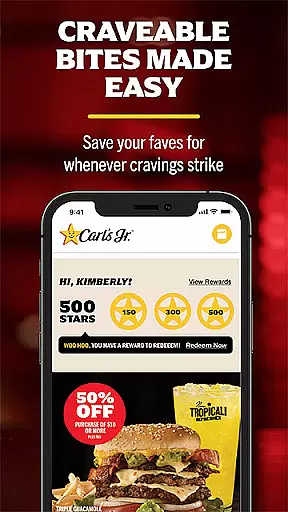
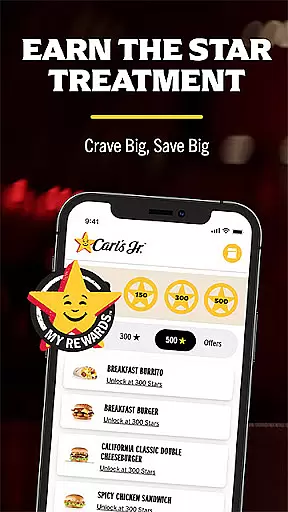
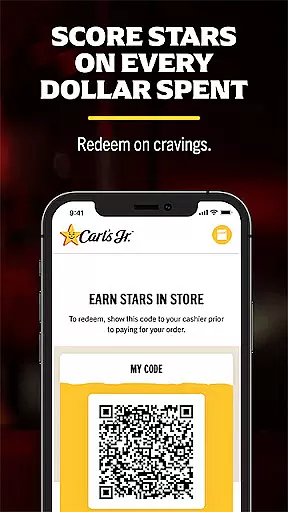
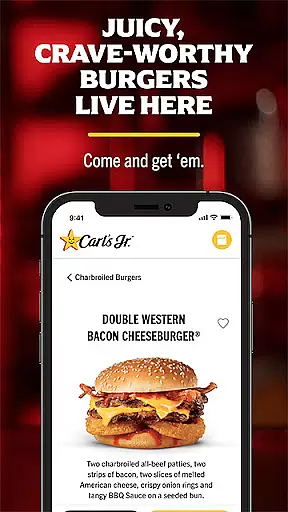
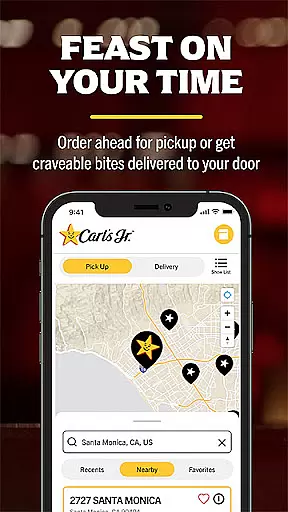
Carl's Jr. is a premier food and beverage app designed for fast-food enthusiasts who crave convenience, customization, and rewards. The app offers an intuitive platform where users can earn points through the MyRewards program, unlocking free food and exclusive deals. With features like mobile ordering, users can skip long lines by customizing their orders in advance and scheduling pick-up times. Whether you're craving charbroiled burgers, crispy chicken sandwiches, or refreshing fountain drinks, Carl's Jr. ensures your favorite meals are prepared fresh and hot upon arrival.
The app also enhances user experience by integrating saved payment methods, enabling quick checkouts, and notifying the kitchen when you're nearby. This seamless blend of functionality makes Carl's Jr. a must-have tool for anyone looking to save time and money while enjoying high-quality fast food.
Carl's Jr. stands out with its robust set of features tailored to elevate the fast-food experience. One of its key highlights is the MyRewards program, which allows users to earn 10 Stars for every dollar spent, redeemable for menu items like French Toast Dips or Hand-Breaded Chicken Tenders. The app provides exclusive, app-only deals on legendary charbroiled burgers, sides, and drinks, ensuring users enjoy significant savings. Additionally, the mobile ordering system lets customers customize their meals down to the smallest detail, from burger toppings to drink sizes.
Another standout feature is the ability to schedule pick-up times and enable location services, which alerts the restaurant when you're close. This ensures your food is prepared fresh and ready exactly when you arrive. With secure saved payment options, including credit and gift cards, the app streamlines the checkout process, making it faster and more convenient than ever to satisfy your cravings.
Locating your nearest Carl's Jr. has never been easier with the app's intuitive store locator feature. This functionality ensures you can find a restaurant based on your current location or by entering a specific address, making it convenient to satisfy your cravings wherever you are.
The app provides essential details about each outlet, including operating hours, contact information, and directions. Whether you're traveling or exploring a new neighborhood, this feature guarantees that a juicy burger is always within reach.
Users benefit from real-time updates, ensuring the information is accurate and reliable. With just a few taps, you can plan your visit, check if the restaurant is open, and decide the best time to stop by for a delicious meal.
Carl's Jr. app revolutionizes the way customers receive their orders by offering seamless delivery and pickup options. The ordering process is streamlined, allowing users to customize their meals, apply exclusive deals, and choose between delivery or pickup at their convenience.
For those who prefer dining at home, the delivery service ensures that food arrives hot and fresh. Meanwhile, the pickup option lets customers skip the line by scheduling their order ahead of time, providing flexibility for busy schedules.
This dual functionality not only saves time but also enhances the overall customer experience. By integrating saved payment methods and location services, the app makes every transaction smooth and efficient, ensuring that cravings are met with minimal wait times.
User-friendly interface
Exclusive app-only deals
Customizable mobile ordering
Rewarding loyalty program
Convenient pick-up scheduling
Limited to Carl's Jr. locations
Requires constant updates
Occasional bugs in ordering
Geolocation not always accurate
Payment issues with some cards

My Recipes Your personal recipe collection in one APP. Private, offline, adfree.
 4.0
4.0
Earn rewards, order ahead, and never miss a celebration! At select locations.
4.90
Stashcook: Keep healthy food recipes, cooklist & weekly meal plans for any diet.
4.50
Wings for Delivery or Carryout
4.80
Now it's easier than ever to order, pay and earn delicious rewards.
3.50
Earn rewards when you order online for delivery or pickup from Sonic Drive-In.
4.60
Conveniently order food ahead and avoid the wait at your favorite Jersey Mike's.
4.80
Find the perfect restaurant for any occasion on OpenTable.
4.60
Not just food delivery. Shop for groceries from local supermarkets to your door.
4.60
Fresh sandwiches and boxed lunches for delivery or pickup. Plus, track rewards!
4.80
Mexican Food Pickup & Delivery
4.70
Order ahead & earn rewards
4.60
Everything you want right here
4.50
Order your Buffalo Wild Wings favorites for takeout & delivery
4.50
Order ahead, receive points with qualifying purchase & redeem available rewards.
4.50
Delicious cocktail recipes you can make with ingredients you already have.
4.40
Get exclusive food deals, earn rewards, fast reordering & order ahead options.
4.30
Order Food, Track, and Earn Rewards
3.80
Krispy Kreme Mobile Ordering, Loyalty and Hot Light
3.20


User Reviews