


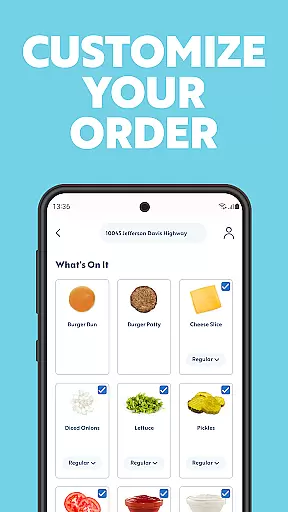
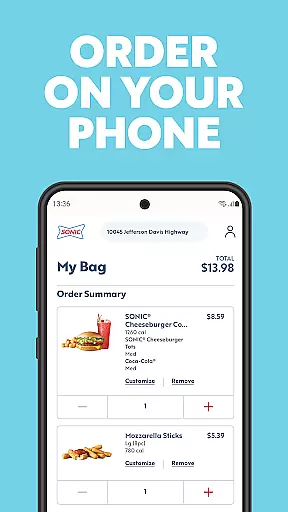
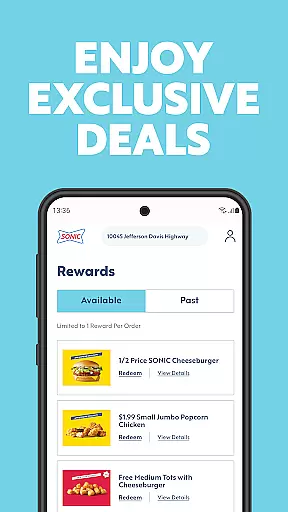
SONIC Drive-In is a must-have app for food enthusiasts who want to enjoy delicious meals with convenience. This Food & Drink app allows users to create an account for exclusive offers and rewards, find nearby SONIC locations, and browse the menu to customize orders ahead of time. Whether you're craving a unique slush or your favorite burger, SONIC Drive-In makes it easy to order and save time while enjoying great food.
The app enhances your dining experience by providing nutritional information and showcasing new items on the menu. With its user-friendly interface, SONIC Drive-In ensures that you can easily access all features, making food fun again while offering a seamless digital experience.
SONIC Drive-In stands out with its comprehensive set of features tailored for food lovers. One key feature is the ability to create an account within the app, unlocking exclusive offers and rewards that can be redeemed when ordering ahead. This functionality not only saves time but also adds value to each purchase, encouraging users to return.
Additionally, the app provides tools to locate the nearest SONIC Drive-In locations and view their operating hours. Users can explore the full menu, customize their favorite items, and place orders directly through the app. These features collectively ensure a smooth and enjoyable ordering process, allowing customers to focus on what truly matters - savoring their delicious meals.
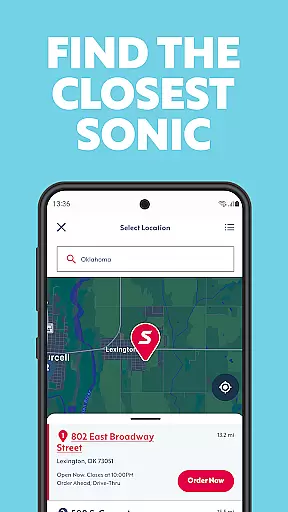
Locating your nearest SONICu00ae Drive-In has never been easier. The app's store locator function provides accurate location data, ensuring you can find the closest drive-in quickly and efficiently.
Beyond just pinpointing locations, the feature offers detailed information about each outlet. Users can view operating hours, check if a particular location is open for business, and even get directions straight to their desired SONIC.
This functionality proves invaluable when traveling or exploring unfamiliar areas. With real-time updates and reliable data, customers can depend on the app to guide them to satisfying meals without unnecessary detours or delays.
SONICu00ae Drive-In app revolutionizes food ordering with its seamless delivery and pickup services. Customers can browse the menu, customize orders to their liking, and schedule convenient pickup times that fit their busy schedules.
The app ensures transparency in delivery fees and timing estimates. Whether opting for home delivery or curbside pickup, users are presented with clear options and costs, allowing them to make informed decisions about how they want to enjoy their meal.
By integrating these services, SONIC enhances customer convenience significantly. Patrons can now relish their favorite treats without leaving the comfort of their homes or enduring long waits, making dining experiences more enjoyable and stress-free.
User-friendly interface
Customizable orders
Exclusive rewards
Nearby location finder
Nutritional info available
Limited to SONIC outlets
Occasional bugs
Geographic restrictions
Account setup required
In-app purchases only

My Recipes Your personal recipe collection in one APP. Private, offline, adfree.
 4.2
4.2
Get 20% Back at thousands of 4+ star restaurants when you pay using inKind
4.90
Real ones order on the app, earn points, score deals, and skip the line.
4.40
Order your Buffalo Wild Wings favorites for takeout & delivery
4.50
Discover. Create. Plate.
4.40
Order ahead, receive points with qualifying purchase & redeem available rewards.
4.50
Order ahead & earn rewards
4.60
Exclusive deals, mobile ordering & find your nearest BK® restaurant anytime
4.40
Food Delivered to your door! Order from 1800+ Grocery & Retail Store Brands.
4.10
Rescue tasty unsold food from local stores for ½ price or less.
4.90
Enjoy all your Legendary favorites at Texas Roadhouse!
4.80
Papa Johns Pizza, delivering an awesome pizza ordering experience for Android!
4.80
Mexican Food Pickup & Delivery
4.70
Get food, grocery, and retail essentials delivered fast with DoorDash.
4.70
NEW digital gift cards available in exclusive designs!
4.60
Easy and fast ordering, improved customization, and an enhanced guest experience
4.20
Order, Deals & Rewards
4.20
Order Food, Track, and Earn Rewards
3.80
Krispy Kreme Mobile Ordering, Loyalty and Hot Light
3.20


User Reviews