
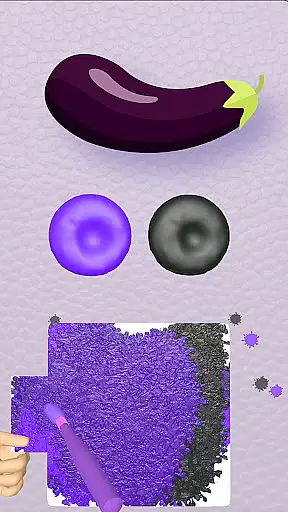
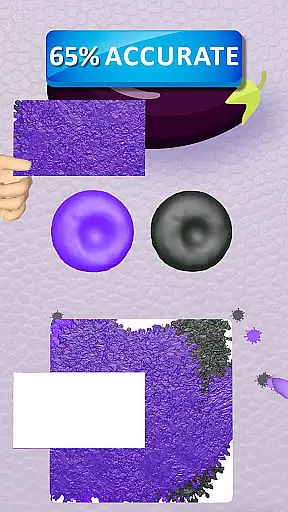
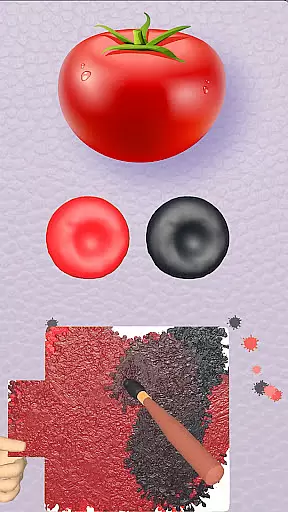
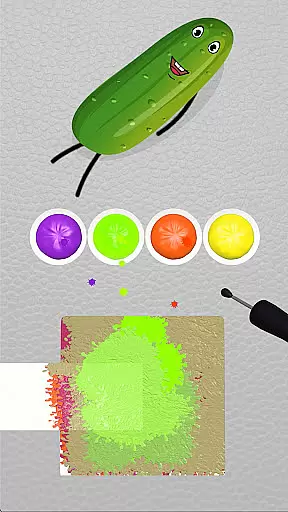
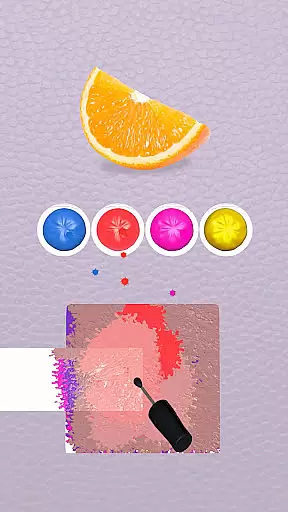
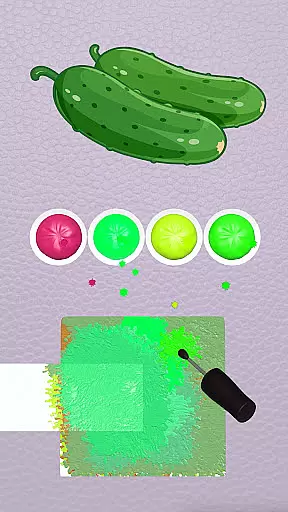
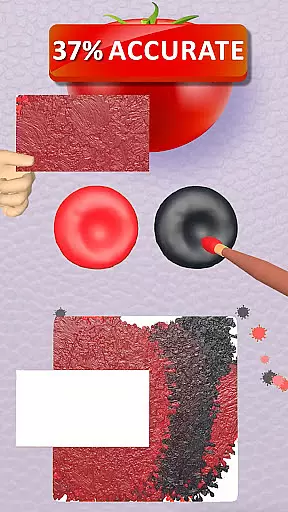
Color Match is a casual gaming app that offers an immersive color-matching experience. Players can explore their artistic side by painting 3D objects and blending colors to create vibrant masterpieces. With over 200 objects ranging from fruits and animals to cars and home appliances, the game provides endless opportunities for creativity.
The app features various themed rooms such as Garden, Kitchen, Garage, and more, each filled with unique items to paint. Users can learn color mixing, customize their spaces, and even share their creations on social media. The game also includes an auction system and a personal gallery to showcase painted objects.
Designed for creative minds, Color Match brings joy and relaxation through its engaging gameplay. Whether you're looking to unwind or express your artistic flair, this app offers a delightful escape into a world of colors.
Color Match stands out with its innovative features designed to enhance user experience. One key feature is the effortless painting mechanism, allowing players to bring objects to life by matching original hues with their unique color style. This intuitive process makes it easy for anyone to dive into the colorful world.
Another highlight is the color mixing tutorial, where users can experiment with different shades and create perfect hues. Mistakes are no issue, thanks to the undo function and helpful hints. Additionally, players can sell their artwork at auctions or display them in a personalized home gallery, adding a layer of strategy and pride.
Customization options extend to themed rooms and the main screen, giving users control over their environment. Sharing capabilities allow artists to flaunt their work on platforms like Instagram and Facebook, while the 3D gallery showcases their masterpieces in a dynamic setting.
Color Match offers a straightforward and engaging core gameplay that is easy to learn yet captivating. The game invites players into a vibrant world where they can unleash their inner artist by blending colors and painting various 3D objects.
The mechanics are designed for ease of use, allowing users to effortlessly match colors and bring over 200 diverse objects to life. From fruits in a garden to exotic animals, high-performance cars, home appliances, and more, the variety ensures that players never run out of exciting items to paint.
Players will find themselves immersed as they mix hues on a color palette, learning new shades and creating perfect tones with an option to undo steps or use hints when needed. This intuitive approach makes it accessible for all ages while maintaining depth through creative experimentation.
One of the standout features of Color Match is its adaptability to different play styles and schedules, offering session length flexibility that caters to both short bursts and extended gaming sessions. Whether you have a few minutes or several hours, the game adjusts seamlessly to your available time.
With each object taking varying amounts of time to complete, players can choose simpler tasks for quick sessions or dive into more intricate designs if they have more time at hand. The ability to pause and resume without losing progress adds convenience, making it ideal for busy lifestyles.
This flexibility not only enhances user engagement but also encourages regular returns by fitting naturally into daily routines. Players can pick up where they left off anytime, ensuring continuous enjoyment and creative expression without feeling constrained by time limits.
Engaging gameplay
Vibrant graphics
Creative freedom
Social sharing
Relaxing experience
Limited free content
In-app purchases
Ads between levels
Steep learning curve
Occasional bugs
Jurassic beast with one goal tear down everything in sight
 4.1
4.1
Defeat your enemies by creating a larger army of bullets!
4.40
Save the Candy Bears! Match, pop, and blast through fizzy match-3 puzzles!
4.60
Classic brain train minigames
4.3
Help Austin renovate his home and solve exciting match-3 puzzles along the way!
4.70
A fun and relaxing idle game
4.20
Monster Attack! Hide and run cleverly or unleash your inner angry hunter!
4.20
More fast-paced, food-making, cooking fun for everyone!
4.90
Draft dice in Sagrada to construct your stained glass window masterpiece.
4.60
Manage a fish tank of guppies and other aquarium creatures
4.60
Relax, merge, and shine! Create your own beauty style story with every move.
4.50
Join Tom and friends and care for them. Create fun stories and play mini-games.
4.30
Adds up the dots on a group of dominoes with your phone's camera and keeps score
4.30
Build Your Tactical Fortress, One Gear at a Time!
4.20
Play the Angry Birds game enjoyed by millions of players every day!
4.10
The official Taskmaster app. A jam packed extravaganza of Taskmaster fun!
4.00
The classic Snake with vibrant neon colors for just 5 cents!
4.1
Just shoot and drop blocks.
4.2
Protect nature, fight pests and harness the power of compost in Garden Invasion
4.1


User Reviews