
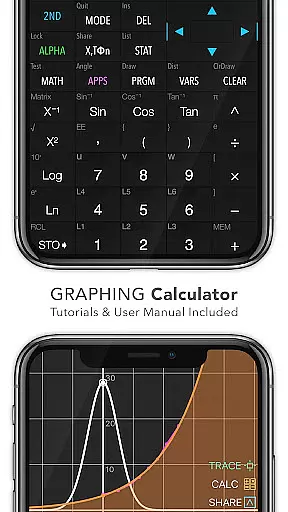
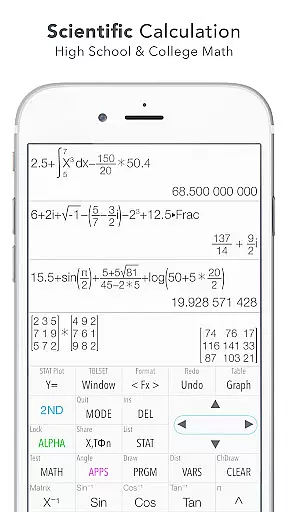
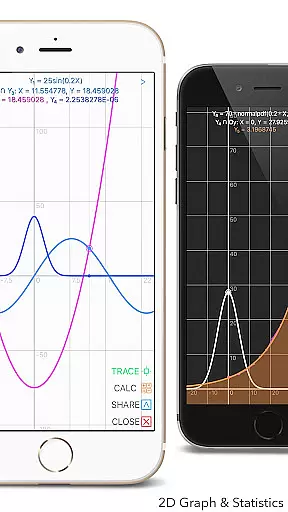
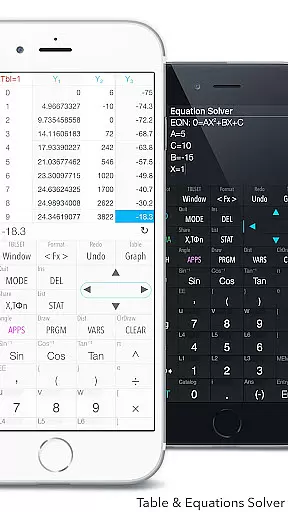
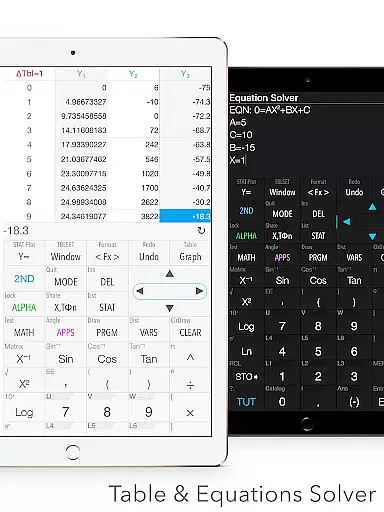
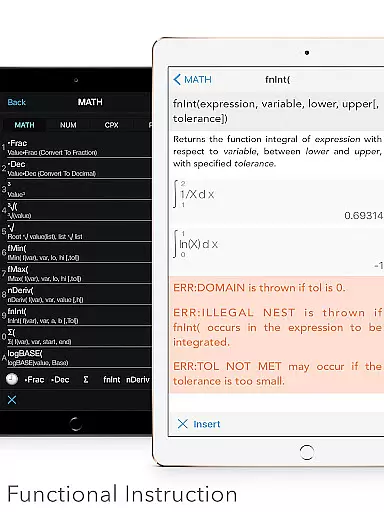
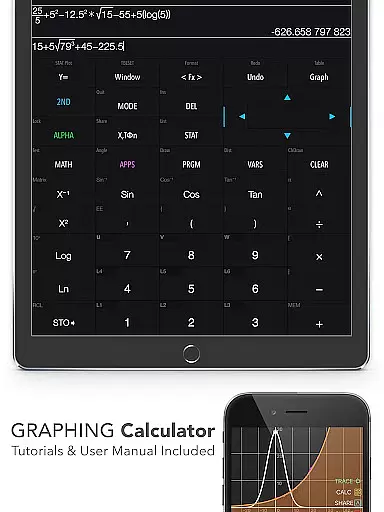
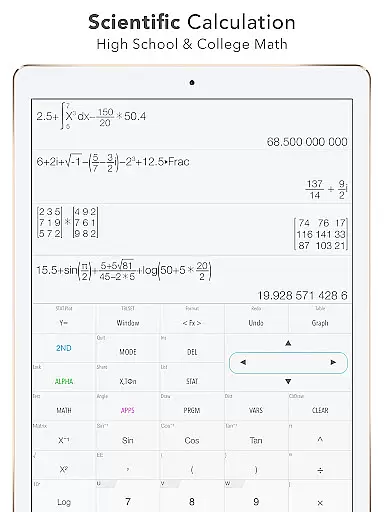
Graphing Calculator Plus stands as a versatile and powerful educational tool designed to cater to the mathematical needs of students, educators, and professionals alike. This app mirrors the functionality of traditional graphing calculators while leveraging the flexibility and power of mobile technology. With its robust MATH CORE and intuitive interface, it supports both basic calculations and advanced mathematical operations, including statistics, calculus, and matrix functions.
One of the standout features of Graphing Calculator Plus is its comprehensive set of built-in documents and tutorials that guide users through various mathematical concepts and calculator functionalities. Whether you're solving equations, graphing functions, or performing complex number calculations, this app provides an accessible platform for learning and problem-solving. Its dual themes and customizable functions make it suitable for prolonged use in diverse environments, from classrooms to professional settings.
The application's value extends beyond simple computation; it offers specialized tools such as financial calculations, geometry applications, and chemistry utilities. These features ensure that users can tackle a wide range of academic and real-world challenges with confidence. For anyone seeking an all-in-one mathematical solution on their mobile device, Graphing Calculator Plus represents an indispensable resource.
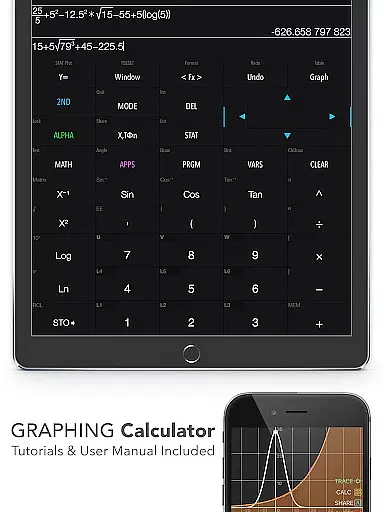
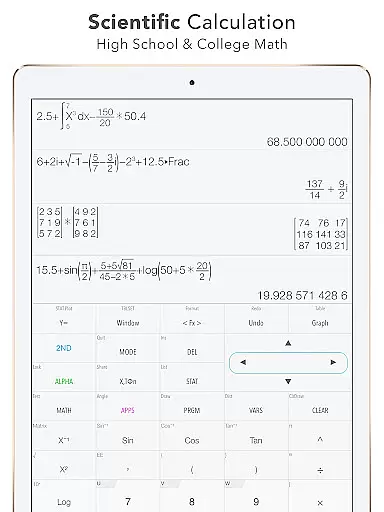
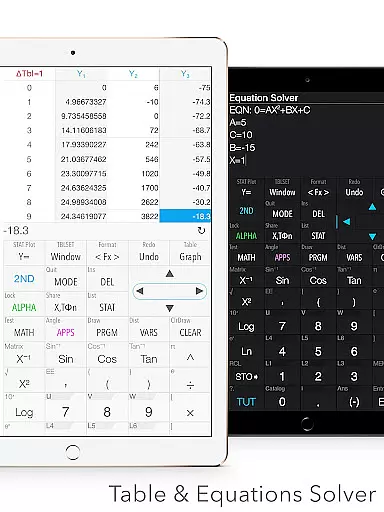
Graphing Calculator Plus distinguishes itself through a rich array of features tailored to meet the demands of modern education and professional practice. The app includes a universal calculator equipped with a mathematical display that supports complex number calculations, equation solvers, and editable expressions. Users can seamlessly switch between basic arithmetic operations and advanced functions like trigonometric, logarithmic, and exponential computations.
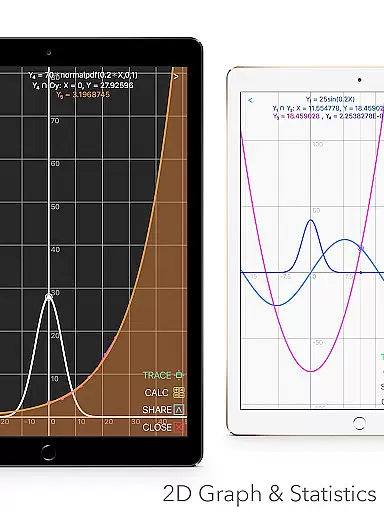
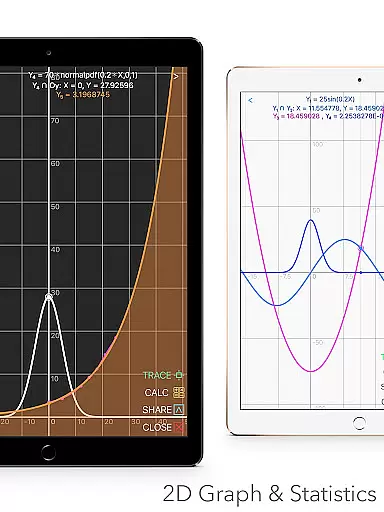
A significant advantage of this app is its ability to generate 2D graphs with simultaneous plotting, smooth zoom, and transformation capabilities. It supports parametric, polar, and sequence graphing, making it ideal for visualizing mathematical relationships. Additionally, the statistics and regression module allows users to create and edit lists, perform one-variable and two-variable statistics, and apply various regression models. These features are complemented by a comprehensive matrix editor and advanced matrix functions.
Beyond traditional calculator capabilities, Graphing Calculator Plus incorporates programming support, number base-N mode, and additional tools like financial calculations and scientific apps. The inclusion of over 40 common constants, unit converters, and a history tape view enhances its utility across different disciplines. With continuous updates and improvements, this app remains at the forefront of mobile mathematical solutions.
In the realm of education, content accuracy is paramount. Graphing Calculator Plus ensures precision by integrating a robust MATH CORE and MATH DISPLAY support. This powerful combination allows for accurate calculations ranging from basic arithmetic to advanced functions like Sin, Cos, Ln, and E.
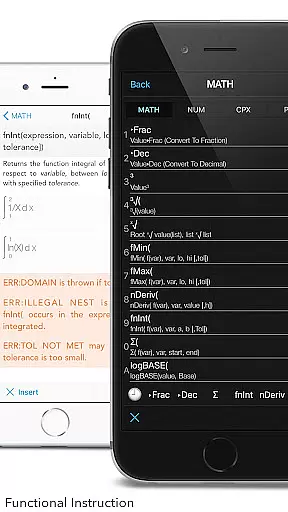
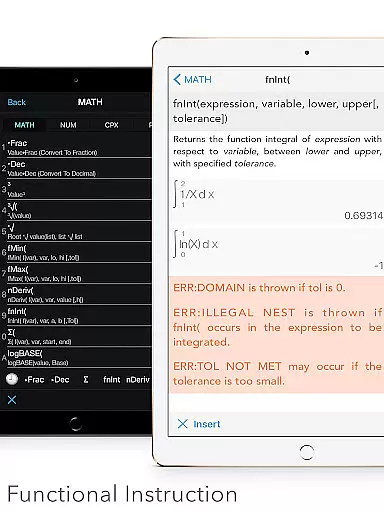
The app includes built-in documents that cover a wide array of mathematical operations such as X & Y Calculation, Intersection of Functions, Local Maxima and Minima, Statistics & Regression, Equation Solving, and Integral Functions. With these resources at their disposal, users can trust in the app's ability to deliver correct results every time they perform a calculation.
Engineers and math students will find this tool particularly beneficial due to its comprehensive functionality. Whether itu2019s solving equations or working with complex numbers, the calculator provides reliable outcomes that are essential for academic success and professional work.
Graphing Calculator Plus offers personalized learning paths through an intuitive interface that caters to individual needs. Users have access to a variety of features including Equations Solver, Edit & Export Expression/Result, History Tape View, and more, which allow them to tailor their experience based on specific educational requirements.
Advanced functions such as Numeric Integral & Derivative Calculation enable learners to explore higher-level mathematics concepts while maintaining control over their study pace. The dual themes feature also lets users customize the visual environment according to their preferences, enhancing focus and engagement during study sessions.
Moreover, the inclusion of programming capabilities with control commands, I/O commands, and example source codes empowers students to delve into computational thinking. By offering tools that adapt to different learning styles, Graphing Calculator Plus supports a dynamic approach to mastering mathematical skills.
User-friendly interface
Comprehensive math functions
Advanced graphing capabilities
Extensive built-in resources
Customizable settings
Premium pricing model
Occasional performance lags
Limited offline support
Complex for beginners
Heavy on system resources

A 2024 digital study guide for the Expert Infantryman and Expert Soldier's Badge
 4.5
4.5
Astronomy app ? Discover the universe scope, explore solar system model in 3D.
4.20
Flashnote Derby is the fun way for kids to learn music notes and memorize them.
3.40
An aviator’s preparation, study and test tool for FAA Knowledge Exams.
3.80
Hasbro’s classic CANDY LAND game is now a gorgeous interactive storybook app.
2.30
The best way to study for your amateur radio license exam.
4.90
Learn to pass DMV permit tests. Driver license practice test 2025.
4.60
Cool math games & learn to read activities- loved by kids, approved by teachers.
4.50
Plant identifier: Identify plants, trees, weeds, flowers. Disease diagnosis.
4.30
Learn Words Daily in Just Minutes - Boost Your Language Skills Fast!
4.60
2026 DVSA Driving Theory Test revision with Hazard Perception + Highway Code
4.60
Study for your 608 certification.
4.50
SkyView®, an augmented reality space app, brings stargazing to everyone!
4.40
Monkey Preschool Lunchbox: 7 exciting educational games for your preschooler.
4.30
An aviator’s preparation, study and test tool for FAA Knowledge Exams.
4.30
Nighty Night Circus - Bedtime story for kids
4.10
FAR/AIM, FAR for Flight Crew and FAR for Aviation Maintenance Technicians
3.80
Make your own game and world. Draw and animate characters
3.70
A must-have app for mastering Japanese verb/adjective conjugations.
3.60


User Reviews