







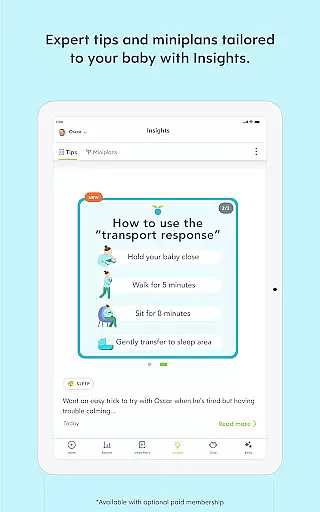



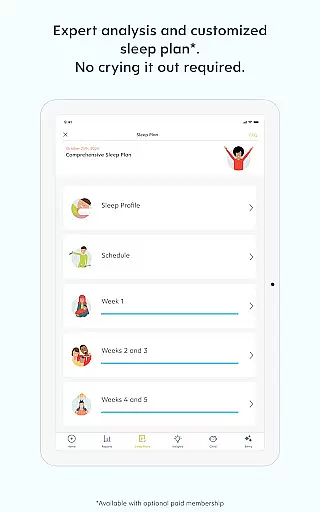
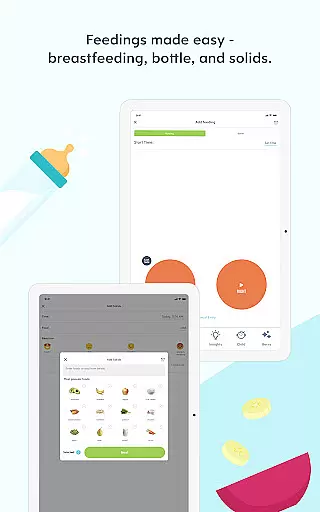

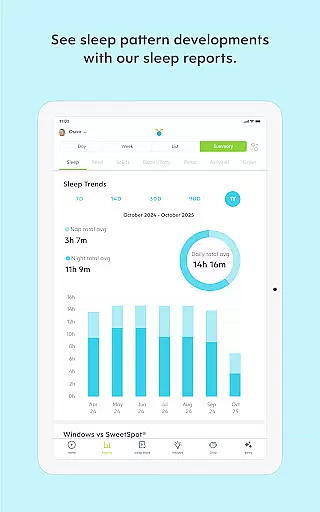
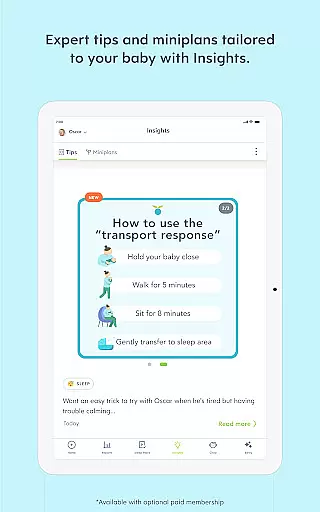
Huckleberry is a leading parenting application designed to support families through every stage of their child's development. Trusted by over 5 million parents worldwide, this app combines advanced tracking tools with expert guidance to help manage sleep schedules, feeding patterns, and developmental milestones.
The core functionality revolves around its intelligent tracking system that monitors various aspects of a child's daily routine. From breastfeeding timers to sleep cycle analysis, Huckleberry provides detailed insights into a child's patterns and behaviors. The app's unique selling point is its ability to deliver personalized recommendations based on individual data and pediatric expertise.
Parents can utilize Huckleberry to establish healthy sleep routines, track growth patterns, and receive timely advice during crucial developmental stages. This makes the app particularly valuable for first-time parents navigating the challenges of newborn care while seeking evidence-based solutions that align with their parenting style.
Huckleberry stands out with its comprehensive parenting toolkit designed to support families from newborn stages to toddler years. The app combines smart tracking features with expert-vetted guidance, creating a personalized experience for each family.
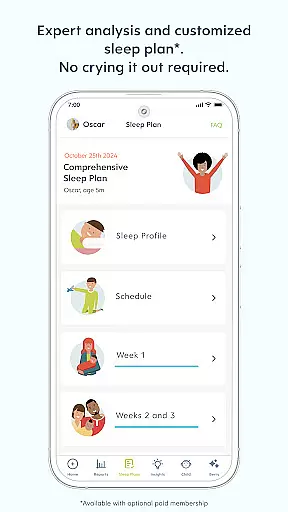
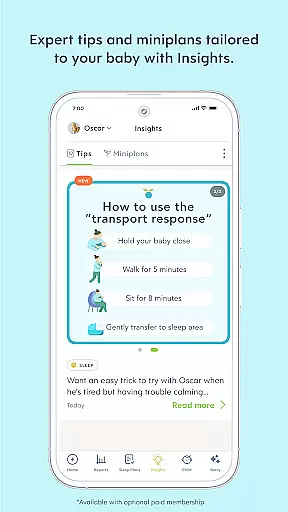
Key features include SweetSpot®, which uses advanced algorithms to predict ideal nap times based on individual sleep patterns. The Berry AI chat provides real-time parenting support, adapting to user needs through text, voice, or photo inputs. These innovative tools help parents establish consistent routines while offering evidence-based solutions for common challenges.
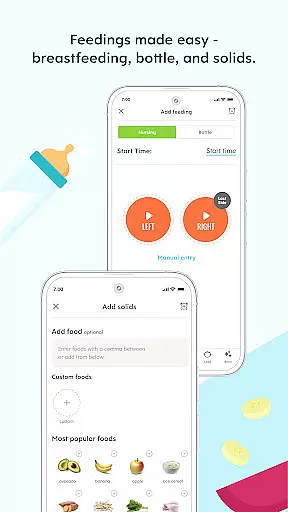
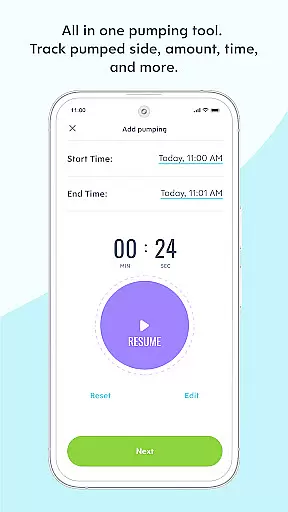
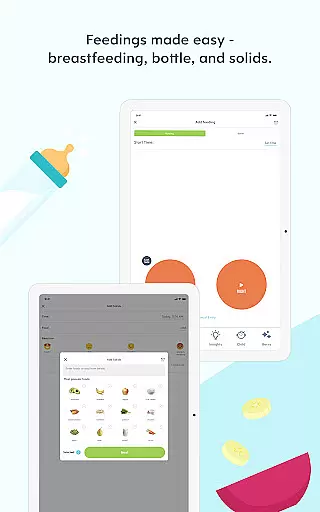
The app also offers detailed tracking capabilities for sleep, feeding, diaper changes, and developmental milestones. With both free and premium membership options, Huckleberry delivers valuable insights through enhanced reports and customized plans, making it an indispensable companion for modern parenting.
When it comes to parenting apps, the credibility of content and expert validation are paramount. Huckleberry stands out by offering a comprehensive suite of tools that are not only user-friendly but also backed by pediatric experts. This ensures that every piece of advice or data-driven insight provided is reliable and beneficial for your child's development.
The app includes features like SweetSpotu00ae, which predicts ideal nap times with impressive accuracy, and Berry, an AI chat that delivers 24/7 parenting guidance vetted by experts. These functionalities are designed based on evidence-based approaches, blending trusted sleep science with gentle, family-centered solutions. As a result, parents can rest assured knowing they're receiving top-tier support tailored specifically to their familyu2019s needs.
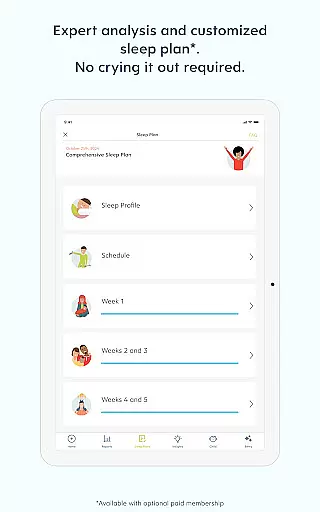
Huckleberry's commitment extends beyond just providing information; it fosters understanding through personalized tracking and analytics. With options such as custom sleep schedules and science-backed guidance for common challenges, users gain access to resources that adapt alongside their growing children. This level of personalization empowers families to navigate milestones confidently while promoting healthy habits from day one.
Accurate growth tracking is essential for monitoring a child's development over time. Huckleberry excels in this area by offering detailed logging capabilities that allow parents to track various aspects of their child's daily life effortlessly. From feeding sessions to diaper changes, each activity is recorded with precision, ensuring no detail goes unnoticed.
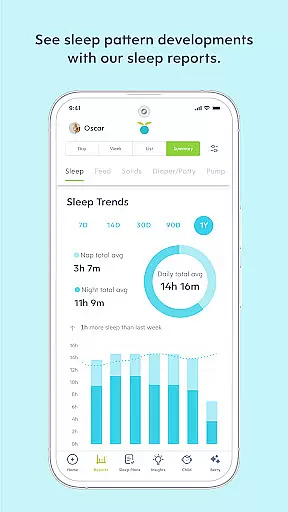
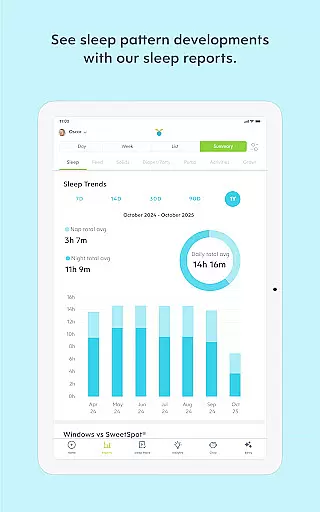
One standout feature within Huckleberry is its ability to generate enhanced reports based on collected data. These insights help identify trends related to sleep patterns, feeding habits, and other critical areas affecting overall well-being. By leveraging advanced algorithms, the app provides actionable recommendations aimed at improving these key metrics, thus supporting healthier lifestyles for young ones.
Moreover, Huckleberry supports multiple profiles, making it easy for families with more than one child to maintain organized records without confusion. Syncing across devices further enhances convenience, allowing caregivers to stay informed regardless of location. Such meticulous attention to detail ensures that every stage of growth is captured accurately, giving peace of mind to parents invested in their children's future success.
Comprehensive tracking tools
Expert-vetted guidance
AI-powered support
Customizable features
Multi-device syncing
Limited free features
Premium subscription cost
AI may need fine-tuning
Device compatibility issues
Learning curve for new users

Sleep better with white noise app! Discover rain sounds, fan noise and more.
 4.70
4.70
Parental Control including Screen time control, GPS tracking, App/Game blocker.
3.90
A Coloring for the Whole Family! Discover the Joy of Family Love Through Colors!
3.60
Kids story books for children. Baby reading books with audio for pre-k toddlers
4.70
Join over 1MM parents & professionals who've used OFW to navigate co-parenting
4.40
It is a screen time management tool for games and mobile applications
4.50
Introduce real food to baby with First Foods® Database, baby led weaning BLW
4.80
Track your labor contractions
4.90
Findnumber: Real-time location tracker for ultimate family security
4.20
Pregnancy+ App has helped 80m moms track their pregnancy with info & support!
4.80
Track your pregnancy, kick & contraction counter, baby & mom's heartrate monitor
4.60
Babysitting video camera - Turn your two phones or tablets into a single nanny.
4.40
Speech Therapy Exercises For All!
4.40
Affirmations | Stories | Bible
4.10
Educational resource for parents to inspire creativity in their children.
4.00
Little loved one's monitoring, Sleep tracking and Parenting content.
3.80
The Baby’s Bounty App is your hub to register for our diaper banks in Nevada
3.70
Discover fun videos, kids songs, bedtime stories and games
3.60
Screen Time, App and Web Block & Monitoring, Location Tracker
3.60


User Reviews