
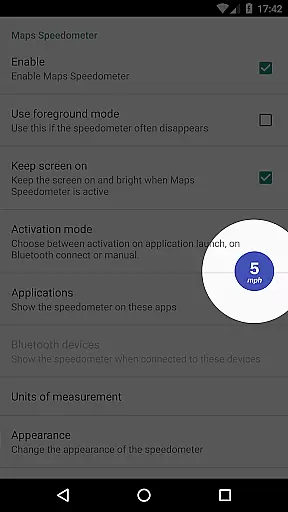
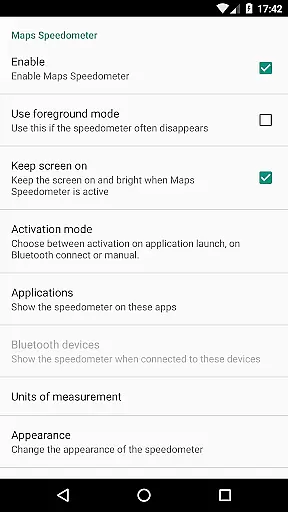
Maps Speedometer is a versatile travel companion that displays your current speed in real-time as an elegant overlay on your device. This innovative app automatically activates when your selected apps are in use or when connected to a Bluetooth device, ensuring you always have access to your speed information without interrupting your primary activities. Designed with customization in mind, Maps Speedometer offers adjustable settings for transparency, size, position, and colors, allowing users to tailor the display to their preferences.
Whether you're navigating through unfamiliar roads or simply monitoring your speed during daily commutes, this app provides a seamless experience by integrating effortlessly with any app on your device. The absence of advertisements and the lack of internet access requirements ensure a smooth, private user experience. Although Android Auto support is currently limited, Maps Speedometer remains a reliable tool for travelers seeking accurate speed information while using navigation apps.
Maps Speedometer stands out with its array of practical features designed to enhance user convenience. One of its key functionalities is the automatic display and hiding of the speedometer overlay based on the active status of chosen apps or Bluetooth connections. This ensures that the speedometer only appears when needed, reducing unnecessary distractions. Users can choose their preferred speed units from miles per hour (mph), kilometers per hour (km/h), or knots (kn), catering to different regional standards and personal preferences.
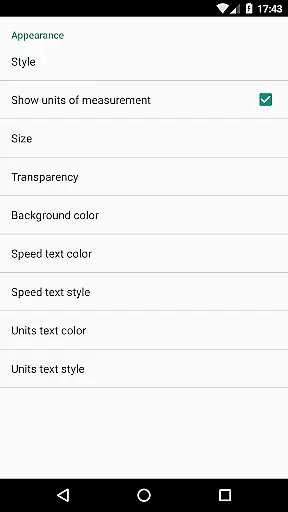
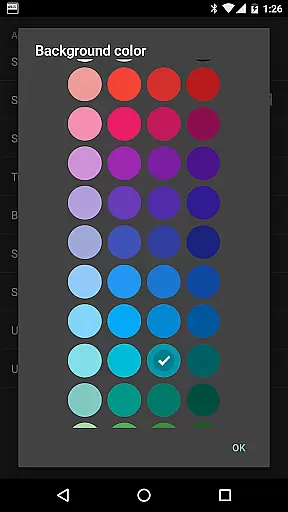
The app also offers extensive customization options, including adjustable transparency, size, position, and color schemes. These features allow users to personalize the overlay to blend seamlessly with their device's interface. Additionally, the ability to temporarily hide the overlay for 10 seconds by touching it provides a quick solution for accessing underlying content. With no advertisements or internet access required, Maps Speedometer guarantees a distraction-free and secure environment, prioritizing user privacy and satisfaction.
Booking authenticity is a crucial feature for travel applications like Maps Speedometer. This functionality ensures that all booking information displayed within the app is accurate and verified.
Maps Speedometer achieves this by using real-time data processing to confirm active app usage and Bluetooth connections, ensuring that speed measurements are reliably shown when needed. The app's ability to automatically show or hide based on app activity or Bluetooth status guarantees that users receive authentic and relevant speed data.
Users benefit from this feature as it provides peace of mind knowing that the speed information they see is genuine and corresponds to their current situation. Whether navigating with a preferred app or using a Bluetooth-connected device, the assurance of receiving verified speed data enhances the overall user experience.
The value of booking authenticity in Maps Speedometer lies in its commitment to accuracy and reliability, making it an indispensable tool for travelers who require precise speed information without distractions or misleading data.
Price transparency is essential for users to understand the cost structure associated with using an application. In the case of Maps Speedometer, price transparency refers to the clarity with which the app communicates its free-to-use model and absence of hidden fees.
Maps Speedometer excels in this area by offering its full suite of features without any advertisements or subscription costs. Users can enjoy functionalities such as adjustable speedometer settings, various display options, and compatibility with multiple apps and Bluetooth devices without worrying about in-app purchases or data-sharing backdoors.
This approach benefits users by providing a straightforward and trustworthy service where they can fully utilize the app's capabilities without unexpected charges. The clear presentation of available features and their associated costs u2013 in this case, none u2013 fosters trust and satisfaction among users.
By prioritizing price transparency, Maps Speedometer distinguishes itself as a user-friendly travel companion that delivers exceptional value through its comprehensive and accessible feature set.
User-friendly interface
Customizable display options
No ads or internet required
Automatic activation
Supports multiple speed units
Limited Android Auto support
Requires Accessibility permissions
Bluetooth dependency for some features
No speed limit alerts
Potential battery consumption

INDOT Trafficwise is a traffic and traveler information mobile app.
 4.00
4.00
OFFLINE detailed information about the Florida National and State Parks
4.3
View current Montana road conditions, cameras, plows, and timelapse videos.
4.70
Maps, Wait Times, Park Hours
4.40
Streamline your U.S. entry
4.90
Download now and start earning rewards on hotels, tours, and everything travel.
4.50
Guest how you guest when you book one of our 6,800+ hotels and earn rewards.
4.90
Walt Disney World Resort maps, wait times, tickets, dining & more.
4.50
Find your perfect somewhere with last minute hotel & travel deals!
4.80
The travel app that makes booking cheap flights, hotels, and car rentals easy.
4.80
All-in-one delivery and taxi app. Ride, food, & grocery delivery app.
4.80
Book flight, car or packages. Instant access to hotel discounts & travel deals
4.80
Booking your bus tickets has never been easier
4.70
Book now to save with exclusive travel deals on hotels, flights, cars & packages
4.70
Easily rent a car at over 9,500 locations with the Enterprise car rental app.
4.60
Take JetBlue everywhere you go! Book, manage and check in for your trips & more.
4.60
NEW! Vacation with Ease.
4.60
Link & locate for real-time child & family safety: GPS tracker for families
4.40
Explore our parks like never before with the completely reimagined Six Flags app
4.30


User Reviews