
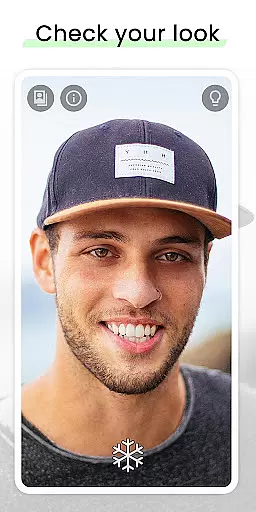
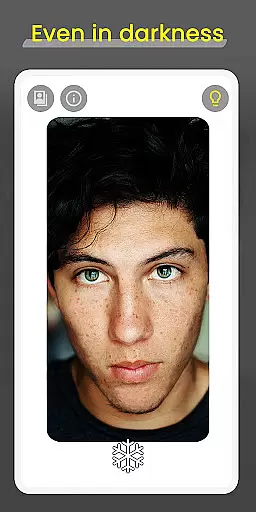
Mirror is a cutting-edge mobile application designed to revolutionize the way users check their appearance on the go. This beauty app offers a simple yet powerful solution, combining a 360º mirror functionality with advanced features that surpass traditional camera apps. The app's core strength lies in its ability to provide users with superior visibility and control over their self-viewing experience.
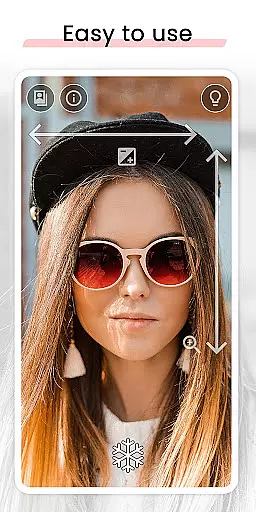
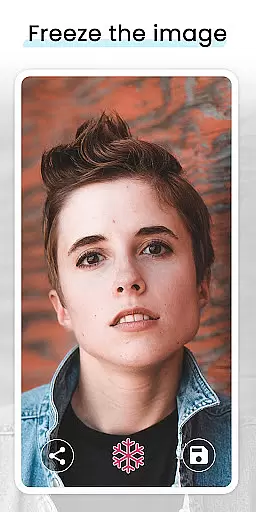
What sets Mirror apart is its comprehensive feature set tailored for beauty enthusiasts. The app excels in low-light conditions with its innovative lighting frame, while offering precise zoom and exposure controls through intuitive gesture commands. Users can freeze images without taking pictures, share their best selfies, and enjoy super clear image quality. These capabilities make it an indispensable tool for makeup application, outfit coordination, or any scenario where maintaining a polished appearance is crucial.
The app's practical applications extend beyond personal grooming. Its quick settings tile enables instant access, making it perfect for busy professionals who need to check their look between meetings. Whether preparing for important presentations or ensuring flawless appearance during travel, Mirror delivers professional-grade results in any situation, enhancing users' confidence and presentation.
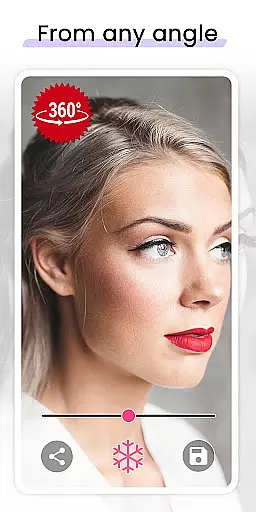
Mirror distinguishes itself through a collection of sophisticated features that cater to diverse user needs. The app's signature 360º mirror functionality allows users to record themselves from multiple angles by simply turning their heads or moving their devices. This innovative approach provides a more comprehensive view than traditional mirrors or camera apps, enabling users to examine their appearance from all perspectives.
The app incorporates several technical advancements that enhance usability. Its lighting frame technology ensures optimal visibility even in complete darkness, while the gesture-based zoom and exposure controls offer precise adjustments with minimal effort. The freeze image feature eliminates the need for unnecessary picture-taking, allowing users to capture their desired look without cluttering their photo galleries. Additionally, the quick settings tile provides immediate access to the mirror function, streamlining the user experience.
These features collectively create significant value for users. The combination of advanced technical capabilities with user-friendly design makes Mirror an essential tool for anyone concerned with their appearance. From professional makeup artists requiring detailed views to individuals seeking convenience in their daily routines, the app's comprehensive feature set addresses various use cases while maintaining exceptional performance standards.
When it comes to beauty applications, having a comprehensive product database is essential for user satisfaction. Mirror offers an extensive collection of beauty products, allowing users to explore and find exactly what they need. The app's database includes detailed descriptions, ingredients, and usage instructions for each product.
The depth of Mirror's product database ensures that users can make informed decisions about the products they choose to apply. Whether you're looking for skincare solutions or makeup items, this app provides all the necessary information at your fingertips. With regular updates, the database remains current with the latest offerings in the market.
Users benefit from the meticulous organization of the product listings within Mirror. Each entry is categorized appropriately, making navigation intuitive and efficient. This thoughtful arrangement saves time and enhances the overall user experience by providing quick access to desired products.
Personalization is key in beauty apps, and Mirror excels in delivering precise recommendations tailored to individual preferences. By analyzing user data such as skin type, tone, and personal style, the app curates personalized suggestions that align with each user's unique characteristics.
Mirror employs advanced algorithms to learn from user interactions, continuously refining its recommendations over time. This means that the more you use the app, the better it becomes at predicting what products or looks might suit you best. Such precision in personalization sets Mirror apart from other beauty apps on the market.
The value of accurate personalization extends beyond mere convenience; it empowers users to experiment confidently with new styles knowing that the advice they receive is grounded in their specific profile. Ultimately, Mirror transforms the way individuals approach beauty by offering a customized experience that adapts to their evolving needs.
User-friendly interface
Advanced lighting options
Precise gesture controls
Instant access tile
Superior image clarity
Limited customization
Occasional lag
Basic editing tools
No virtual try-ons
Device compatibility

Blushify is a beauty camera for makeup, face editing, and glowing selfies!
 4.70
4.70
Crown Heart Emoji Photo Editor has given you the chance to look cute girl
4.40
True mirror app with zoom, LED light, for makeup & shaving anywhere!
4.20
Wacky mirror filter, waves effect & wavy effect to make your own funny videos.
4.60
All-in-one solution for independent beauty pros to manage & grow their business
4.30
Face Makeup Camera: Photo makeup app and perfect Lipstick app, beauty lip filler
4.70
Salon appointment booking and scheduling software for beauty pros and barbers.
4.80
Seasonal color palette, my personal color, hair color changer, makeup, wardrobe
4.20
Unleash your (Pro)tential with the hottest hair, nails and beauty brands!
4.60
Photo enhancer 360, image enhancement, restore old photos, colorize photo ai
4.70
Enhance your selfies with face beauty makeup tool and an easy background remover
4.70
Beauty camera & Selfie camera for perfect selfie with filter, sticker, makeup
4.70
The ultimate beauty membership
4.70
Monthly Perfume Subscription
4.70
HD Camera, Selfie Camera, Camera filters, is a fully featured 4K camera
4.60
Beauty Camera - Selfie Camera with sweet selfie, makeup, filter, sticker, editor
4.50
Beauty Camera AI Photo Editor with effect, filter, makeup tools for photo editor
4.30
Design your nails, manicure and pedicure with nail paint art and nail idea app
3.90
Beauty/age defining ai coach guides you through the exercises in daily routine.
3.30


User Reviews