
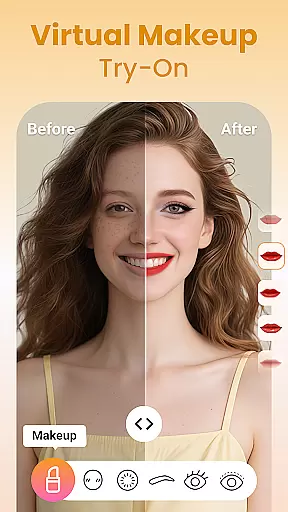
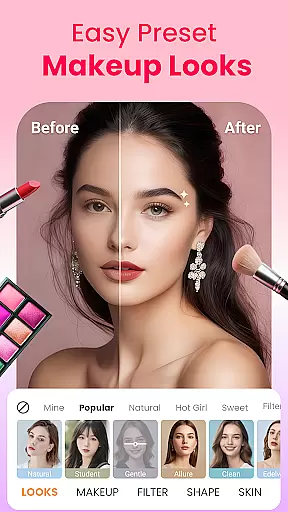
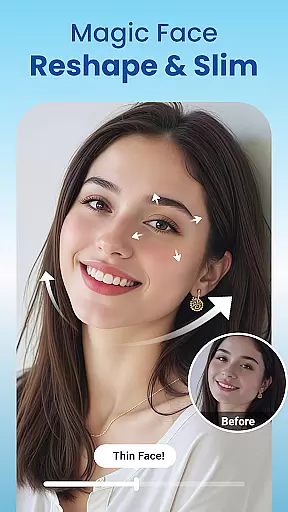
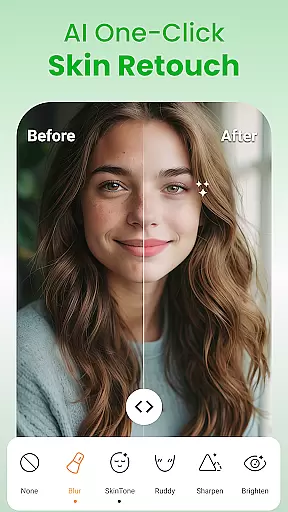
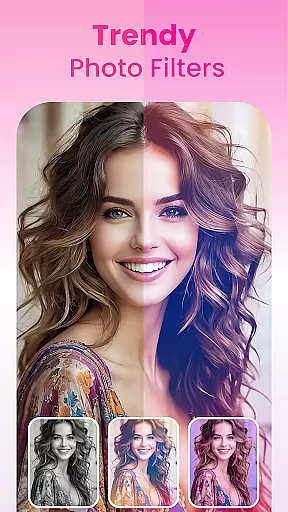
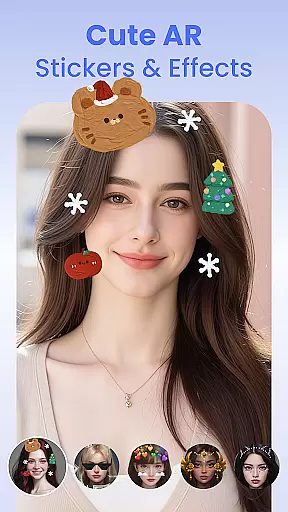
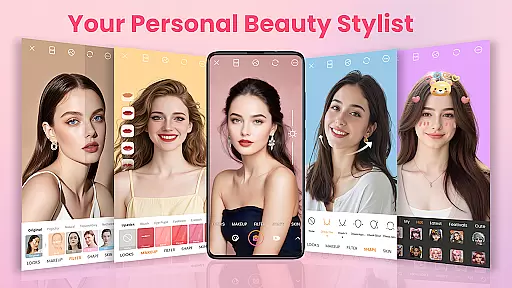
Makeup Camera & Selfie Editor is a comprehensive beauty app designed to enhance your natural features and create stunning selfies. This all-in-one beauty camera offers makeup tools, face editing, trendy filters, and AR effects, allowing users to achieve flawless looks effortlessly. Whether you're aiming for subtle enhancements or bold transformations, the app provides customizable options for lip color, blush, eye makeup, and facial reshaping.
The app's powerful selfie editor lets you smooth skin, reshape facial contours, brighten eyes, and whiten teeth with precision. With over 100 stylish filters and playful AR stickers, users can express their unique style while experimenting with different aesthetics. The intuitive interface makes it easy for both beginners and photo-editing enthusiasts to produce professional-quality images.
Perfect for daily use or special occasions, Makeup Camera & Selfie Editor empowers users to capture their best selves anytime, anywhere. From enhancing natural beauty to creating artistic compositions, this app serves as a personal stylist in your pocket, helping you shine with confidence.
Makeup Camera & Selfie Editor stands out with its extensive range of customizable beauty tools. Users can experiment with various lipstick shades, blush intensities, eyebrow shapes, eyeliner styles, and eyeshadow combinations. The app's real-time makeup application feature allows for instant previews, making it easy to find your perfect look. Preset makeup styles offer one-tap solutions for those seeking quick transformations.
Beyond basic editing, the app provides advanced facial retouching capabilities. The skin smoothing function removes blemishes while maintaining a natural texture, while the facial reshaping tool helps define jawlines and lift cheekbones. Eye enhancement features address common concerns like dark circles and small eyes, ensuring your best features stand out.
The app's collection of AR stickers and seasonal decorations adds fun elements to selfies, while professional-grade photo editing tools allow for detailed adjustments. Users can crop, rotate, adjust brightness and contrast, apply artistic filters, and add finishing touches like blur effects or vignettes. These features combine to create a versatile editing experience suitable for various photography skill levels.
Makeup Camera & Selfie Editor offers an extensive product database that allows users to virtually try on a wide range of makeup products.
From lipsticks to blush, eyeshadows, and even colored contacts, the app provides detailed options for each product category. Users can experiment with different shades and styles, ensuring they find the perfect match for any occasion.
This comprehensive database not only enhances user experience by offering realistic previews but also educates them about various makeup possibilities, empowering their beauty choices.
The app excels in delivering personalized beauty solutions through its advanced customization features.
Users can tailor their looks with precision, adjusting everything from foundation tones to eyeliner thickness. The intuitive interface makes it easy to achieve desired effects, whether going for a natural look or something more dramatic.
By leveraging sophisticated algorithms, Makeup Camera & Selfie Editor ensures that each virtual makeover is tailored specifically to the individual's facial features, providing a highly accurate and satisfying personalization experience.
User-friendly interface
Wide range of makeup options
Real-time beauty effects
Professional editing tools
Versatile filter selection
May require premium subscription
Some features are complex
Occasional performance issues
Limited advanced editing
High storage requirements

Photo enhancer 360, image enhancement, restore old photos, colorize photo ai
 4.70
4.70
Beauty camera for perfect selfie with makeup, sticker and filter
4.50
Your Personal Stylist for Smart Shopping, Beauty & Styling Outfits.
4.2
Intelligent Beauty calculator tool! Face scale and face symmetry in one app!
3.80
Enhance your selfies with face beauty makeup tool and an easy background remover
4.70
Selfiechat Filters for amazing photos with Funny face filters
4.60
Beauty Camera - Selfie Camera with sweet selfie, makeup, filter, sticker, editor
4.50
AI Stylist, Try On Millions Of Clothes In Any Brand & Style, AI Clothes Changer
4.70
DSLR Hd camera capture high quality 4k hd picture with filters and blur editor
4.50
Try interesting trending filters allows you switch to a cute girl
4.70
For businesses, Booksy Biz allows you to manage your schedule & more on the go.
4.60
Download Today
4.40
This application is for the Luvme Hair official website: shop.luvmehair.com .
4.30
All-in-one solution for independent beauty pros to manage & grow their business
4.30
Glow up with science: cosmetics, ingredients scanner, tracking & face analysis
4.10
Healthier, more beautiful with Medicube Digital Clinic AGE-R!
4.10
Snap stunning selfies with AI from the Sweet Beauty Camera editor
4.10
Enhance Your Look with Face Analysis, Hair Style Changer, Beauty Score, Rating
3.90
This barber game allows you to create and design hair styles on diverse people
3.80


User Reviews