
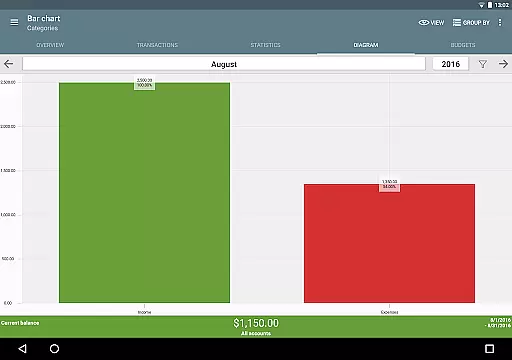
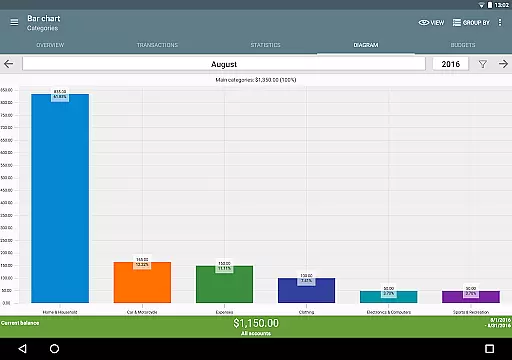
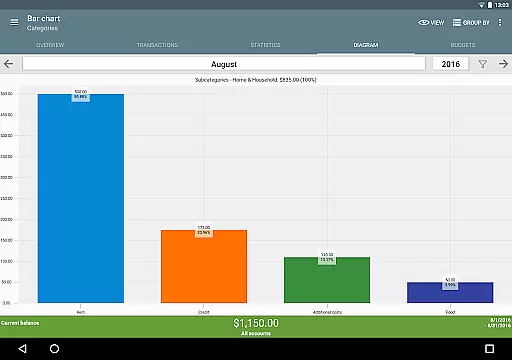
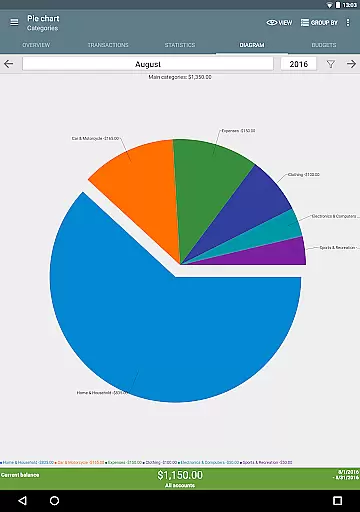
My Budget Book is a comprehensive financial management application designed to help users effectively track and manage their income and expenses. The app offers features for recording individual or recurring transactions, enabling users to forecast balances with precision. With budgeting tools that allow setting limits or goals over custom periods, users can control spending habits like monthly caps on clothing purchases or weekly coffee budgets.
The app stands out through its privacy-conscious approach, working completely offline without requiring Internet permission. It provides dynamic data visualization through charts and graphs, supports multiple account management, and allows detailed customization of categories and subcategories. Users can attach photos or receipts to transactions, set reminders for pending payments, and reconcile expenses with bank statements. My Budget Book also includes convenient export options, automatic local backups, and home screen widgets for quick access.
Whether you're looking to save for a dream vacation or simply want better oversight of your finances, My Budget Book offers the tools needed to achieve financial clarity and control. Its user-friendly interface and customizable features make it suitable for anyone seeking an efficient way to manage personal finances.
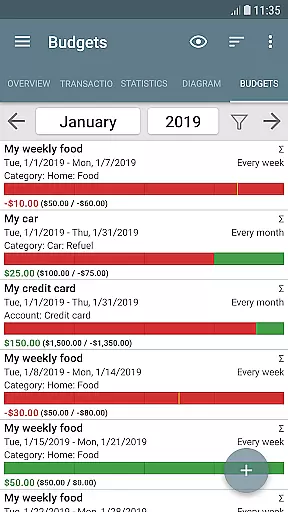
My Budget Book boasts an array of sophisticated features tailored to enhance personal finance management. One notable feature is the budget mode, which lets users define spending limits or savings targets over flexible timeframes. This functionality empowers users to take charge of their financial habits by setting specific goals such as reducing unnecessary expenditures or saving consistently.
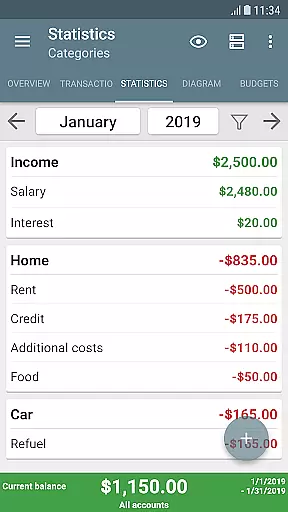
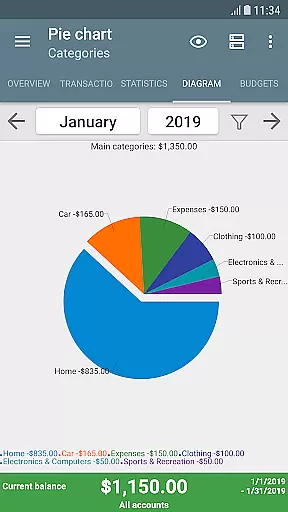
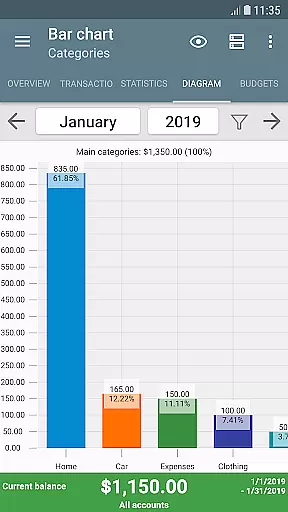
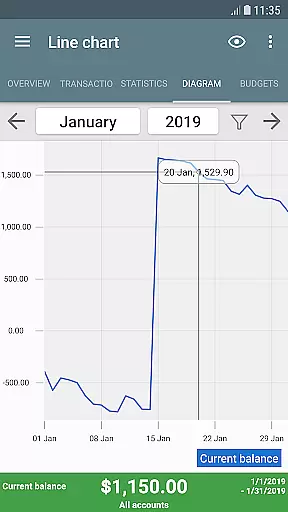
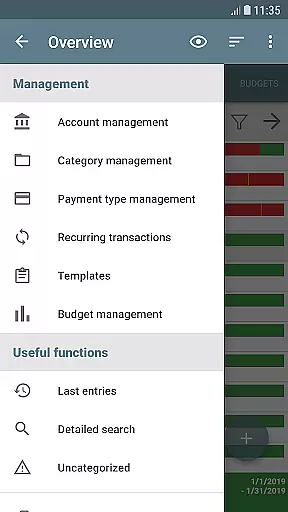
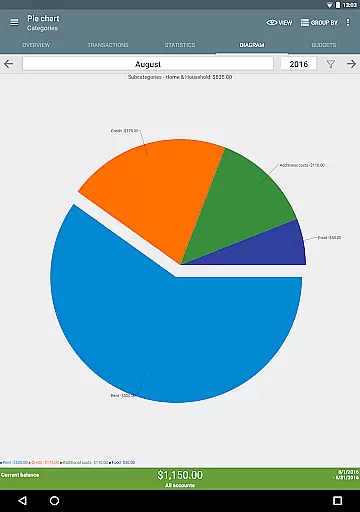
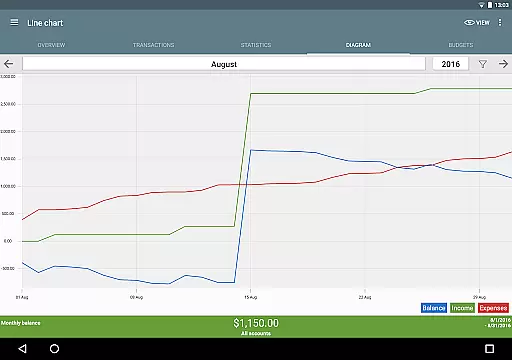
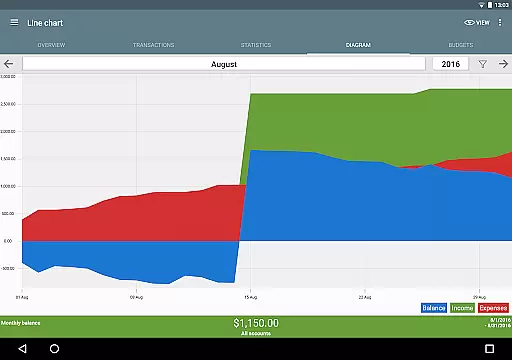
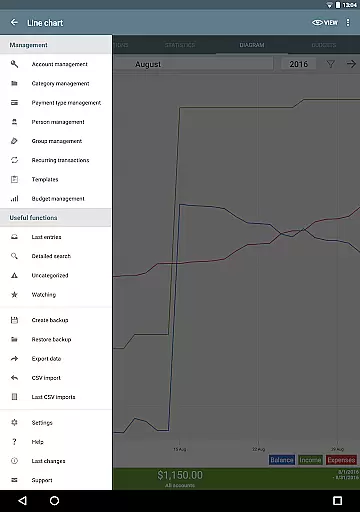
The app's ability to visualize financial data through dynamic charts and graphs is another standout characteristic. Users can easily interpret complex information about their income and expenses in a more digestible format. Additionally, the app supports managing multiple accounts and facilitates transfers between them while offering extensive customization options for categories, payment types, and sorting preferences. These capabilities ensure that each user's unique financial situation is accurately reflected.
Security and convenience are prioritized with optional password or fingerprint protection for sensitive data. Furthermore, My Budget Book provides robust import/export functionalities including CSV imports for existing data or bank statements and exports to HTML, Excel, or CSV formats. Automatic local backups guarantee data safety, while four different widgets bring added convenience directly to the home screen. Overall, these features combine to create a powerful yet user-friendly financial management tool.
Account and fund security is a critical aspect of any financial management application. My Budget Book ensures your sensitive data remains protected through multiple layers of security.
The app offers optional password protection and fingerprint authentication, providing users with peace of mind when managing their financial information. This feature prevents unauthorized access to your budgeting data, ensuring only you can view and modify your income, expenses, and account details.
In addition to local security measures, the app operates offline without requiring internet permission. This design choice protects your privacy by keeping all financial data on your device. For users who prefer cloud backups, the app provides a secure synchronization method detailed in the integrated manual.
Furthermore, automatic local backups ensure you never lose your valuable financial data. These security features collectively create a robust system that safeguards your financial information while maintaining complete user control over data sharing and storage.
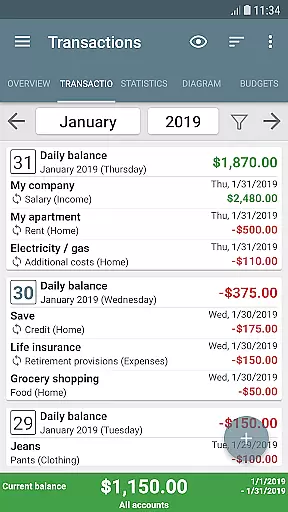
A seamless transaction experience is essential for effective financial management. My Budget Book excels in this area by offering intuitive tools for recording and managing your financial activities.
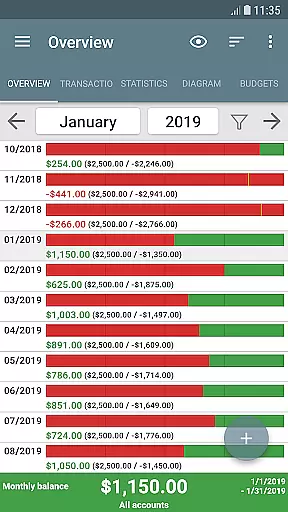
The app supports both individual and recurring transactions, allowing users to accurately track their balances over time. This feature enables precise forecasting of future financial positions based on established patterns of income and expenses.
To enhance the transaction experience, the app provides multiple visualization options. Users can view their financial data through dynamic charts and graphs, gaining valuable insights into spending habits and financial trends. These visual representations make it easier to understand complex financial information at a glance.
Additionally, the app offers convenient templates for frequently used transactions, streamlining the entry process. The ability to add photos or receipts to transactions further enriches the experience by providing visual documentation and reducing paper clutter. These comprehensive transaction management features create an efficient and user-friendly financial tracking system.
User-friendly interface
Comprehensive budgeting tools
Offline functionality
Customizable categories
Data security options
No automatic cloud sync
Limited in-app support
Manual transaction entry
Basic free version
Occasional bugs

Expenses, Bills, Budget and Accounts - All seamlessly integrated in one app!
 3.80
3.80
Secure Amex Account Access: View Balance, Make Payments, Redeem Rewards & more
3.60
Money transfer made easy. Send money to friends and family with great rates.
4.70
Get, Earn, and Save Money
4.30
Money App - Earn Cash back, Fast Cash Advance, Personal Loan Offers, Banking
4.70
“Money Manager” is an optimized application for personal asset management.
4.70
Loan Calculator, Mortgage Calculator, Compound Interest Calculator
4.70
Manage budget, save money, or file tax. Build, track & improve your credit score
4.40
Cash Advance, Credit Cards, Credit Lines, Score Monitoring, Saving, Budgeting
4.70
Keep track of your subscriptions with no limitations
4.80
Simple & secure international money transfers - for personal & business needs.
4.80
Pay rent on your schedule.
4.70
No credit check, no interest, no worries.
4.70
Currency Converter (200+ currencies) with live exchange rates and offline mode.
4.70
Need help before payday? Get cash advances with no interest or credit checks.
4.60
Easily invest, save, and plan—all in one app.
4.60
Manage your account, make a payment, and redeem your rewards on the go.
4.50
Mine Bitcoin in the cloud! Earn BTC daily with high-speed mining power.
4.30
The PayPal app is the secure way to send and receive money, shop and pay in 4.
4.20


User Reviews