
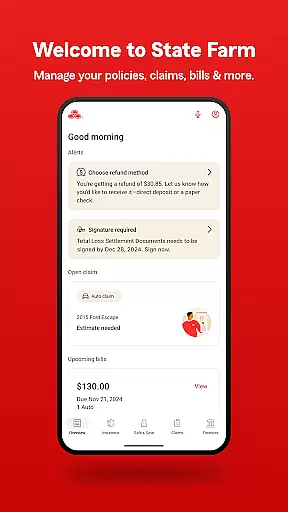
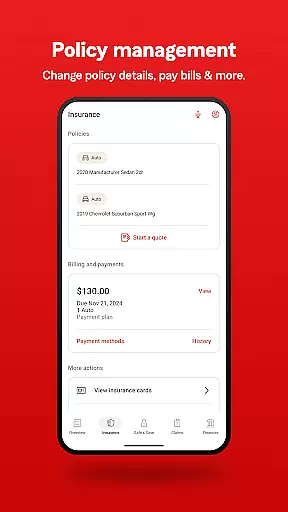
State Farm® is a comprehensive financial management app that allows users to oversee their insurance policies and other financial products. With its award-winning features, the app provides tools for requesting roadside assistance, filing and tracking claims, and managing policy details. The app also incorporates Drive Safe & Save®, a safe driving discount program that helps users save money based on their driving habits.
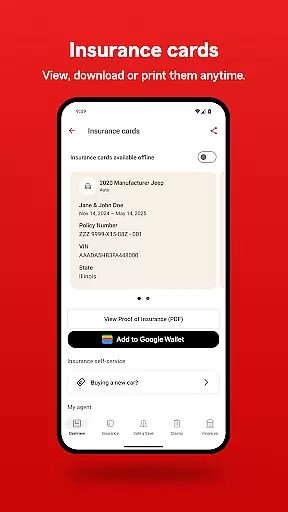
One of the key strengths of State Farm® is its ability to streamline multiple services into a single platform. Users can pay bills using Google Pay, view digital insurance cards, track claims in real-time, and access personalized reminders. Whether you need emergency roadside assistance or want to explore repair facilities, this app offers practical solutions for everyday financial and insurance needs.
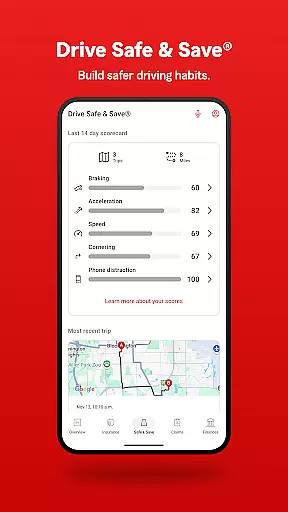
This app is particularly useful for drivers who want to improve their driving habits while saving on insurance costs. By integrating Drive Safe & Save® directly into the app, State Farm® ensures that users can conveniently monitor their driving data and discounts. Overall, the app delivers significant value by combining essential insurance tools with innovative financial features.
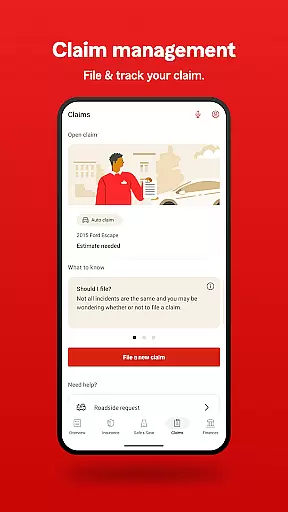
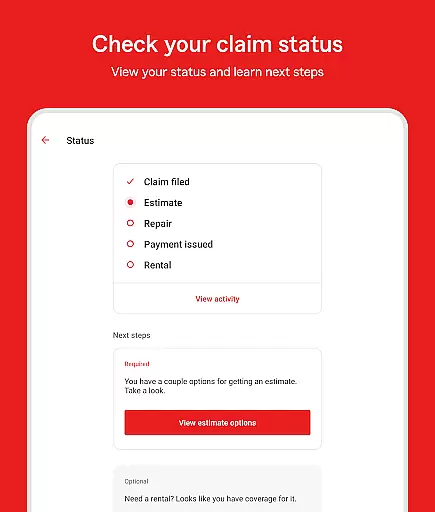
State Farm® stands out due to its diverse range of features tailored for insurance and financial management. One of its core functionalities is the ability to file and track various types of claims—vehicle, property, or vehicle glass—directly from your smartphone. This feature not only simplifies the claims process but also keeps users informed through status notifications at every step.
The app also includes Drive Safe & Save®, which collects precise location data to help users qualify for discounts based on safe driving behaviors. For those enrolled in the program, all relevant driving data is accessible within the app. Additionally, convenient payment options like Google Pay and features such as adding an insurance card to G-Pay make transactions smoother than ever.
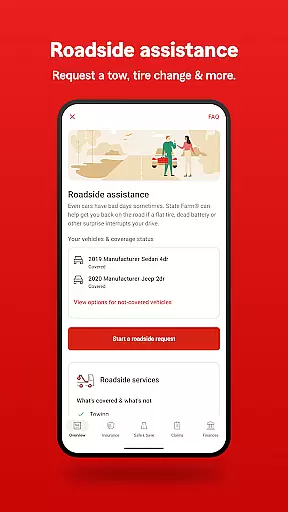
Beyond these, State Farm® offers helpful tools like roadside assistance for emergencies, repair facility locators, biometric login for security, and in-app messaging for technical support. These features collectively enhance user experience by providing both essential services and advanced customization options.
In the realm of finance applications, security is paramount, and State Farm delivers robust protection for its users. The app employs advanced encryption protocols to safeguard sensitive information, ensuring that all transactions and personal data remain confidential and secure from unauthorized access.
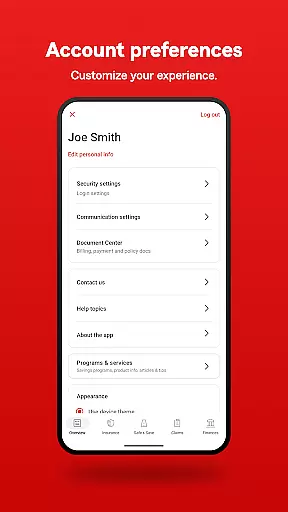
State Farm's commitment to account security is evident through its implementation of multi-factor authentication. Users can log in with biometrics or a PIN, adding an extra layer of verification that significantly enhances the safety of their financial interactions within the app.
Beyond technical measures, State Farm provides clear terms of use regarding data collection and sharing, particularly for features like Drive Safe & Save which require precise location data. This transparency empowers users to make informed decisions about their privacy settings and understand how their information is utilized.
The peace of mind offered by these comprehensive security measures allows users to focus on managing their insurance policies and other products without concern for potential breaches or misuse of funds, establishing trust in the platform's reliability and integrity.
A seamless transaction experience is crucial for any finance application, and State Farm excels in providing efficient and user-friendly payment solutions. With the ability to quickly pay insurance bills even through Google Pay, customers enjoy a streamlined process that saves time and reduces complexity.
The app goes beyond simple payments by offering detailed tracking of claims and policy management. Users can file various types of claims directly within the app, monitor their progress at every step, and receive timely notifications regarding their statusu2014features that contribute significantly to an organized and stress-free transaction journey.
Moreover, State Farm enhances convenience with personalized reminders and notifications upon login, ensuring users never miss important deadlines or updates related to their accounts. Such proactive communication fosters a responsive environment where financial responsibilities are met effortlessly.
By integrating essential services such as roadside assistance and repair facility searches alongside core financial operations, State Farm creates a holistic ecosystem that supports both everyday needs and unexpected emergencies, making each interaction smooth, reliable, and customer-centric.
User-friendly interface
Comprehensive insurance tools
Integrated payment options
Real-time claim tracking
Drive Safe & Save® discounts
Location tracking required
Limited to existing customers
Occasional bugs reported
Not available globally
Some features are US-only

Earn cash & save money daily. Access instant cash advances* - no credit check!
 4.50
4.50
Get a cash advance instantly. File taxes & cover unexpected bills in minutes.
4.60
Debt pay off. Build credit history. AI budget tool. Loan offers.
4.60
Payday cash advance & Instant cash advance: Borrow money instantly, Get cash now
4.60
Money App - Earn Cash back, Fast Cash Advance, Personal Loan Offers, Banking
4.70
Currency Converter (200+ currencies) with live exchange rates and offline mode.
4.70
Registration of your debts and Mdionatk and assembled, as well as a significant reports
4.30
Our Chase Mobile App makes it easy for you to bank on the go 24/7.
4.60
The PayPal app is the secure way to send and receive money, shop and pay in 4.
4.20
Check EBT, SNAP, WIC balances, manage food stamps, and save money with benefits
4.80
Early payday cash advance up to $150 a day with a max of $1,000 per pay period
4.70
Send money and bitcoin easily. Invest, bank and do more with your money
4.70
Download the MySynchrony App to manage your accounts securely and conveniently!
4.60
Earn cash back. Build credit.
4.60
Trade NFL, NBA, Crypto, Tech
4.50
Put crypto to work & earn rewards. Stake crypto like Ethereum, Solana & Cardano
4.40
Bank better with our new app
3.80
Secure Amex Account Access: View Balance, Make Payments, Redeem Rewards & more
3.60
StockTiles lets you view prices & charts of your favorite stock assets
2.30


User Reviews