
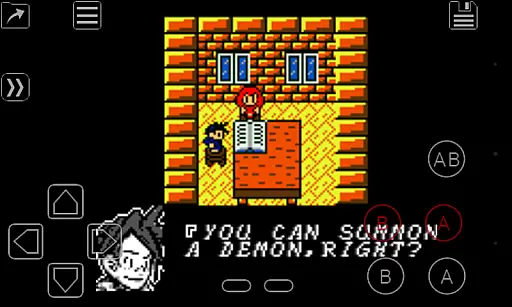
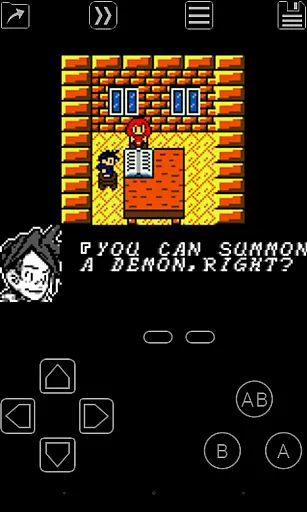
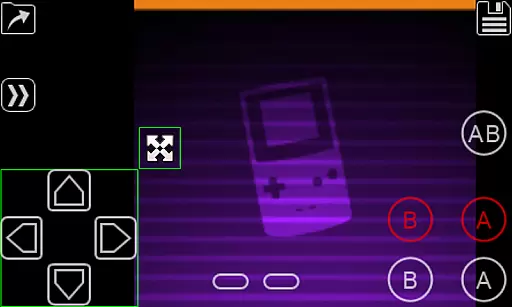
My OldBoy! is a high-performance Game Boy and Game Boy Color emulator designed for Android devices, offering an authentic retro gaming experience. It supports a wide range of hardware, from low-end phones to modern tablets, ensuring compatibility across devices. The app accurately emulates nearly all aspects of the original hardware, including advanced features like link cable, rumble, and tilt sensor support.
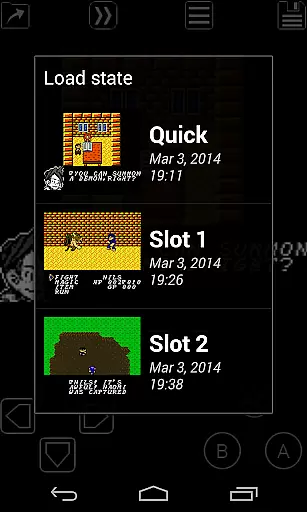
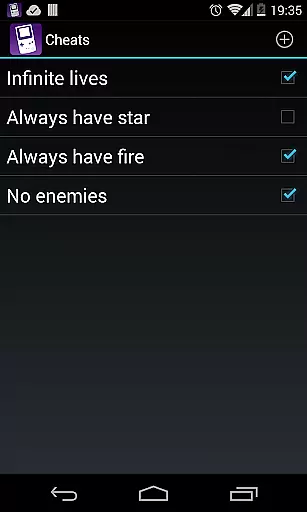
One standout feature is its ability to enhance classic monochrome games by applying custom color palettes, breathing new life into timeless titles. With additional functionalities such as save states, fast-forward, and cheat code support, My OldBoy! provides both convenience and customization options for gamers. Whether reliving childhood memories or discovering classic games for the first time, this emulator delivers a seamless blend of nostalgia and innovation.
My OldBoy! stands out with its robust feature set tailored for retro gaming enthusiasts. The emulator leverages ARM assembly code to deliver exceptional speed, achieving 60 FPS even on low-end devices without frame skips. Its broad game compatibility ensures that users can enjoy most Game Boy and Game Boy Color titles without issues. Advanced hardware features like tilt sensors and rumble are emulated using Android's native hardware capabilities, providing an immersive experience.
The app also includes productivity-enhancing tools such as save states, allowing players to save progress at any point, and fast-forward functionality to skip through lengthy sections. For those seeking visual enhancements, the emulator supports custom palettes, GLSL shaders, and Game Boy Printer emulation. Additional conveniences include cloud save syncing with Google Drive, customizable on-screen controls, and external controller support, making it adaptable to various play styles and preferences.
Arcade authenticity is a crucial aspect of any emulator application, especially for retro gaming enthusiasts. My OldBoy! - GBC Emulator excels in this area by accurately replicating the original Game Boy and Game Boy Color hardware. The app goes beyond basic emulation by incorporating special features such as link cable functionality, rumble effects, and tilt sensor support.
What sets this emulator apart is its attention to detail in preserving the nostalgic experience while adding modern enhancements. Users can enjoy authentic gameplay through precise hardware replication while benefiting from contemporary features like customizable palettes that bring new life to classic monochrome games. The inclusion of Super Game Boy palette emulation demonstrates the developer's commitment to delivering an experience that honors the original while offering additional value.
The emulator's compatibility with various Android devices ensures that both casual players and hardcore retro gaming fans can enjoy their favorite classics. From low-end smartphones to high-performance tablets, the app maintains consistent performance and accuracy across different hardware specifications. This broad device support helps preserve the arcade authenticity that gamers seek when revisiting their childhood favorites.
Control responsiveness represents a fundamental aspect of any gaming experience, particularly in emulators where precision timing can make or break gameplay. My OldBoy! - GBC Emulator addresses this crucial element through multiple innovative features designed to enhance user interaction. The application utilizes ARM assembly code for its emulation core, ensuring lightning-fast response times even on lower-end devices.
The emulator provides players with extensive customization options for their control setup. Through a powerful screen layout editor, users can precisely position and size on-screen controls to suit their preferences. This level of customization extends to external controller support, which the app handles through both Android's native methods and alternative input methods, ensuring optimal responsiveness regardless of the chosen control scheme.
Additional features like fast-forward functionality and speed adjustment demonstrate the app's commitment to responsive controls. Players can accelerate through lengthy story segments or slow down challenging sections with minimal input lag. The implementation of OpenGL rendering and GLSL shader support further enhances the overall responsiveness by providing smooth visual feedback during gameplay sessions.
High performance on all devices
Extensive game compatibility
Customizable controls and layouts
Cloud save support
Advanced hardware emulation
No games included
Requires manual ROM setup
Bluetooth link cable may lag
Occasional minor bugs
Ads in free version

Welcome back to Vice City. Welcome back to the 1980s.
 3.30
3.30
Flip the bottle! Do tricks and don't let the bottle fall!
4.50
Frenetic party game, pass the bomb to the other players!
3.80
Get into your tractor to cut grass and harvest the crops in our mowing simulator
4.10
Sit back and relax! Tap to move the black hole, and swallow weapons to win.
4.20
Fast reflexes, glowing obstacles, endless action.
4.2
Meet Snake Run Race! Slither through an obstacle course in our fun running game!
4.70
Venture into the galaxy to fight against the invasion of space invaders.
4.60
Thoughtful strategy and tactical thinking are required to win each battle!
4.30
Save the Galaxy from galaxiga alien - Classic arcade shooter game
4.60
Flip and flail a rag doll through endless levels and plunge into outlandish fun!
4.60
Jump and fly your way through danger in this rythm-based action platformer!
4.50
Nostalgia.GBC is a high quality GBC emulator.
4.50
NES Emulator
4.40
Granny keeps you locked in her house.
4.30
Dig yourself a way to gold, diamonds and success with this addictive mining game
3.90
Protect the balloon! Only 1% of players can reach lvl 100 with all the balloons!
3.70
Infinite Arcade
4.0
M64Pro FZX Classic Emulator for Android
4.1


User Reviews