
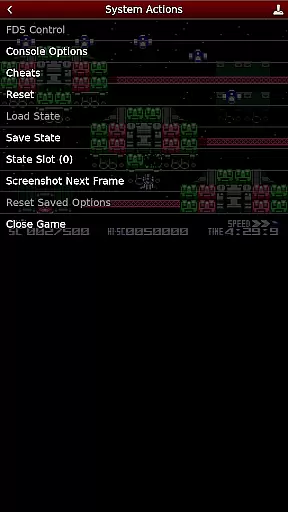
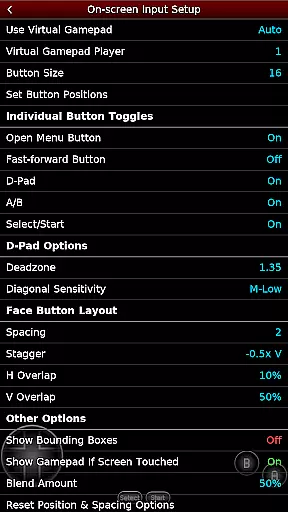
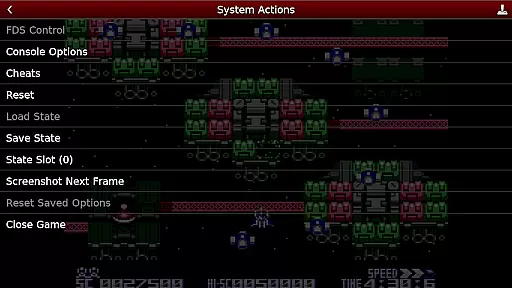
NES.emu is an advanced open-source NES emulator that brings the classic gaming experience to modern devices. Known as Famicom in Japan, this emulator focuses on delivering low audio and video latency while maintaining a minimalist user interface. It supports a wide range of devices from older models like the Xperia Play to contemporary ones such as the Nvidia Shield and Pixel phones.
One of its standout features is the compatibility with various file formats including .nes and .unf, which can be optionally compressed with ZIP, RAR, or 7Z. Additionally, it offers Famicom Disk System emulation using .fds files and VS UniSystem support. The app also includes Zapper/Gun support, configurable on-screen controls, and compatibility with Bluetooth/USB gamepads and keyboards, making it versatile for different gaming preferences.
For enthusiasts looking to relive the nostalgia of NES games or explore the extensive library of titles, NES.emu provides a seamless and responsive emulation experience across multiple platforms.
NES.emu stands out with its comprehensive feature set tailored for NES enthusiasts. The emulator supports a variety of file formats such as .nes, .unf, and .fds, accommodating both standard and compressed ROMs. This flexibility ensures users can enjoy their game collection without worrying about format compatibility.
Another remarkable aspect is the inclusion of FCEU-compatible cheat files (.cht extension) with editing capabilities, allowing gamers to customize their gameplay experience. The app also supports Zapper/Gun functionality through touch interactions, enhancing the authenticity of certain games. With configurable on-screen controls and broad peripheral support including Bluetooth/USB gamepads and keyboards, users can tailor the control scheme to their preference.
By focusing on low latency and supporting Android's storage access framework, NES.emu ensures smooth performance and easy access to games stored on various types of storage media. These features collectively deliver a robust and customizable NES emulation experience.
Arcade authenticity and nostalgia are crucial elements for any emulator aiming to recreate the classic gaming experience. NES.emu, as an advanced open-source NES emulator, excels in delivering this aspect by accurately emulating a wide range of devices from the original Xperia Play to modern devices like the Nvidia Shield and Pixel phones.
The app supports .nes and .unf file formats, optionally compressed with ZIP, RAR, or 7Z, ensuring that users can enjoy a vast library of games just as they remember them. Additionally, it offers Famicom Disk System emulation using .fds files and VS UniSystem support, which enhances the nostalgic experience by bringing lesser-known classics to life.
With features like Zapper/Gun support, where users touch the screen to fire, and configurable on-screen controls, NES.emu provides an immersive arcade-like experience. This attention to detail ensures that players can relive their favorite childhood moments with precision and joy.
By focusing on low audio/video latency and supporting a wide variety of controllers, including Bluetooth/USB gamepads and keyboards, NES.emu guarantees that the spirit of arcade gaming is preserved. Users benefit from a seamless and responsive gameplay experience that captures the essence of the original arcade era.
Control responsiveness is a vital feature for any gaming emulator, directly impacting the user's gaming experience. NES.emu addresses this by offering highly responsive controls that cater to both casual gamers and hardcore enthusiasts alike.
The emulator supports a wide array of input methods, including configurable on-screen controls, which allow users to customize their control layout for optimal comfort and efficiency. This flexibility ensures that every player can tailor the interface to suit their personal preferences and play style.
In addition to on-screen controls, NES.emu is compatible with Bluetooth/USB gamepads and keyboards, including popular models like Xbox and PS4 controllers. This compatibility ensures that users can enjoy a tactile and precise gaming experience, closely mimicking the feel of original arcade controls.
By prioritizing low audio/video latency and providing robust support for various HID devices recognized by the OS, NES.emu delivers a tight and responsive control scheme. Gamers can expect immediate feedback and smooth interactions, making their retro gaming sessions as enjoyable and authentic as possible.
Low audio/video latency
Wide device compatibility
Versatile file format support
Famicom Disk System emulation
Customizable controls
No included ROMs
Complex setup for beginners
Limited customer support
Requires technical knowledge
Occasional crashes

Frenetic party game, pass the bomb to the other players!
 3.80
3.80
Granny keeps you locked in her house.
4.30
Master the hills in this extreme downhill racing game!
4.60
Master the skies in this epic airplane shooting game! Join the air force now!
4.80
Genesis/Mega Drive/CD & Master System/Mark III Emulator
4.30
Absorb, or be absorbed...
4.70
Outrun cops, ignite the thrill of a high-speed chase!
4.50
Original Space Adventure Experience
4.60
Thoughtful strategy and tactical thinking are required to win each battle!
4.30
Ready… Set… DASH! Play now!
4.70
Flip and flail a rag doll through endless levels and plunge into outlandish fun!
4.60
Save the Galaxy from galaxiga alien - Classic arcade shooter game
4.60
Payback 2 includes everything from tank battles to high speed helicopter races!
4.50
Fruit is waiting to be sliced, ninja. Play the hit mobile game !
4.50
Playing venom RPG alien games? Set spider alien isolation base, with no survivor
4.30
Mine & Craft Block Mini World! Survival Crafting and Building & Creative Online.
4.30
Epic offline war strategy game - build your city, train your army, conquer
4.20
You are a Black Hole, escaping the darkness trying to swallow you!
3.60
Infinite Arcade
4.0


User Reviews