

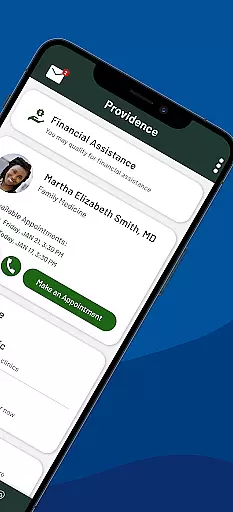
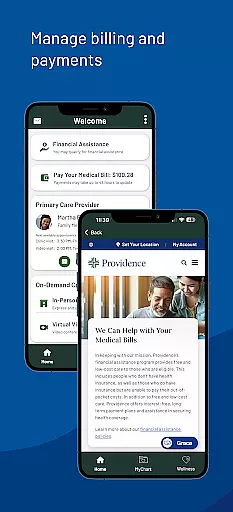
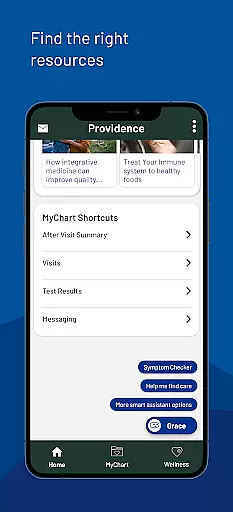
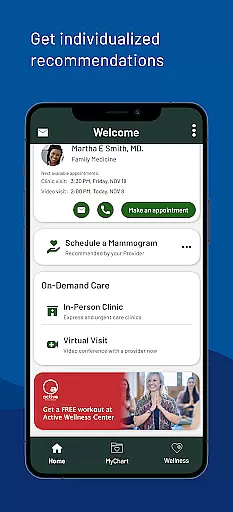
Providence is a comprehensive medical application designed to streamline access to healthcare services. This app serves as a centralized platform where users can manage all their healthcare needs efficiently. With Providence, you can book appointments, view medical records, and pay bills with ease.
The app offers features such as virtual visits through ExpressCare, access to medical records, and personalized health recommendations. Whether you need to connect with your care team or find relevant health programs, Providence provides a seamless experience tailored to individual healthcare requirements.
Providence is particularly beneficial for patients within the Providence healthcare network, offering services across multiple states including Alaska, Washington, and California. The app's 24/7 availability ensures that users can access necessary healthcare resources anytime, enhancing patient engagement and convenience.
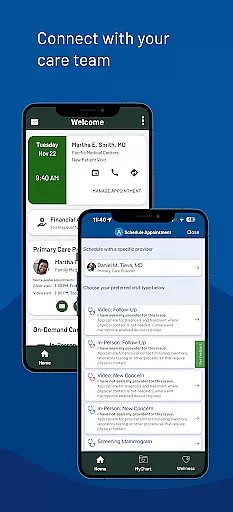
Providence stands out with its robust feature set tailored to enhance patient care. One of the key functionalities includes the ability to connect with your care team by booking appointments, viewing instructions, and sending messages directly through the app.
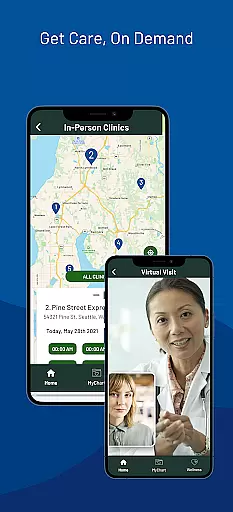
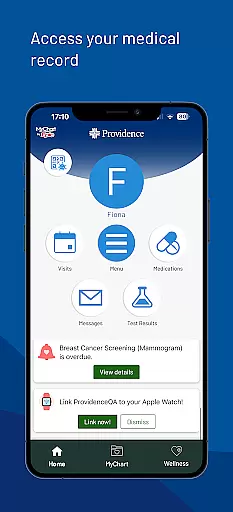
Another significant feature is the immediate care option, which allows users to have virtual visits via ExpressCare or visit local urgent care clinics. Users can check wait times and queue remotely before heading to the clinic. Additionally, the app provides access to medical records, enabling users to review lab results and visit notes.
Providence also excels in personalization by offering individualized health program recommendations and reminders. Its integration with MyChart simplifies account management, making it accessible for both existing and new users. These features collectively ensure a user-centric healthcare experience.
In the realm of digital health services, the credibility of medical content is paramount. The Providence app ensures that all information presented to users is thoroughly vetted by healthcare professionals and experts in their respective fields. This rigorous review process guarantees that whether you are reading about treatment options or exploring new health programs, the guidance you receive is reliable and based on current medical knowledge.
The app provides access to a vast repository of resources created by Providence experts. These include personalized health recommendations and relevant, high-quality content tailored to individual needs. By leveraging data from your medical records and interactions with your care team, the app delivers insights and educational materials that are not only credible but also highly pertinent to your specific health journey.
Users benefit significantly from this commitment to verified medical content. With features like lab results, visit notes, and health reminders, individuals can make informed decisions about their care. Furthermore, the availability of expert-reviewed programs and resources enhances patient engagement and promotes better health outcomes, making the Providence app an invaluable tool for managing personal and family health.
Teleconsultations have become a cornerstone of modern healthcare, offering convenience without compromising on quality. The Providence app excels in providing top-notch virtual visits through its ExpressCare service. Users can connect with healthcare providers from the comfort of their homes, ensuring timely medical advice and reducing the need for physical visits to healthcare facilities.
The app facilitates comprehensive teleconsultations by integrating various functionalities such as appointment booking, secure messaging with care teams, and sharing of medical records. This seamless integration allows for a holistic approach to virtual care where patients can discuss symptoms, receive diagnoses, and even get prescriptions without any hassle. Moreover, the ability to view wait times and queue remotely for urgent care clinics further enhances the user experience.
By prioritizing teleconsultation quality, the Providence app addresses key concerns such as accessibility and efficiency in healthcare delivery. Patients appreciate the ease of use and the assurance that they are receiving care from qualified professionals. As telemedicine continues to evolve, apps like Providence set a benchmark for delivering remote healthcare services that are both effective and user-friendly, ultimately leading to improved patient satisfaction and health management.
User-friendly interface
Comprehensive medical services
Personalized health recommendations
24/7 access to healthcare resources
Integrated virtual care options
Limited to Providence network
Occasional login issues
Advanced features require account
Geographical service restrictions
Some features may incur costs

Adaptive-learning flashcards and quizzes for the Top 250 Drugs
 4.60
4.60
Molina Members: My Molina. Manage your health anytime, anywhere!
4.30
ECG modules improve rhythm ID. ACLS is a simulator for cardiac arrest scenarios.
4.5
The official DSM-5-TR® app
4.50
Enjoy 200%+ volume booster with bass booster, equalizer and headphone supported.
4.60
Voice pitch monitor for speech therapy, LSVT, Parkinson's, singing & trans
4.30
A comprehensive 3D atlas of the human body
4.80
Secure video appointments
4.50
Get Rx fast at the pharmacy, schedule health care, and shop ExtraCare savings.
3.30
The Better Pharmacy Experience
4.90
Easy telehealth appointments + urgent care
4.70
This app is simply 1 book (also large app) and 17 other apps combined into 1
4.70
The doctor will see you now
4.70
Health Care at Your Fingertips
4.60
PPP provides quick offline access to over 350 field treatment protocols.
4.60
Anthem/Wellpoint and other health insurance plans
4.60
Donating plasma just got easier with the BioLife Plasma Services mobile app.
3.90
Conveniently receive lab results, schedule lab appointment and pay your bills
3.70
MySafeRide simplifies booking and managing rides for health plan members.
3.50


User Reviews