
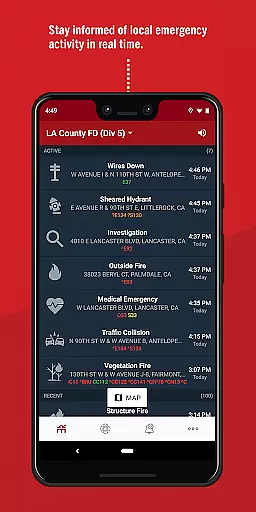
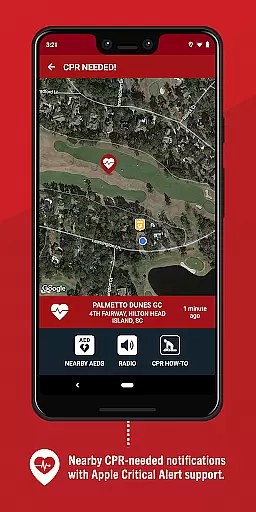
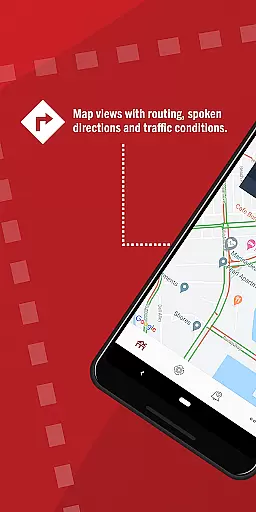
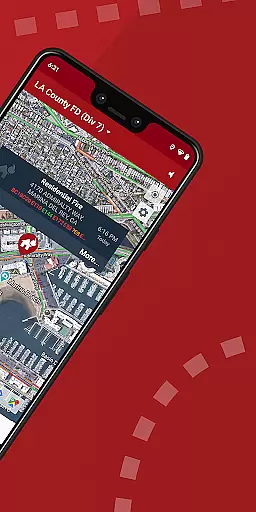
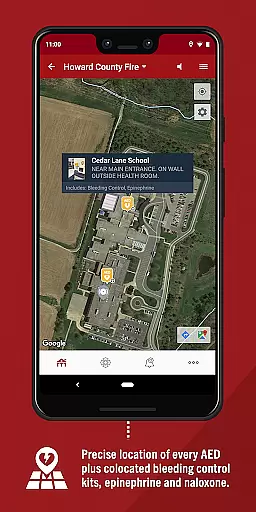
PulsePoint Respond is a revolutionary 911-connected mobile application designed to engage and inform citizens during emergencies. The app alerts users of nearby cardiac arrest incidents where CPR is needed, enabling them to provide immediate assistance even before emergency services arrive. This creates a proactive 'Culture of Action' that strengthens the Chain of Survival for victims.
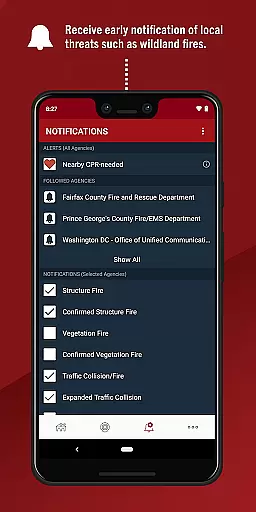
In addition to life-saving notifications, PulsePoint offers real-time updates on significant local threats such as fires, floods, and utility emergencies. Users can also listen to live dispatch radio traffic from most connected communities, providing an unprecedented level of transparency in public safety operations. With coverage spanning thousands of cities, this medical app empowers communities to become active participants in emergency response.
PulsePoint Respond stands out with its unique ability to notify trained individuals about nearby emergencies requiring CPR. The app uses advanced geolocation technology to identify users within walking distance of the incident, ensuring timely intervention. This feature alone has the potential to save countless lives by bridging the critical gap between emergency onset and professional medical response.
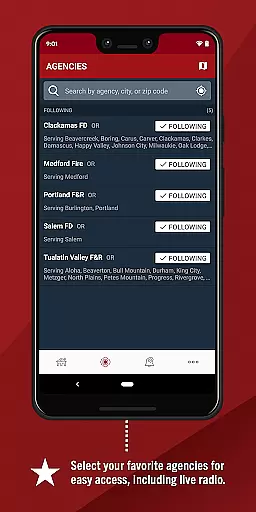
Beyond its core functionality, PulsePoint provides valuable community safety features. Users can opt-in for notifications about significant events that may impact their families, including natural disasters and infrastructure emergencies. The app's live dispatch radio feature allows users to monitor emergency communications in real-time, enhancing situational awareness. These comprehensive capabilities make PulsePoint an indispensable tool for community safety and emergency preparedness.
In the realm of emergency response and public safety, the credibility of medical content is paramount. PulsePoint Respond stands out by providing information directly connected to 911 services, ensuring that all alerts and notifications are both timely and accurate. This app bridges the gap between emergency services and the community, offering real-time updates on incidents requiring CPR, thus enhancing the reliability of information shared with users.
PulsePoint's engagement with local fire departments and EMS officials ensures that the information disseminated through the app is vetted by experts in the field. This collaboration not only boosts the trustworthiness of the content but also aligns with a 'Culture of Action,' encouraging community members to respond effectively in cardiac arrest situations. The app's ability to notify users of significant threats such as fires and utility emergencies further underscores its commitment to delivering credible and actionable information.
By allowing users to monitor live dispatch radio traffic, PulsePoint Respond provides an additional layer of transparency and authenticity to the information it shares. This feature enables users to hear firsthand the communications between emergency responders, reinforcing the accuracy and immediacy of the updates they receive. Such direct access to emergency communications exemplifies the app's dedication to maintaining high standards of medical content credibility.
While PulsePoint Respond does not offer traditional teleconsultation services, it excels in facilitating immediate community responses to emergencies, which can be seen as a form of remote consultation. By alerting nearby users trained in CPR when their skills are needed, the app effectively bridges the time gap until professional help arrives. This rapid mobilization of resources mirrors the benefits of high-quality teleconsultations, where timely advice can make a critical difference.
The app's notification system is designed to engage users quickly and efficiently, ensuring that those who can provide assistance are informed without delay. This swift communication channel is akin to the promptness expected in teleconsultations, where patients anticipate quick responses from healthcare providers. PulsePoint's approach to emergency alerts demonstrates a similar commitment to speed and reliability, crucial components of effective teleconsultation services.
Moreover, PulsePoint's integration with local emergency services enhances the overall quality of the response, much like how expert opinions elevate teleconsultation platforms. By tapping into a network of trained individuals and official emergency responders, PulsePoint ensures that help is coordinated and competent. This synergy between citizen responders and professionals reflects the collaborative nature of telemedicine, where multidisciplinary teams work together to deliver optimal patient care.
Life-saving notifications
Real-time emergency updates
Community engagement platform
Live dispatch monitoring
Wide geographic coverage
Requires user training
Location services needed
Limited rural coverage
Dependent on local adoption
Potential notification overload

Spruce is the leading platform for HIPAA-compliant communication and care.
 4.90
4.90
Enables quick access to medical data and contacts in case of emergency (ICE)
4.70
ECG modules improve rhythm ID. ACLS is a simulator for cardiac arrest scenarios.
4.1
Pelvic Floor Muscle Exercises
4.80
Elegant, easy-to-use period tracker for fertility, PMS symptoms, and more
4.90
This app is simply 1 book (also large app) and 17 other apps combined into 1
4.70
Discover the source of pain with Muscle Trigger Point Anatomy.
4.70
Donating plasma just got easier with the BioLife Plasma Services mobile app.
3.90
Anthem/Wellpoint and other health insurance plans
4.60
CPR Timer for High Performance AHA BLS / ACLS
5.00
Be more confident prescribing homeopathy at home for your family.
4.80
The Omada app enhances your program experience and helps you stay engaged.
4.50
Download OctaApp for easy access to your plasma donation info
4.40
Manage your health care in one easy place
4.40
Use the phone microphone or headset mic as sound amplifier for louder hearing.
4.30
The Client Portal app empowers you to manage care from one secure place
4.10
Zepbound & Mounjaro support & resources for savings, tracking & more
3.90
Care Simplified by MyChart
3.40
A scientifically-proven method to help people with dementia or memory impairment
4.2


User Reviews