
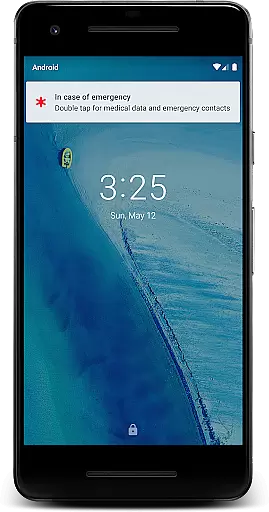
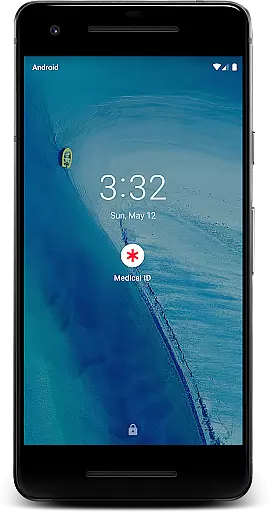
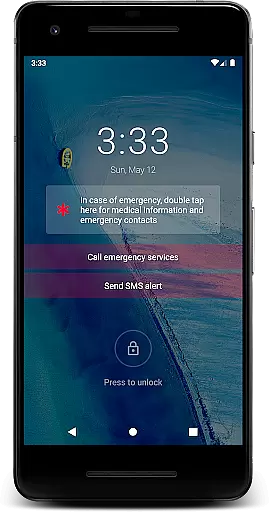
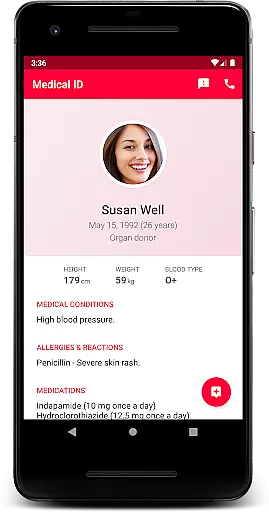
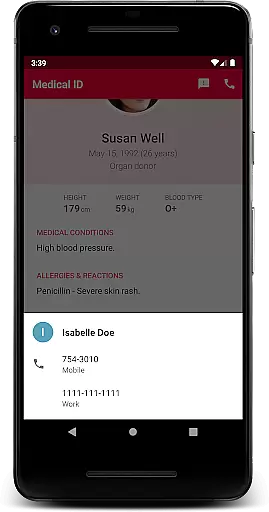
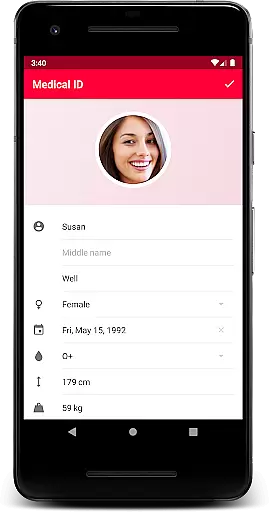
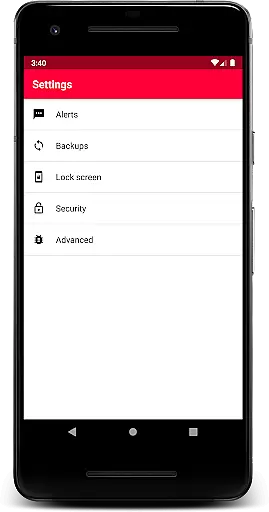
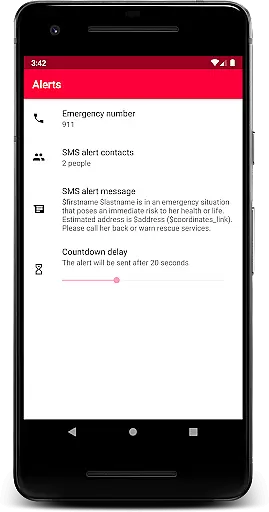
Medical ID (premium) is an essential application designed to store and display critical medical information directly from your device's lock screen. This app allows users to create detailed medical profiles that include vital details such as allergies, blood type, and emergency contacts. In case of emergencies, first responders can quickly access this information, which could prove invaluable for providing appropriate treatment.
The premium version offers advanced features including an emergency alert system that sends SMS with the user's location, location sharing with emergency contacts for up to 24 hours, and direct calling to emergency contacts without unlocking the device. Additional functionalities like BMI calculation, current location tracking, and a compass further enhance its utility. The app operates through an accessibility service, ensuring that it remains accessible even when the device is locked.
This application transforms any Android device into a life-saving tool by making crucial medical data readily available during emergencies. It emphasizes privacy by keeping all medical information on the device and only requesting permissions necessary for feature functionality. Medical ID (premium) is particularly useful for individuals with chronic conditions or those who want to ensure their medical information is always accessible.
Medical ID (premium) stands out with its comprehensive set of features tailored for emergency situations. One of its core functionalities is the quick access widget displayed over the lock screen via an accessibility service. This ensures that first responders can view medical information without needing to unlock the device, which is crucial in time-sensitive scenarios.
The app includes an emergency alert feature that sends an SMS to predefined contacts with a single click, automatically including the user's estimated location. Another innovative aspect is the ability to share live location with emergency contacts for up to 24 hours, even when the app is closed. This continuous location sharing provides peace of mind for both users and their loved ones.
Additional notable features include direct emergency contact calling from the lock screen, manual backup options, BMI calculation, current location details, and a built-in compass. These features collectively create a robust solution for managing personal medical information while maintaining privacy and security. The app's thoughtful design makes it an indispensable tool for anyone seeking to be prepared for medical emergencies.
Medical ID (premium) ensures the credibility of its medical content by allowing users to input essential health information such as allergies, blood type, and emergency contacts directly into their profiles. This data is critical for first responders in emergencies.
The app's features are designed with user safety in mind, including an emergency alert function that sends SMS messages with the user's estimated location. These functions have been reviewed to ensure they operate reliably when needed most.
While the app does not provide medical advice or diagnosis, it facilitates access to vital personal health information. Users are encouraged to keep their details up-to-date, ensuring accuracy and usefulness during urgent situations.
With a focus on accessibility, Medical ID integrates an accessibility service that displays a widget over the lock screen, enabling quick access to medical data without needing to unlock the deviceu2014a feature that has been developed considering feedback from both healthcare professionals and users.
Although Medical ID (premium) is not primarily a teleconsultation platform, it enhances remote consultation quality by providing healthcare providers with quick access to a user's medical profile during emergencies.
In case of an emergency, authorized personnel can view the useru2019s medical information directly from the lock screen, which may include critical details like medication lists and physician contacts, thus supporting better-informed teleconsultations if needed.
The premium version offers additional features such as location sharing with emergency contacts for up to 24 hours, even when the app is closed. This ensures that medical staff or family members can locate the individual quickly, improving response times and care quality.
By offering tools like BMI calculation and current location tracking, the app supports comprehensive health monitoring, indirectly contributing to more effective telemedicine interactions when used alongside professional medical services.
User-friendly interface
Comprehensive medical profile
Emergency SMS alerts
Live location sharing
Lock screen accessibility
Premium version cost
Device compatibility issues
Limited free version
Requires manual backups
Dependent on device settings

Explore human anatomy with this rich learning experience.
 4.00
4.00
Sync your blood glucose device, log values automatically and tame your diabetes!
4.60
Amplify surrounding sounds, conversations, TV or lectures for louder hearing.
4.70
The MDLIVE app makes connecting with a doctor fast, easy, and convenient.
4.60
Conveniently receive lab results, schedule lab appointment and pay your bills
3.70
Boost reading, writing, speaking and listening with a scientifically proven app.
4.70
Pelvic Floor Muscle Exercises
4.80
Your pocket guide to following The Monash University Low FODMAP diet.
4.20
Online Doctors & Condition Management
4.40
The Better Pharmacy Experience
4.90
Manage your healthcare through the FollowMyHealth® Universal Health Record.
4.80
The NightOwl Companion app allows you to interact with the NightOwl sensor.
4.70
Coaches you through labour using hypnobirthing techniques & tracks contractions
4.70
Beat alcohol and drug addiction with a revolutionary treatment program in an app
4.50
Get your lab results on your smartphone with MyQuest.
4.40
Assess and treat left neglect more effectively in stroke and brain injury rehab.
4.30
A rapid reference for healthcare professionals caring for pediatric patients.
4.30
Patient Health Portal
4.20
A fantastic 3d reference that includes over 300 structures and a quiz function.
3.00


User Reviews