
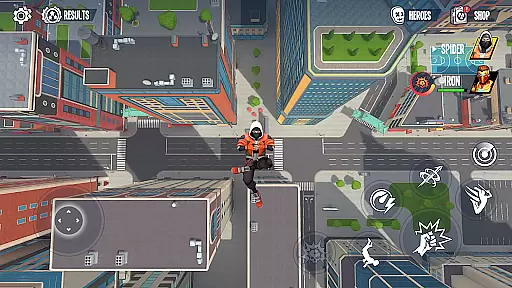
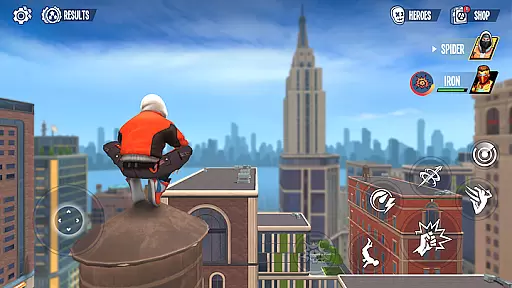
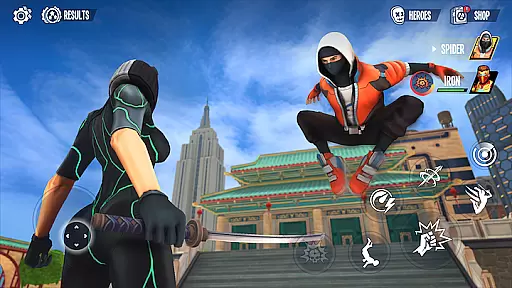
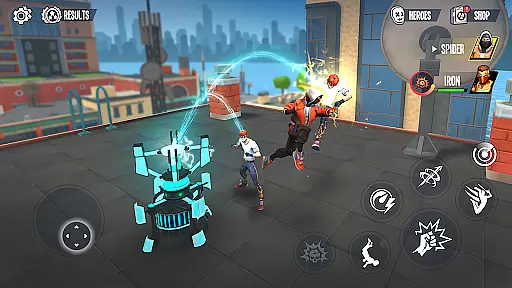
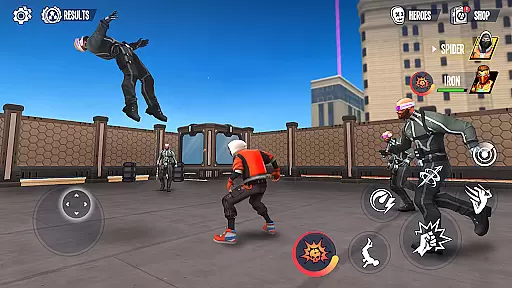
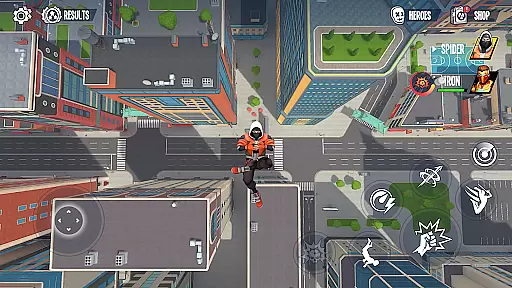
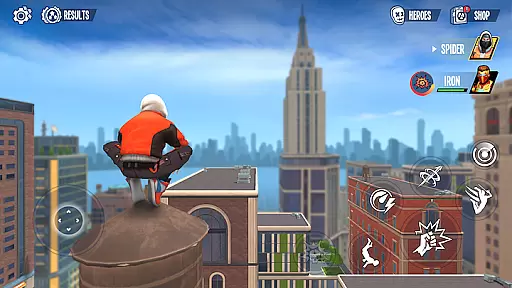
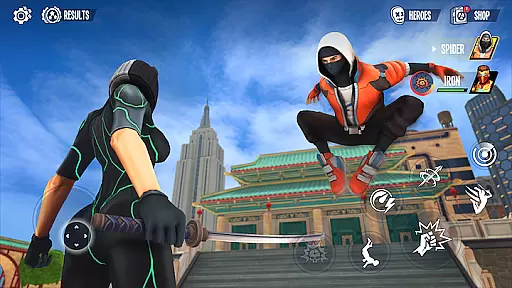
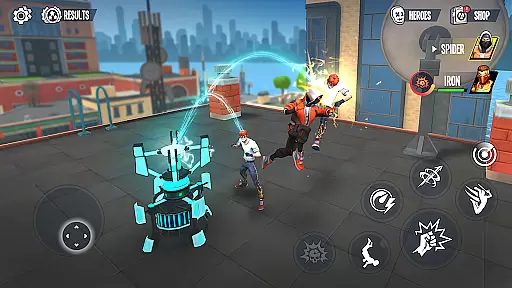
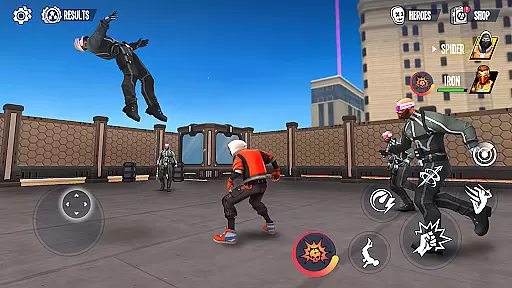
Spider Fighter 3: Action Game offers players the chance to embody a legendary spider hero, tasked with defending the city against criminal threats. This action-packed game allows users to utilize spider-like agility to navigate urban environments, engage in combat, and thwart villains. Key features include an immersive storyline, high-quality graphics, and recognizable locations from the franchise.
Players will enjoy unlocking new abilities and suits, each providing distinct advantages during gameplay. The inclusion of an open-world sandbox mode adds depth, enabling exploration and side missions beyond the primary narrative. Whether fans of the original comics or movie enthusiasts, this game delivers an authentic superhero experience.
The real value lies in its ability to transport players into a vivid superhero universe. By combining dynamic action sequences with strategic progression elements, Spider Fighter 3 ensures both casual and dedicated gamers can find excitement in protecting the city. Its engaging mechanics make it a standout title within the action gaming category.
Spider Fighter 3 stands out due to its rich feature set tailored for action gaming enthusiasts. One notable aspect is the character progression system, allowing players to unlock new suits and abilities as they advance. These upgrades not only enhance visual appeal but also provide tactical benefits during battles, making each encounter unique.
Another highlight is the open-world sandbox mode, which invites players to freely explore a detailed urban landscape. This mode includes optional missions and hidden collectibles, encouraging replayability and deeper engagement with the game’s universe. Additionally, the responsive controls enable fluid movement, simulating the thrill of web-swinging through a bustling cityscape.
Visually, the game impresses with its high-definition graphics and faithful recreation of iconic settings. Players can expect smooth animations and cinematic sequences that heighten immersion. Combined with an engrossing storyline, these features create a comprehensive package that captures the essence of being a superhero, appealing to fans of action-oriented entertainment.
Control responsiveness and latency are crucial factors in action games like Spider Fighter 3. These elements determine how quickly a player's input translates into in-game actions, affecting both the gameplay experience and the player's success in combat scenarios.
In Spider Fighter 3, control responsiveness is enhanced through an intuitive interface that allows players to execute complex maneuvers with ease. Whether it's swinging through the city or engaging in battles with villains, the game ensures that every touch or swipe on the screen corresponds to immediate and precise character movements.
The game also minimizes input latency, ensuring that there is no noticeable delay between the player's commands and the hero's actions. This immediacy is vital for maintaining immersion and allowing players to perform high-speed acrobatics and combos during intense combat situations.
By prioritizing these aspects, Spider Fighter 3 delivers a seamless gaming experience where players can fully immerse themselves in the role of the spider hero, executing their strategies without technological hindrances getting in the way of justice.
Combat feedback tightness refers to how well a game communicates the impact of combat actions to the player. In Spider Fighter 3, this aspect is essential for creating an engaging and satisfying fighting experience as players take on the role of a superhero battling against evil forces.
The game provides tight combat feedback through visual effects, sound cues, and haptic responses that correspond with each punch, kick, or special ability used by the spider hero. When you land a hit, the screen reacts with vibrant effects, while missed attacks result in clear audio-visual signals that help adjust your strategy.
Spider Fighter 3 further enhances this experience by offering responsive animations that match the playeru2019s inputs with fluid character movements. The responsiveness not only makes each fight more dynamic but also helps players refine their tactics based on real-time feedback from every encounter.
This attention to detail in combat feedback ensures that every victory feels earned and every defeat serves as a learning opportunity, keeping players invested in mastering their skills as the ultimate spider hero within the game's universe.
Engaging storyline
Stunning HD graphics
Variety of unlockable suits
Responsive and intuitive controls
Open-world exploration
Occasional performance lags
In-app purchases required
Limited enemy variety
Repetitive side missions
High device requirements
NEOGEO's masterpiece game is now available in the app!
 4.30
4.30
EIGHT open-source Quake 1-3 engines brought to your Android device!
4.70
Become a commander and infiltrate the Planet of Heroes!
4.60
Run, jump, and escape in the ultimate endless jungle adventure game!
4.10
Get pixel gun, kill hords of stupid zombies dead ahead, be a lone survivor
4.80
Throw shurikens and cut through your enemies!
4.60
Shooting Defense Game! Defend the dungeon from the heroes!
4.80
This time, the terror has followed you home!
4.60
Supreme Duelist is a funny fighting mobile game
4.50
Defeat the nasty aliens!
5.00
Controller supported shooting game. Go into a labyrinth & Reveal a mystery story
4.70
Weaphones is the ultimate firearms simulator for your phone or tablet.
4.60
Survive the post apocalypse in intense zombie shooting and gun games on doomsday
4.60
Childhood nightmares should remain in the past.
4.60
The fast-paced FPS that changed gaming forever.
4.40
A classic console-feeling action game
4.40
Robot fight! Get into the shooting games to destroy all transformers and robots!
4.30
Command your army, crush the enemy, and reclaim the nation!
4.30
HOOK away with SPEED & STYLE! Jump, Swing, Fly! Let's Play fun Action Game!
4.20


User Reviews