

TeamSnap is a leading Sports Management app designed for coaches, sports organization administrators, and parents involved in youth sports. This powerful tool simplifies the complex operations of managing sports teams, clubs, or leagues by centralizing communication, scheduling, registration, and financial management.
The app's standout feature is its ability to replace scattered group texts and separate payment apps with one integrated platform. Coaches can efficiently communicate with parents and players through individual or group messages, manage rosters, track player availability, and organize schedules. Administrators benefit from advanced tools like automated scheduling, custom registration forms, and seamless payment processing. With support for various sports including soccer, ice hockey, and basketball, TeamSnap serves over 24 million users who value organized, efficient team management.
Whether you're a coach looking to streamline your team's operations or an administrator aiming to enhance league management, TeamSnap provides the tools necessary to focus on what truly matters—player development and creating a great sports experience.
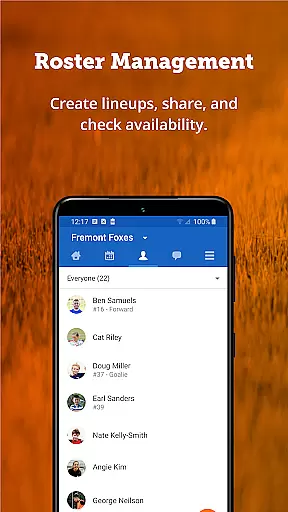
TeamSnap offers a comprehensive suite of features that cater to both coaches and sports organization administrators. For coaches, the app provides robust communication tools, enabling them to send push notifications and SMS alerts to keep everyone informed. The roster management system allows for easy collection of player details and contact information, while the Availability feature helps plan gameday lineups effectively.
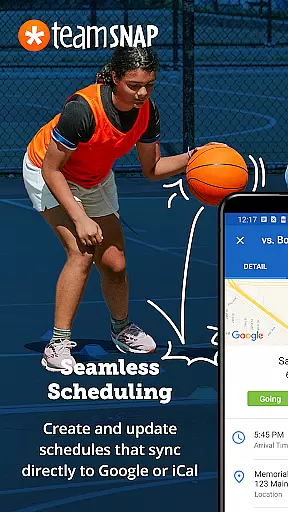
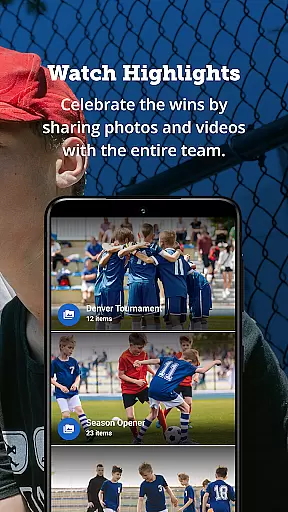
Scheduling is made simple with the ability to build or import schedules directly into the app, ensuring all team members are aware of practice times and locations. Real-time game updates and Postgame Reports allow teams to stay connected, track statistics, and share photos. Administrators can streamline communication across entire clubs or leagues, import existing schedules, and utilize automated event editing tools.
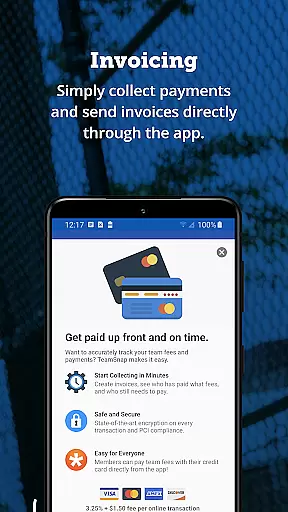
Financial management is another key aspect, with features that facilitate upfront payments and provide detailed financial reporting. The integration of registration forms and waivers ensures a smooth process for parents and coaches, while the rostering system supports both automated and manual assignments based on collected data. These features collectively ensure that TeamSnap stands out as a premier solution for sports management.
Gameplay realism in sports management apps refers to how accurately the digital experience mirrors real-world sports organization and team management. TeamSnap excels in this area by offering features that closely mimic the actions and planning that coaches and administrators undertake in managing their teams.
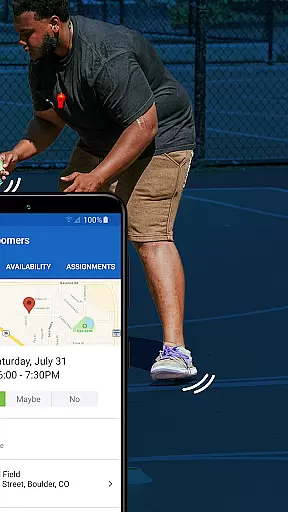
The app provides tools for organizing practices, scheduling games, and tracking player availability, which are crucial for simulating the real-life operations of a sports team. With its Availability feature, TeamSnap allows users to know exactly who can attend games and practices, thus ensuring that the team's performance is not hindered by absent players.
For users, this means they can focus on developing their players and strategizing for games without getting bogged down by logistical challenges. The app's ability to centralize communication and scheduling into one platform offers a seamless experience that reflects the dynamic nature of managing sports teams.
By streamlining these processes, TeamSnap delivers an authentic experience that saves time and enhances the quality of sports management, allowing teams to perform at their best both on and off the field.
Control scheme intuitiveness is vital for ensuring that users can effectively interact with an application without a steep learning curve. In the context of TeamSnap, this translates to an interface that allows coaches, parents, and administrators to manage their sports teams with ease and efficiency.
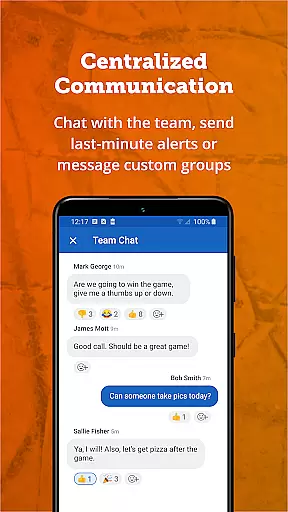
TeamSnap's design focuses on user-friendly navigation, enabling swift communication through individual or group messages, push notifications, and SMS alerts. This ensures that all team members are promptly informed about schedule changes or important updates, maintaining a cohesive and informed team environment.
Additionally, features such as roster management and scheduling are accessible with minimal effort, empowering users to build teams, set lineups, and organize schedules without hassle. The straightforwardness of these tasks reduces the time spent on organization and increases the time available for actual gameplay and practice.
Ultimately, the intuitive control scheme of TeamSnap enhances user engagement by providing a platform where the complexities of team management are simplified, allowing users to concentrate on fostering team spirit and achieving sporting excellence.
User-friendly interface
Comprehensive scheduling tools
Integrated payment system
Real-time game updates
Robust financial reporting
Limited free features
Subscription costs
Occasional bugs
Learning curve for new users
Dependent on internet connectivity

Trick cliff dive backflips, stunts & doubles! Unparalleled real physics!
 4.50
4.50
This third edition of Skateboard Party features professional skater Greg Lutzka.
4.30
Recruit and train players to form a winning team!
4.10
Play eFootball™ with users around the world!
4.10
Rediscover the joy of the original Backyard Baseball 1997
3.70
Manage your lineup of NBA and WNBA stars on the go with the NBA 2K26 MyTEAM app.
4.50
NFL & NBA Real Money Team & Player Picks
4.60
Kick into action! Score goals & climb 100+ levels to become a soccer super star!
4.70
The My Epic app unlocks the mountain and elevates your experience.
3.90
Create and customize your own golf course in this charming management sim.
4.70
8 Pool Master is an interesting billiard game
4.70
Real-time 1v1 basketball game! Dunk, shoot & win like MVP basketball superstars!
4.70
Challenging 1vs1 online matches! Strike, score, and be a soccer champion!
4.40
Out of the Park Baseball Go is a strategy & sports gaming fan’s dream come true.
4.40
Build, manage & coach your NFL dream team in this American Football sports game!
4.40
Master your shots and climb the ranks in the ultimate golf game!
4.30
Golfing in an Endless Desert
4.10
Space City Home Network subscribers can now stream their favorite local teams.
3.60
Play fun baseball with doodle-style characters and hit massive home runs!
4.4


User Reviews