
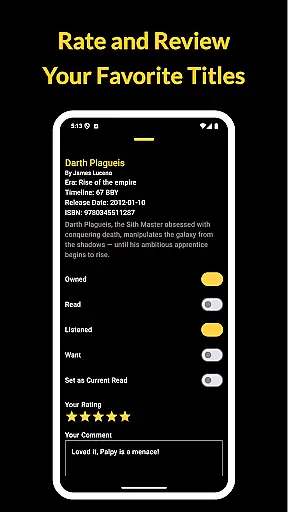
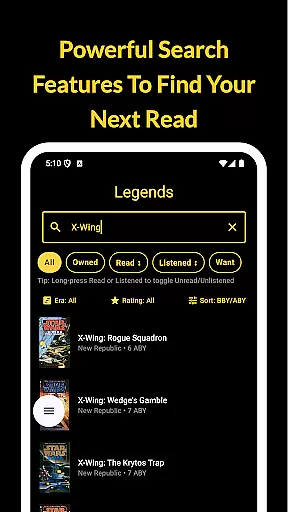
The Cantina Archive is a comprehensive tool for Star Wars book enthusiasts, enabling users to organize and explore their personal collections with ease. This fan-built app offers multiple ways to browse books, including by era, timeline (BBY/ABY), or release date, making it simple to discover new titles based on your interests.
With features like Timeline View, collection tracking, and syncing capabilities via Firebase, the app ensures that readers can maintain an up-to-date record of their library across devices. Whether you're diving into Canon or revisiting Legends, The Cantina Archive provides a seamless experience for managing your Star Wars reading journey.
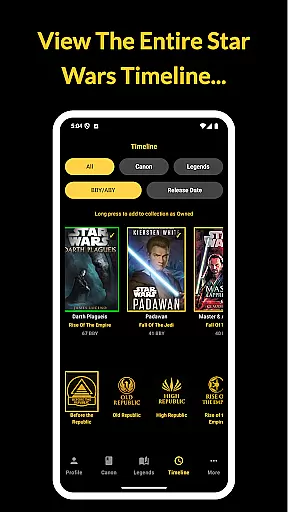
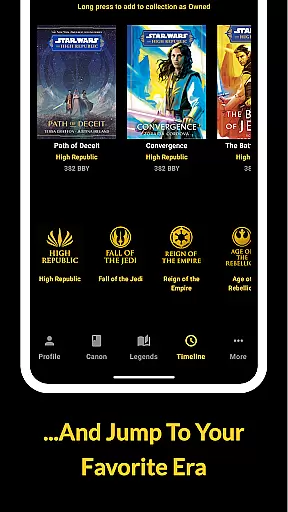
The Cantina Archive stands out with its robust feature set tailored specifically for Star Wars literature fans. The Timeline View allows users to explore books in chronological order, either through the BBY/ABY system or by publication date, offering a unique way to engage with the Star Wars universe.
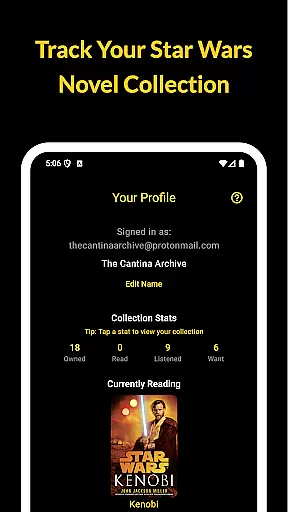
Collection management is made easy with options to mark books as Owned, Read, Listened, or Want to Read. Additionally, the Currently Reading feature lets users highlight one title at a time and track their progress. With Firebase integration, all data is securely backed up, ensuring cross-device accessibility without ads or personal tracking.
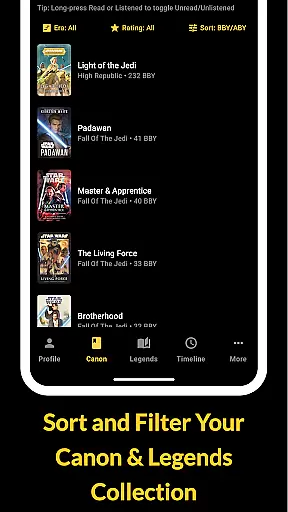
The Cantina Archive offers an extensive collection of Star Wars books, allowing fans to track their reading journey through the vast galaxy of stories. This fan-built app meticulously catalogs both Canon and Legends Expanded Universe titles, ensuring a comprehensive library that caters to all enthusiasts.
Each book entry is verified for copyright authenticity, providing users with accurate information on their favorite Star Wars novels. The app's dedication to detail ensures that every title, author, and ISBN is correctly represented, making it a reliable resource for organizing your collection.
By offering multiple browsing options such as era, timeline (BBY/ABY), and release date, The Cantina Archive enables readers to explore books in a way that suits their preferences. This feature-rich approach enhances the user experience by catering to different organizational styles and reading habits.
With its commitment to accuracy and authenticity, The Cantina Archive stands out as an essential tool for Star Wars book collectors who want to maintain a credible and extensive digital library.
The Cantina Archive excels in format compatibility, supporting various ways to manage and explore your Star Wars book collection. Whether you prefer searching by title, author, or ISBN, the app provides flexible options to suit your needs.
Users can toggle titles based on their status - Owned, Read, Listened, or Want to Read - ensuring that their collection is always up-to-date and accurately reflects their reading progress. This feature allows for seamless integration with different reading formats, from traditional paperbacks to audiobooks.
The app also includes a Currently Reading section, where users can highlight one title at a time and track their progress. This functionality supports multiple reading formats and encourages users to engage more deeply with their collection.
Additionally, The Cantina Archive syncs with Firebase, enabling secure cross-device access to your library. This ensures that whether you're using a smartphone, tablet, or computer, your data remains consistent and accessible, demonstrating the app's commitment to versatile format compatibility.
User-friendly interface
Comprehensive timeline view
Syncs across devices
No ads or tracking
Regular updates
Limited to Star Wars
Requires manual entry
No audiobook support
Few social features
Occasional bugs

Mirror Bible - eye-opening paraphrase translation of the NT by Francois du Toit
 4.30
4.30
Bible Spiritual Companion
4.40
Prime novels await! Fantasy & Romance on JoyRead. Immersive reads!
4.20
The dynamic dictionary/reference app for piano chords and scales!
4.80
"Do you like green eggs and ham?"
4.70
Research your family history to explore ancestors and search for your heritage
4.50
Read unlimited novels, audiobooks, stories & Unlock ebooks, fanfiction and more!
4.70
A companion for prayer, with Azan alarm, Quibla direction, and Holy Quran book
4.10
Calculate, Knowledge, Homework
4.40
The Original Tropical Freshwater Aquarium Fish And Plant Care Guide
4.80
Universal Zoom, learn about sizes & distances of the universe and microcosmos
4.80
Read the KJV Bible with Strong’s offline: reading plans, audio Bibles, and more.
4.70
Read aloud texts, audiobooks, PDFs or any eBook with text to speech AI audio
4.60
Werewolf novels & romance stories in audiobooks for book lovers! Werewolf storie
4.60
Discover, track, and share your reading with friends & our community of readers
4.60
Build family tree & discover DNA, family history heritage, origins and ancestors
4.60
The ultimate military vehicle identification (Equipment ID) guide.
4.40
WebNovel - Read Solo Leveling novel and comic
4.10
Guide for dōTERRA® Products
3.60


User Reviews