
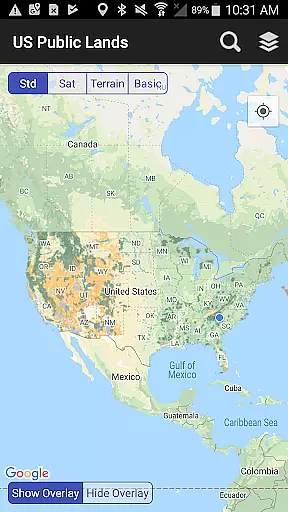
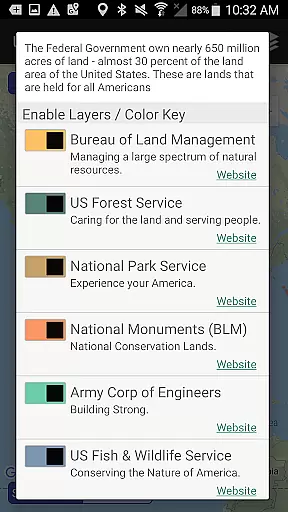
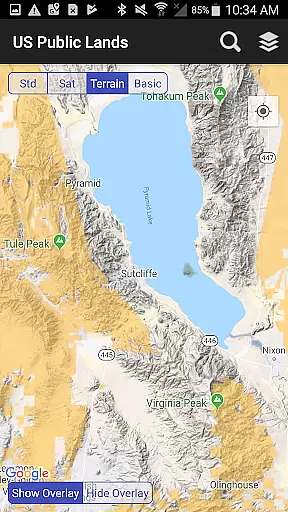
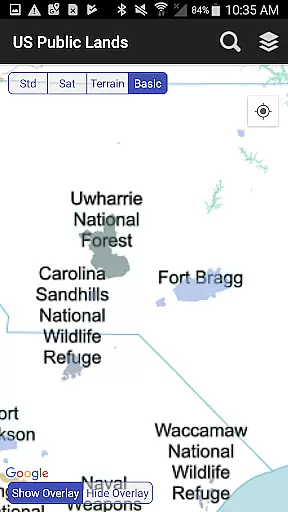
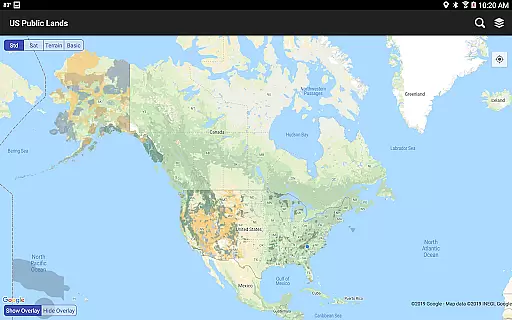
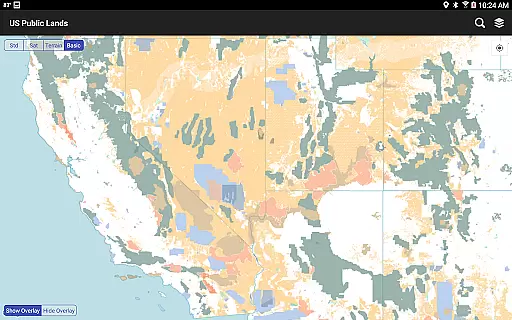
US Public Lands is an essential navigation tool for outdoor enthusiasts, offering detailed offline maps of federally owned properties across the United States. With nearly 30 percent of US land under federal ownership, this app provides users with instant access to boundaries and information about lands managed by key agencies like the Bureau of Land Management (BLM), US Forest Service (FS), and National Park Service (NPS).
The app's core functionality lies in its customizable map layers, which allow users to identify public land types and their managing agencies. Whether you're planning a hiking trip or researching land use regulations, the app provides direct links to agency websites for further details on permits, fees, and activity restrictions. Its offline capabilities make it especially valuable for travelers exploring remote areas without internet connectivity.
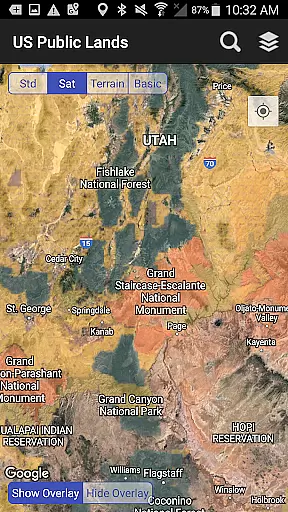
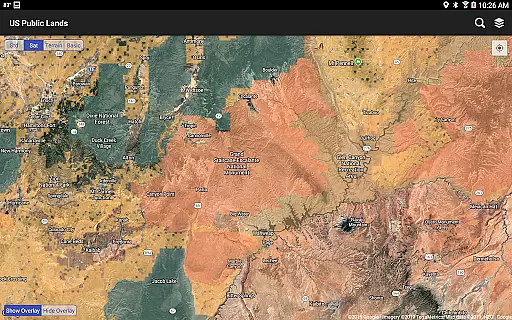
This app proves particularly useful for campers and boondockers who need to scout dispersed camping locations within public lands. By combining satellite imagery with boundary data, users can better assess trails and roads while ensuring compliance with local rules. The built-in GPS feature also helps users confirm their current location relative to public land boundaries, making it a reliable companion for responsible exploration.
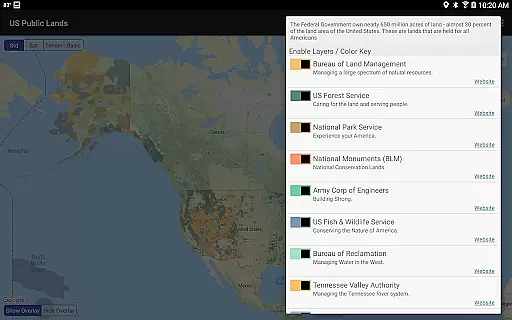
One of the standout features of US Public Lands is its comprehensive collection of map layers stored directly on your device, enabling full offline functionality. These layers cover major federal agencies such as the Army Corps of Engineers (ACOE), Bureau of Reclamation, and Department of Defense, each color-coded for easy identification. Users can toggle these layers individually to create personalized maps tailored to their specific needs.
In addition to offline mapping, the app integrates advanced tools like a 'Locate Me' function that uses GPS to pinpoint your exact position relative to nearby public lands. For those with internet access, supplementary options include standard and satellite views, enhancing the ability to explore terrain details. A built-in search tool further simplifies navigation by locating cities, zip codes, addresses, and points of interest, dropping pins for quick reference.
Another innovative aspect is the app’s utility as a boondocking assistant. While not a dedicated campsite locator, it allows users to overlay satellite imagery with public land boundaries, helping them identify potential dispersed camping spots. This combination of detailed mapping, offline usability, and real-time location tracking ensures that adventurers have all the resources they need at their fingertips.
When using the US Public Lands app, users can trust that the information provided is authentic and reliable. The app sources its data from the Protected Area Database (PAD-US) of the U.S. Geological Survey, which aggregates the most current information on Federal lands and waters.
The app allows users to directly access each agency's website, ensuring they can verify land use rules, permits, fees, and any other relevant details. This connectivity provides an additional layer of booking authenticity as users can cross-check the information presented in the app with official sources.
While the app does not focus on specific campsite bookings, it serves as a trustworthy tool for identifying public lands. Users can scout out trails, roads, and dispersed camping locations within these areas, making it easier to plan trips confidently.
It is important to note that while the app offers an extensive overview, some locations may have inaccuracies or varying resolutions. Therefore, users are encouraged to consult local field offices or administration websites for precise details before finalizing any plans.
The US Public Lands app operates on a free-to-use model, offering complete price transparency to its users. There are no hidden costs associated with downloading or accessing the maps and layers within the app.
All map layers are stored directly on the device, allowing full functionality without requiring an internet connection. This feature eliminates potential data usage fees, providing peace of mind for travelers who might be concerned about roaming charges or limited connectivity.
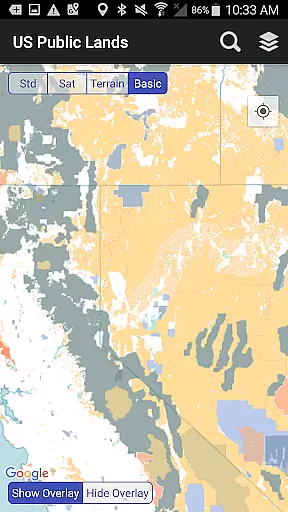
Users can take advantage of both offline and online features without incurring additional expenses. Whether utilizing the 'Basic' base map or switching to satellite view when connected, there are no extra fees for these services.
Moreover, links to agency websites enable users to explore permit costs and fees related to specific activities on public lands. This openness ensures that users have all necessary financial information upfront, contributing to a transparent and cost-effective travel planning experience.
User-friendly interface
Offline map support
Customizable layers
Accurate GPS tracking
Comprehensive agency coverage
No private land details
Limited resolution in some areas
Occasional outdated boundaries
Not a campsite database
Requires manual updates

Tide Table Chart provides quick and easy access to high and low tide forecasts.
 3.20
3.20
CLEAR provides a safer, easier way through airports, stadiums, and beyond.
4.20
Get all MTA services, Subway, Bus, LIRR, Metro-North and More all in one place.
4.60
Replace your car trips with the world’s largest shared electric vehicle company.
4.90
Vacationing on CARNIVAL? Maximize your fun on board with the ultimate cruise app
4.60
Travel light with our easy-to-use mobile app, the perfect flying companion.
4.40
Find your perfect somewhere with last minute hotel & travel deals!
4.80
Rent the perfect car for wherever you’re going
4.90
Get the app that knows where you’re going - view your flight, check in & more
4.50
One app, 300,000+ travel experiences, tours, and tickets you’ll remember.
4.90
All-in-one delivery and taxi app. Ride, food, & grocery delivery app.
4.80
View current Montana road conditions, cameras, plows, and timelapse videos.
4.70
Maximize your cruise vacation with the Royal Caribbean app
4.70
Frontier’s Android app makes travelling easier than ever before!
4.70
The mobile panorama panel. Works offline - worldwide!
4.40
Link & locate for real-time child & family safety: GPS tracker for families
4.40
Managing your travel should be easy. With the Amtrak app, it is.
4.30
INDOT Trafficwise is a traffic and traveler information mobile app.
4.00
Amplify Your Experience
3.00


User Reviews