

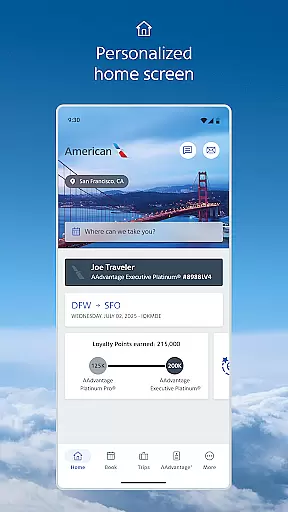
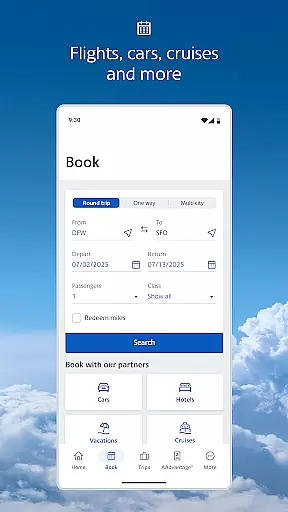
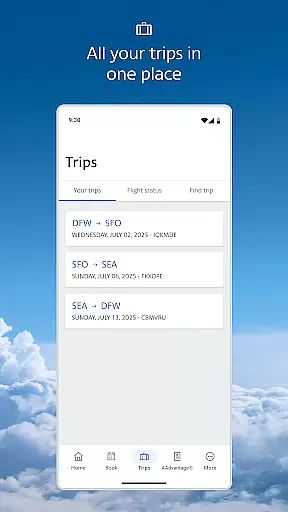
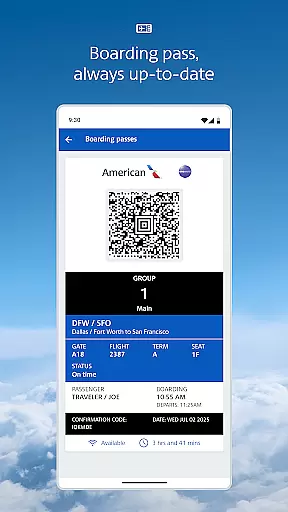
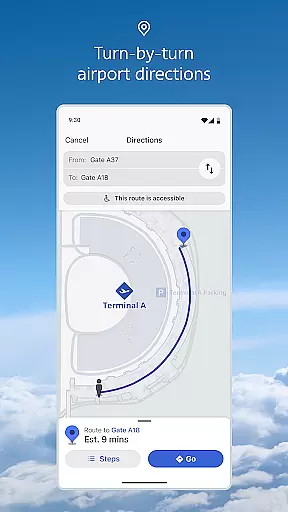
The American Airlines app is a comprehensive travel companion that provides essential information at every stage of your journey. With features like mobile boarding passes, real-time flight updates, and interactive terminal maps, the app ensures you're always informed and prepared. Whether you need to locate the nearest Admirals Club lounge or track your baggage, this app has got you covered.
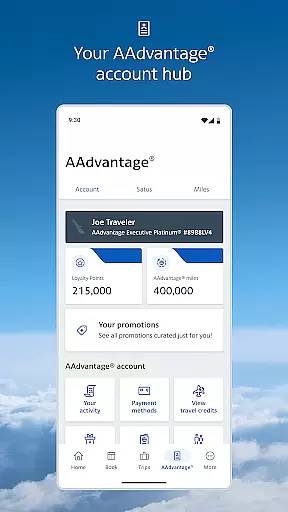
Travelers can easily manage their AAdvantage account, select seats, and even request upgrades directly through the app. The dynamic home screen adapts to your travel timeline, offering quick access to necessary tools. Additionally, onboard Wi-Fi access allows users to stay connected and entertained during flights. This app is invaluable for anyone looking to streamline their air travel experience with American Airlines.
One of the standout features of the American Airlines app is its dynamic home screen, which intelligently adjusts based on where you are in your travel journey. It offers timely access to essential tools such as mobile boarding passes, which are updated automatically, eliminating the need for printing. Flight updates are pushed directly to your device, ensuring you're always aware of any changes to your schedule.
Interactive terminal maps make navigating airports effortless by providing directions to lounges and gates. The app also allows users to review their AAdvantage account details, select or change seats, and track their baggage in real time. Furthermore, travelers can save their reservations for quick access later and enjoy complimentary in-flight entertainment on Wi-Fi enabled flights. These robust features collectively enhance the overall travel experience.
Booking authenticity is a crucial aspect of any travel application, ensuring that all reservations and flight details are accurate and reliable. The American Airlines app excels in this area by providing users with real-time updates and notifications regarding their flights. This feature ensures that passengers are always informed about any changes to their itinerary, gate changes, or boarding times.
The app retrieves your reservation details and allows American Airlines to send notifications directly to your mobile device. This seamless integration provides peace of mind, knowing that the information you receive is both timely and accurate. Additionally, the mobile boarding pass feature eliminates the need for printing and is updated automatically if there are any changes to your flight status.
For travelers, this means they can rely on the app to provide authentic and up-to-date booking information, enhancing their overall travel experience. Whether it's receiving alerts about flight delays or accessing your boarding pass, the app ensures that every piece of information is trustworthy and reliable.
Price transparency in the context of travel applications refers to the clarity and openness in displaying costs associated with flights, seat upgrades, and additional services. The American Airlines app offers comprehensive price transparency by allowing users to easily view and manage their expenses related to travel. This includes the ability to request and purchase upgrades, as well as selecting or changing seats within the app.
Users can review all the details of their AAdvantage account, which helps them understand how their miles are being utilized and what benefits they can avail. The app also displays the upgrade standby list within four hours of the scheduled departure, giving passengers clear insights into their upgrade options and associated costs.
This level of transparency empowers travelers to make informed decisions about their travel expenses. By having access to detailed and straightforward pricing information, users can better manage their budgets and avoid unexpected charges, thus enhancing their overall satisfaction and trust in the service provided by the app.
User-friendly interface
Real-time flight updates
Comprehensive travel tools
Interactive airport maps
Convenient mobile boarding
Limited to American Airlines
Occasional bugs reported
Requires frequent updates
In-app purchases available
Permissions can be intrusive

Navigate your world faster and easier with voice navigation & street view map
 4.20
4.20
Take your pick from over 5 million accommodation deals from major booking sites.
4.40
Discover the power of one-way location tracking. Share your location securely.
4.50
GPS Live Satellite Earth to find route navigation and current location map
4.00
Take JetBlue everywhere you go! Book, manage and check in for your trips & more.
4.60
Streamline your U.S. entry
4.90
Vacationing on CARNIVAL? Maximize your fun on board with the ultimate cruise app
4.60
Find the perfect vacation rental. Search from over 2 million properties.
4.80
Stack Upside with your current credit & debit rewards for even more cash back!
4.50
All-in-one delivery and taxi app. Ride, food, & grocery delivery app.
4.80
Bus tickets at unbeatable prices with routes across the US. All aboard FlixBus!
4.70
Maximize your cruise vacation with the Royal Caribbean app
4.70
The United app puts valuable travel information in the palm of your hand.
4.70
Get all MTA services, Subway, Bus, LIRR, Metro-North and More all in one place.
4.60
Walt Disney World Resort maps, wait times, tickets, dining & more.
4.50
A tool for outdoor activities.
4.30
Iowa 511 is the Iowa Department of Transportation's traveler information app.
3.80
Amplify Your Experience
3.00
OFFLINE detailed information about the Florida National and State Parks
4.0


User Reviews