
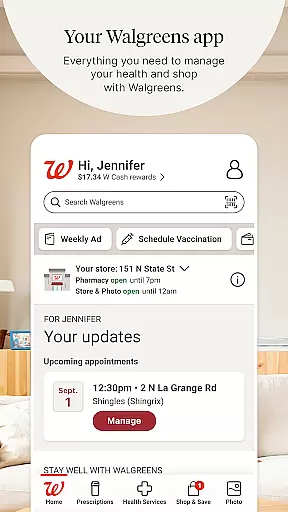
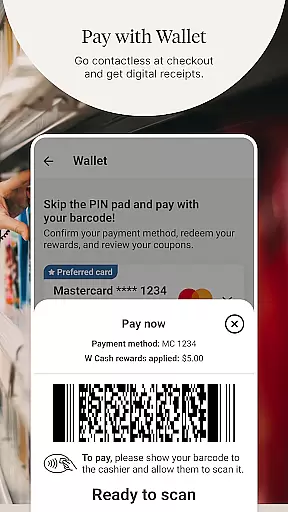
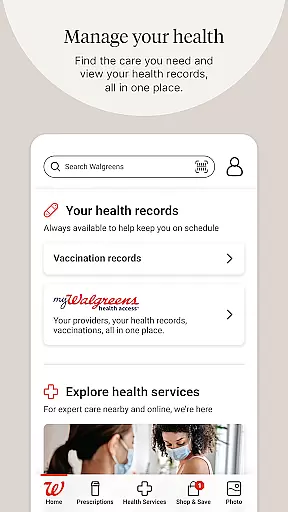
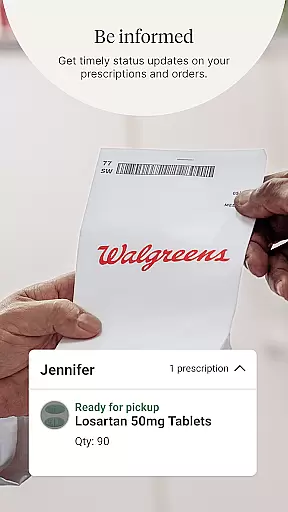
Walgreens is a comprehensive shopping and health management application that allows users to conveniently manage prescriptions, shop for essentials, and access various health services. The app's core functionality revolves around its pharmacy services, enabling users to refill prescriptions by scanning the bottle, receive refill updates, and get free health advice from experts through Pharmacy Chat.
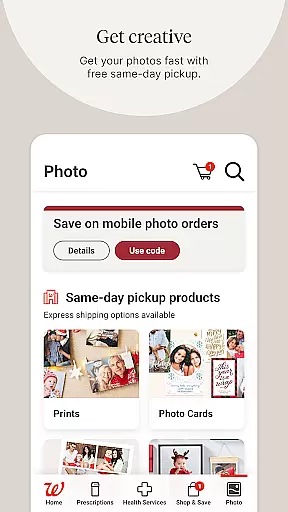
Beyond prescription management, Walgreens offers an array of health services including booking vaccinations, scheduling COVID-19 and flu tests, and arranging virtual healthcare visits. Users can also create customized photo products with fast in-store pickup options and enjoy personalized shopping deals. This makes Walgreens not just a pharmacy app but a complete health and shopping solution for everyday needs.
The app is particularly useful for families who need to manage multiple prescriptions and health appointments. With features like auto-refills and daily medication reminders, it ensures no important health routine is missed. The combination of health services, photo customization, and shopping rewards creates significant value for users looking to streamline their healthcare and retail experiences.
Walgreens stands out with its diverse feature set tailored for both health management and shopping convenience. One of its key innovations is the ability to scan prescription bottles directly within the app, streamlining the refill process significantly. This feature saves time and reduces errors, making medication management more efficient for users.
In addition to prescription services, the app provides robust telehealth options. Users can schedule virtual doctor visits 24/7 for non-emergency conditions and even check eligibility for antiviral treatments. The inclusion of specialized support for chronic conditions like diabetes and mental health further demonstrates the app's commitment to holistic care.
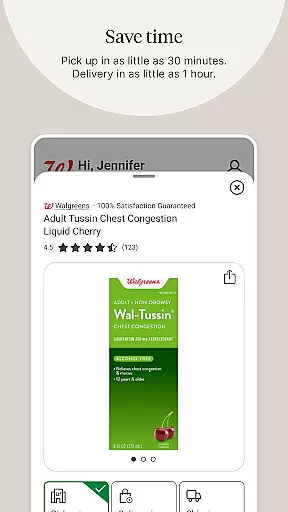
On the shopping side, Walgreens offers creative solutions such as photo printing services where users can create custom gifts like posters and calendars. The integration of personalized deals and cash rewards enhances the shopping experience while features like same-day pickup provide added convenience. These comprehensive capabilities make Walgreens a versatile tool for managing both health and retail needs efficiently.
When it comes to shopping apps, product variety and categorization play a crucial role in enhancing the user experience. Walgreens offers an extensive range of products neatly organized into categories, making it simple for users to find exactly what they need. From everyday essentials to specialized items, the app covers multiple departments including pharmacy, photo services, health services, and general merchandise.
The app's interface is designed to facilitate easy navigation through these categories. Users can quickly browse through different sections such as prescriptions, health services, photo printing, and shop savings. Each category contains subcategories that further refine the search process. For instance, under 'Health Services', customers can book vaccinations or schedule tests, while the 'Photo' section allows them to create personalized gifts.
Moreover, Walgreens ensures that its digital aisles are as well-stocked as their physical counterparts. The app provides numerous deals and promo codes regularly updated within the shopping section. This not only helps in keeping the product catalog fresh but also encourages users to explore new offerings or take advantage of limited-time offers. With clear labels and intuitive filters, shoppers can easily sort items by price, popularity, or necessity.
Pricing transparency is a significant factor for any shopper using retail applications like Walgreens. The app takes this aspect seriously by providing clear pricing on all its products and services. Whether you're refilling a prescription, booking a vaccination, or purchasing everyday items, Walgreens displays costs upfront without hidden fees, ensuring customers know exactly what they will pay before completing their transactions.
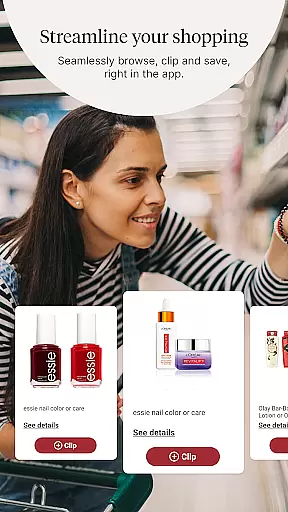
In addition to transparent pricing, Walgreens leverages competitive pricing strategies to benefit its users. By offering price match guarantees and displaying competitor prices where applicable, the app empowers consumers to make informed decisions about their purchases. Furthermore, the integration of coupons and personalized offers directly within the shopping experience adds another layer of value, allowing users to maximize savings effortlessly.
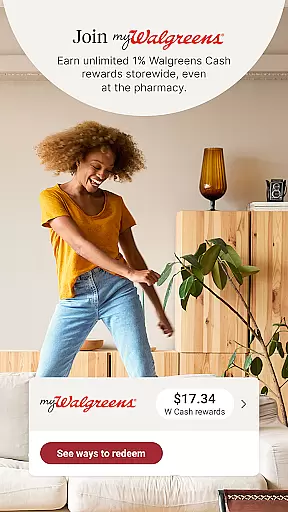
Walgreens also enhances its pricing model with loyalty programs that reward frequent shoppers. Through features like earning unlimited cash rewards and receiving tailored promotions, users feel encouraged to continue using the app for their shopping needs. Overall, Walgreens combines transparent pricing with competitive market rates and exclusive member benefits to deliver a satisfying and economical shopping experience.
User-friendly interface
Comprehensive health services
Fast photo printing
Personalized shopping deals
Convenient prescription management
Limited international use
Occasional bugs reported
Requires multiple permissions
Some features are location-specific
Promotions may vary by region

Shop, plan, order, and save
 4.70
4.70
Join a community of millions of members buying and selling second-hand items.
3.90
Find the hottest deals before they disappear!
4.60
Shop daily deals, browse best sellers, and have a laugh along the way.
4.50
Shop designer clothing, shoes & accessories from the World of Ralph Lauren
4.70
Buy now, pay later with flexible payments made to fit your budget.
4.00
Lowe’s Knows Home Improvement
4.70
Shop and save from anywhere.
3.60
Shop anywhere, manage payments, get cashback, discover Klarna Card & more.
4.80
Save with Coupons and Promotions
4.90
Stop overpaying. Grab coupons & deals for Walmart, Target, Amazon & more.
4.80
Easily split payments online & in-store. Buy now & pay later with Zip.
4.80
Offering great hardware products.
4.70
BJ’s mobile app provides smart & easy ways to get the most from your Membership.
4.70
Tech that takes the season from good to greatness. Shop deals on gifts and more
4.70
Save with Kroger! Coupons, ads, rewards, find stores & shopping list in one app!
4.50
Get paid to shop groceries & more when you become an Instacart shopper.
4.20
Shop fashion, shoes, home, designer handbags, beauty & more on the Belk app.
4.00
Create Wishes & Get Inspired
3.20


User Reviews