
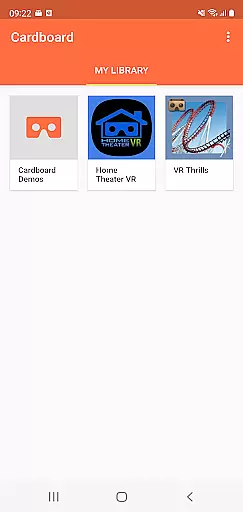
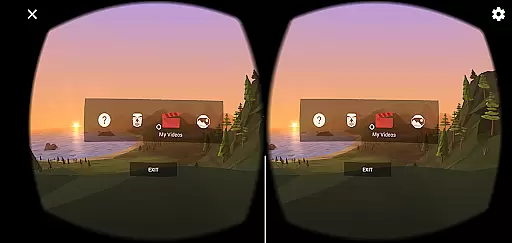

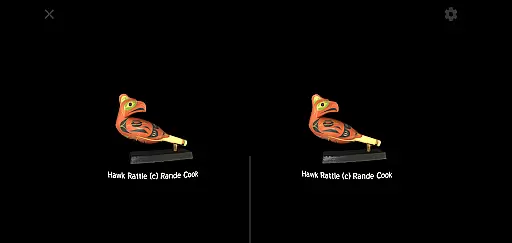
Cardboard is an innovative virtual reality app that transforms your smartphone into a VR platform. It allows users to explore various VR experiences and discover new apps, all while providing the ability to set up and configure their own Cardboard viewer. The app serves as a gateway to immersive content, making it easy for anyone with a compatible smartphone to dive into virtual reality.
The app's core functionality lies in its ability to launch VR applications seamlessly. Whether you're interested in gaming, educational content, or interactive experiences, Cardboard provides access to a wide range of virtual environments. Additionally, the app offers resources for acquiring a physical Cardboard viewer, which enhances the overall VR experience by providing a more immersive interface.
For enthusiasts looking to engage with VR technology without significant investment, Cardboard presents an accessible solution. By simply downloading the app and using a compatible viewer, users can enjoy high-quality virtual reality experiences. This accessibility makes Cardboard ideal for both casual users and developers exploring the potential of VR platforms.
Cardboard stands out due to its diverse features tailored for virtual reality enthusiasts. One of its primary capabilities is the seamless integration with numerous VR apps available on the Google Play Store. This feature enables users to effortlessly discover and launch VR content directly from their smartphones, creating a centralized hub for all virtual reality needs.
In addition to launching VR apps, Cardboard also includes a setup guide for configuring your viewer. This ensures optimal performance and comfort during use. The app provides detailed instructions and tips for getting the most out of your VR experience, whether you're using an official Cardboard viewer or a third-party alternative. Furthermore, the app connects users to a community of developers and enthusiasts through its Google+ page, fostering collaboration and innovation within the VR space.
Another notable feature is the app's adherence to Google’s commitment to quality and accessibility. By complying with Google's Terms of Service and Privacy Policy, Cardboard guarantees a secure and reliable platform for virtual exploration. These features collectively enhance user engagement and satisfaction, making Cardboard a versatile tool for experiencing virtual reality on mobile devices.
When evaluating a virtual reality application like Cardboard, functionality completeness refers to the app's ability to deliver an immersive and seamless VR experience. This includes launching VR apps, setting up viewers, and discovering new VR content.
The Cardboard app excels in providing users with a comprehensive suite of tools needed for an optimal VR journey. It supports viewer setup, ensuring that users can quickly start their virtual explorations without hassle. Additionally, it offers a discovery feature that helps users find new VR applications, enhancing engagement.
For users, this means they can enjoy a wide range of VR experiences without needing multiple apps. The integration of various functionalities into one platform simplifies the user journey, making virtual reality more accessible and enjoyable.
Ultimately, the completeness and coverage of Cardboard's features ensure that users have everything they need for an engaging VR experience, all within a single, easy-to-use application.
Usability and operational smoothness are crucial for any app, especially one that deals with virtual reality. These aspects determine how easily users can navigate the app and whether their overall experience is smooth and free of technical issues.
Cardboard ensures high usability by offering intuitive controls and straightforward navigation. Users can effortlessly set up their VR viewers and launch their preferred VR experiences without facing a steep learning curve. The app also maintains operational smoothness by minimizing loading times and preventing crashes during use.
This focus on usability and smooth operation benefits users by reducing frustration and enhancing satisfaction. They can immerse themselves in VR environments without being interrupted by cumbersome controls or performance glitches.
In summary, Cardboard's commitment to usability and operational smoothness makes it a reliable choice for anyone looking to explore virtual reality on their smartphone.
User-friendly interface
Wide compatibility
Rich VR content
Active community support
Free to use
Limited advanced settings
Requires separate viewer
Occasional performance issues
Dependent on smartphone specs
No offline mode

View your cameras anywhere and anytime
 4.20
4.20
If you are looking for melon playground mod that fun you deffinitely try our app
2.70
Collection of high-quality, trendy skins and outfits!
4.0
Wireless reverse charging using phone now is possible
4.30
charging your phone by other phone easly
4.00
Zlink Carplay Android a mirror link app with a Carplay interface style
4.3
Explore The Holy Quran Majeed for Muslim. Listen to MP3 Quran & Al Quran Kareem.
4.80
DamonSx2 is the open Source LGPL Emulator
3.20
The best PS2 games from your childhood come to life in their mobile version!
4.00
Phone Software Update Quick Checker helps you to keep your phone apps up to date
4.50
Enjoy Minecraft Mod Scary Neighbor Granny for Minecraft PE.
4.30
Al QURAN-القرأن الكريم app to read Quran offline just like an actual Quran book
4.30
Manage apps & elevate your gaming experience with Game Launcher: Gaming Hub app.
4.30
Connect and find your Smarttag devices through our app.
4.00
Demo version of the mcpro24fps manual video camera. Try and buy a full version!
4.00
Ps2 plugins for 64 bit artitechture
3.70
Connect and find your Smart Tag 2 devices through our app.
3.60
CloudEye 365 is a easy-handling APP
3.60
Read Quran pak offline & listen online mp3 Quran in Al Quran Majeed app
4.0


User Reviews