
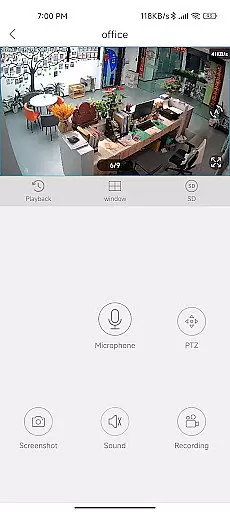
CloudEye 365 is a cutting-edge remote monitoring application designed to provide users with seamless access to live video feeds from their connected security devices. The app serves as a personal surveillance hub, allowing users to monitor their homes or offices in real-time, regardless of their location. With its intuitive interface and reliable performance, CloudEye 365 ensures that users can stay connected to their properties at all times.
A standout feature of the app is its intelligent motion detection system. When any linked device detects abnormal movement or suspicious activity, an instant notification is sent to the user's smartphone. This proactive alert system helps mitigate potential security risks by enabling users to respond quickly to any incidents. Whether for personal safety or property protection, CloudEye 365 offers peace of mind through continuous monitoring.
The app's value extends beyond basic surveillance. Its cloud-based architecture allows users to access recorded footage anytime, anywhere, while the year-round operation ensures uninterrupted service. Ideal for both residential and commercial use, CloudEye 365 combines convenience, reliability, and advanced security features into one comprehensive solution.
CloudEye 365 stands out with its robust feature set tailored for modern security needs. One of its core capabilities is the ability to stream high-quality live video directly to users' devices. This feature supports multiple camera integrations, providing a centralized platform for managing various surveillance points. The app also includes customizable alert settings, allowing users to define sensitivity levels for motion detection based on their specific requirements.
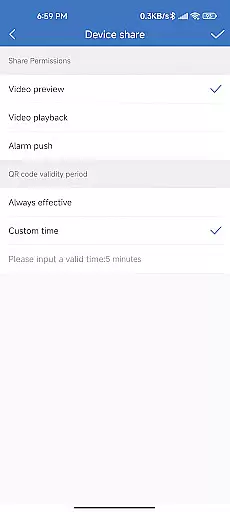
Another notable feature is the app's cloud storage functionality. All recorded footage is securely stored in the cloud, ensuring data integrity and easy retrieval. Users can access archived videos at any time, making it simple to review past events or share evidence with authorities if needed. Additionally, the app offers multi-device synchronization, enabling users to switch between smartphones, tablets, or computers without losing functionality or data continuity.
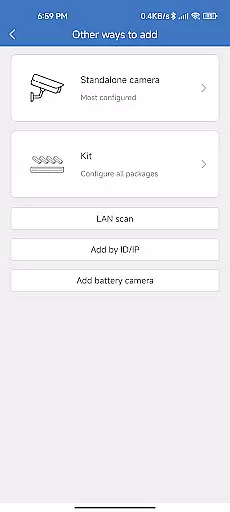
CloudEye 365 also emphasizes user experience through its intuitive design. The app provides easy setup processes for new devices, clear navigation menus, and responsive customer support. These features collectively create a reliable and user-friendly remote monitoring solution that meets the demands of today's security-conscious users.
CloudEye 365 offers a comprehensive suite of functionalities that cater to remote monitoring and security needs. The app ensures users can access live feeds from their devices no matter where they are, providing peace of mind for home and office security.
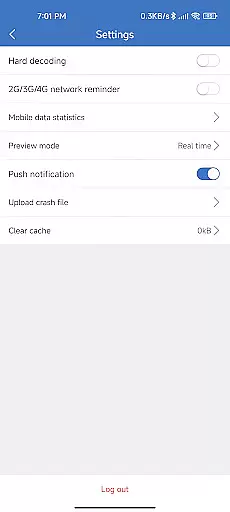
The application is designed with features that automatically notify the owner when any abnormal movement or suspicious activity is detected by the related device. This proactive alert system helps mitigate potential risks to personal safety and property, ensuring timely intervention.
With its robust design, CloudEye 365 covers various aspects of security monitoring, including real-time notifications and continuous surveillance capabilities. This extensive functionality ensures that users have all the tools they need for effective remote monitoring.
CloudEye 365 stands out in terms of usability, offering an intuitive interface that makes it easy for users to navigate and operate. The app's straightforward design allows even those who are not tech-savvy to efficiently manage their security settings and view live feeds without hassle.
Operational smoothness is another key feature of CloudEye 365. The app runs seamlessly on various devices, ensuring consistent performance whether accessed via smartphone or tablet. This reliability enhances user experience by providing uninterrupted access to critical security footage.
In addition to its ease of use, CloudEye 365 maintains operational efficiency throughout the year. Its ability to deliver constant updates and alerts without lag or downtime demonstrates the appu2019s commitment to maintaining high standards of usability and performance.
User-friendly interface
Real-time notifications
Cloud storage integration
Multi-device compatibility
Customizable alerts
Limited free cloud storage
Requires stable internet
Premium features costly
Device compatibility issues
Occasional connection drops

Record with Double Camera Video Recording using Dual Camera Front and Back Video
 3.00
3.00
Do you want to drive easy ? do you wanna full mirror link Mobile with your car
4.10
Block and secure the microphone and protect from secret listening and recording.
4.50
Identify securely online
3.10
TV USB connector app provides you a seamless cast option from your phone to tv.
4.70
Enjoy hours of entertainment with our Roblox mobile games app
4.5
Study Bible King James Version: the correct way to learn the Bible with audio
4.80
MirrorLink for connecting your Android phone to your car’s infotainment screen.
4.50
Manage apps & elevate your gaming experience with Game Launcher: Gaming Hub app.
4.30
The Free Catholic Latin American Bible in complete Spanish
4.60
Enjoy Minecraft Mod Scary Neighbor Granny for Minecraft PE.
4.30
Al QURAN-القرأن الكريم app to read Quran offline just like an actual Quran book
4.30
use your smartphone as Remote control drones .
4.20
Connect and find your Smarttag devices through our app.
4.00
charging your phone by other phone easly
4.00
Use your Phone as Drone Controller.
3.70
With Endoscope Camera Connector you can connect your phone with endoscope cam
3.70
Simulator of real black light
3.50
Collection of high-quality, trendy skins and outfits!
4.2


User Reviews