
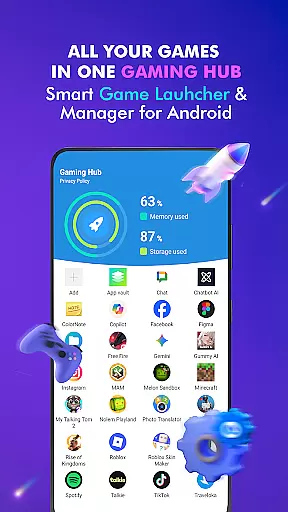

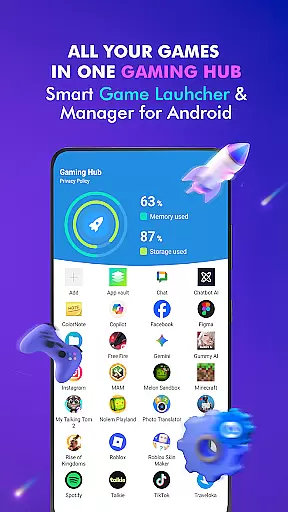

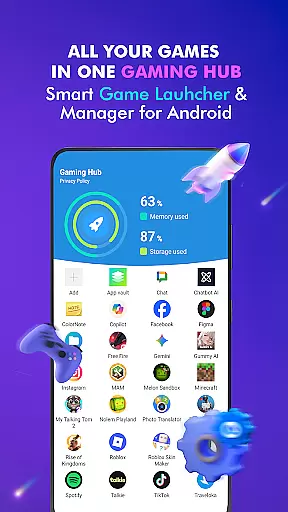

Gaming Hub is a comprehensive app management solution designed to simplify the organization and launching of games and apps on Android devices. The app serves as a centralized hub where users can easily access their favorite applications without the clutter of navigating through multiple screens.
Key features include an intuitive game launcher, automatic detection of popular games from top publishers, manual addition options, performance monitoring for RAM and storage, and quick-launch capabilities. This makes Gaming Hub not just a launcher but a complete smartphone gaming center that enhances user convenience while maintaining optimal device performance.
Ideal for gamers and app enthusiasts who struggle with app clutter, Gaming Hub provides a seamless way to manage digital content efficiently. By centralizing all your apps in one place, it ensures you spend less time searching and more time enjoying your games and applications.
Gaming Hub stands out with its robust feature set tailored for both casual and hardcore gamers. One of the main highlights is the Android Game Launcher, which allows users to manage their games and apps effortlessly. The Gaming Hub acts as a control center, keeping everything organized and easily accessible.
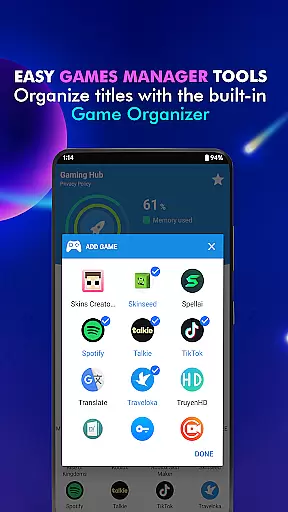
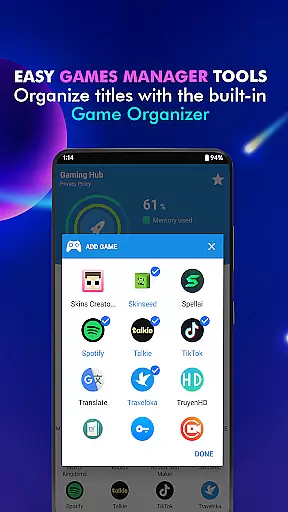
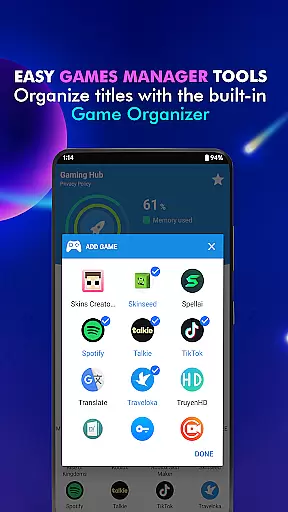
The App Organization tool automatically detects popular games from renowned publishers, thanks to the Organizer Master functionality. Users also have the option to manually add their preferred apps, ensuring personalized management. Additionally, Performance Monitoring tools provide insights into RAM usage and device storage, helping users optimize their gaming experience by maintaining efficient system resources.
Another notable feature is the Launcher, which enables quick and easy launching of apps. While the app does not function as a game booster or promise increased FPS, it excels in providing valuable information about device performance, making it an essential tool for anyone looking to streamline their app management process.
Functionality completeness is a critical aspect of any app, and Gaming Hub excels in this area. The app provides a comprehensive suite of tools designed to simplify the management of apps and games on Android devices. With features like the Android Game Launcher, Gaming Hub, and Organizer Master, users can easily manage, organize, and access their favorite apps.
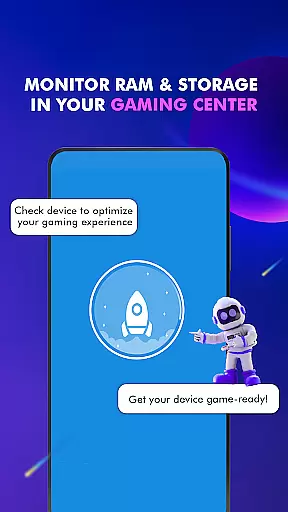
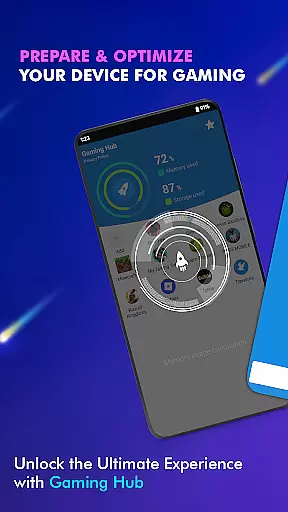
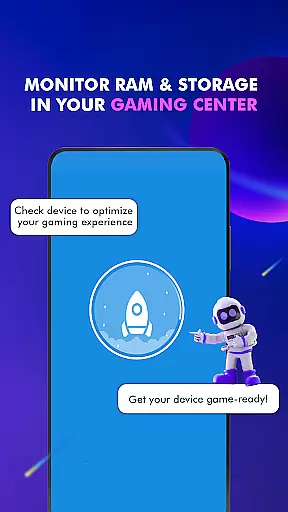
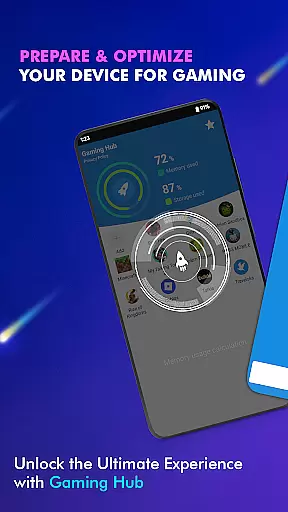
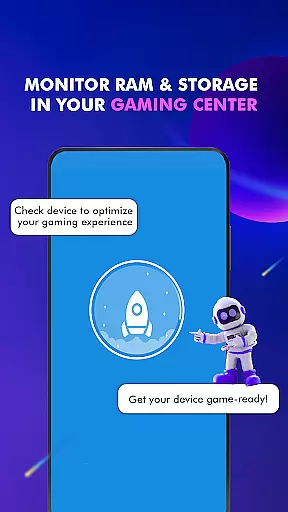
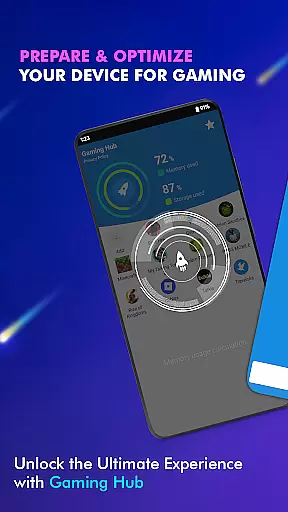
Gaming Hub goes beyond basic app management by offering performance monitoring capabilities. Users can monitor RAM usage and track device storage, ensuring optimal performance for gaming and other activities. This focus on providing valuable information about device performance enhances the overall user experience.
The app also includes a Launcher feature that allows users to quickly and easily launch their apps. This intuitive interface streamlines the process of accessing games and apps, saving users time and effort. By centralizing these functions, Gaming Hub establishes itself as an all-in-one management center for Android users.
Usability and operational smoothness are essential for any app aiming to provide a seamless user experience. Gaming Hub achieves this by offering a user-friendly interface that simplifies app management. The intuitive design ensures that even novice users can navigate and utilize its features with ease.
One key aspect of the app's usability is its automatic detection and addition of popular games from renowned publishers. This feature, powered by Organizer Master, saves users the hassle of manually searching and adding apps. Additionally, the ability to manually add preferred apps offers flexibility and customization options tailored to individual preferences.
Gaming Hub also emphasizes operational smoothness through its performance monitoring tools. By providing insights into RAM usage and device storage, the app empowers users to optimize their device's performance. This proactive approach to device management contributes to a smoother and more enjoyable user experience overall.
User-friendly interface
Centralized app management
Automatic game detection
Performance monitoring tools
Quick-launch capabilities
No game boosting features
Limited to Android devices
Manual addition required for some apps
Storage tracking could be improved
Interface may feel basic to some

Record with Double Camera Video Recording using Dual Camera Front and Back Video
 3.00
3.00
Demo for Key Attestation feature of the Android system.
4.80
Identify securely online
3.10
You can remote control and play much easier.
4.10
charging your phone by other phone easly
4.00
Enjoy hours of entertainment with our Roblox mobile games app
4.3
Looking to connect your phone to your car screen? Mirror Link is the solution.
3.20
Turn your phone into a wireless Xbox controller – play, stream & control anytime
4.3
CloudEye 365 is a easy-handling APP
3.60
Study Bible King James Version: the correct way to learn the Bible with audio
4.80
Popular mods fnaf mods for melon playground
4.50
Game Booster GFX for smoother gaming experience. Enjoy 120 FPS and 4x Game Space
4.20
Android secret code for smart phone, mobile codes, with secret codes app
4.20
Test DPC is a sample device policy controller for use with Android Enterprise.
4.20
Connect and find your Smarttag devices through our app.
4.00
Sad ringtones full of feeling, sad music ringtones
3.90
a wireless controller that provides a seamless and gaming experience for players
3.80
Mirror phone to TV effortlessly! Stream, share & connect with Airplay ease.
3.60
Connect and Find your smart tag via our app.our app is compatible with smarttag.
3.30


User Reviews