
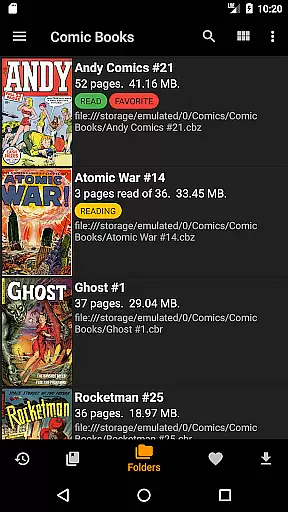
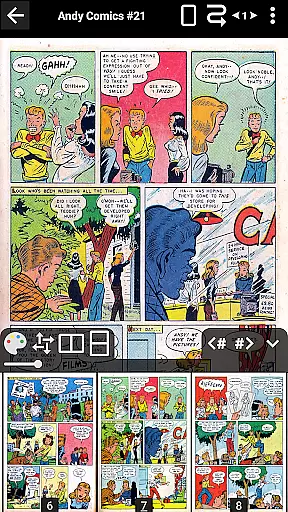
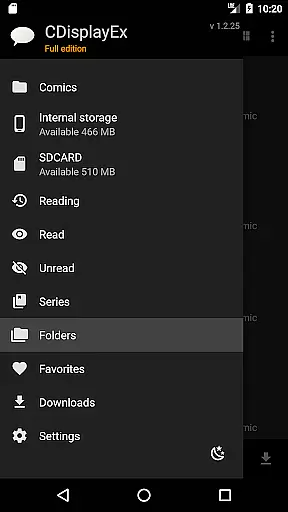
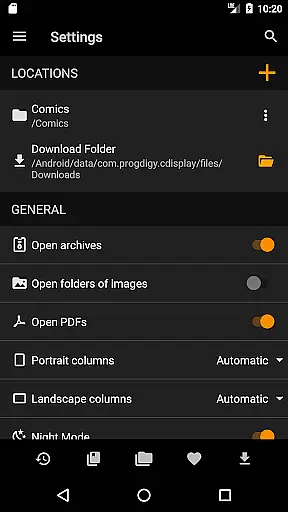
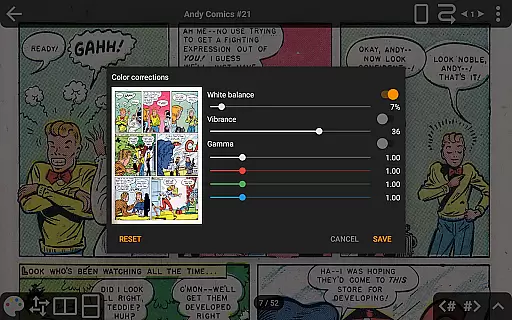
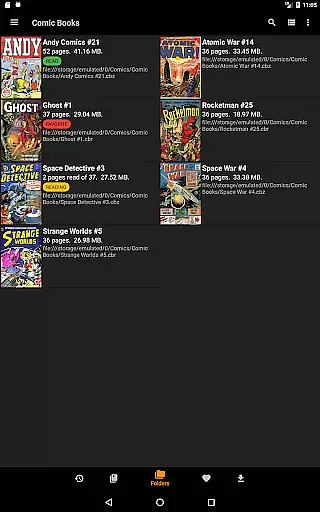
CDisplayEx Comic Reader is a versatile and efficient comic book reader designed for comic enthusiasts. It supports all major comic formats including .cbr, .cbz, and .pdf files, providing an optimal reading experience. The app loads comics instantly and ensures smooth page transitions, making it one of the most popular choices among users.
Beyond basic reading capabilities, CDisplayEx offers advanced features such as continuous page scrolling in both horizontal and vertical directions, advanced scaling options, and support for network file opening without full downloads. Additionally, the Pro version unlocks functionalities like access to cloud services (OneDrive, Dropbox), image export, bookmarks, S-Pen support, night mode, and more, enhancing your overall reading experience.
Whether you're managing a vast library or simply browsing through folders, CDisplayEx makes it easy to organize and read your collection. Its integrated library management system groups comics by series and suggests the next album to read, while the built-in search helps you find specific volumes quickly.
CDisplayEx Comic Reader stands out with its comprehensive feature set tailored for comic lovers. One of its key strengths is the ability to handle various comic formats seamlessly, ensuring that no matter the source, your comics will load instantly and display beautifully. The app's fluid navigation and customizable scaling options allow readers to tailor their experience to their preferences.
The Pro version takes functionality a step further by integrating with popular cloud services like OneDrive, Dropbox, Komga, Kavita, and Mega. This allows users to access their libraries from anywhere without worrying about local storage. Additional premium features include continuous page scrolling, advanced scaling presets, and the ability to open network files directly via Samba without downloading them entirely.
Other notable features include an image export function, bookmark support, S-Pen compatibility for precise navigation, night mode for comfortable nighttime reading, and interface language customization. These features collectively ensure that CDisplayEx remains a top choice for anyone looking to enjoy their comic collection on mobile devices.
CDisplayEx Comic Reader offers an extensive and versatile comic library that caters to a wide array of preferences. The application supports all popular comic book formats including .cbr, .cbz, and .pdf files, ensuring that users have access to a vast selection of reading material.
The app's integrated library management system allows users to organize their comics by series, making it easy to navigate through extensive collections. This feature not only enhances the user experience by grouping related content but also simplifies the process of finding and continuing series.
Additionally, CDisplayEx provides options for preloading files on mobile devices, which means users can enjoy their favorite comics without the need for constant internet connectivity. This ensures that readers have seamless access to their library anytime, anywhere.
Authenticity and proper licensing are crucial in the digital comic world, and CDisplayEx Comic Reader takes these aspects seriously. By supporting legitimate file formats and working with recognized cloud services like Onedrive, Dropbox, and others in its Pro version, the app ensures that users engage with content that respects copyright laws.
Although the free version offers substantial features, the Pro edition further guarantees content authenticity by providing advanced functionalities such as network file opening without full downloads and image export functions. These capabilities ensure that users interact with comics in a manner that is both convenient and respectful of intellectual property rights.
Moreover, the removal of Google Drive access due to certification costs reflects the app's commitment to complying with legal standards. Users can continue to enjoy a rich and lawful reading experience through other certified services, ensuring long-term access to verified and licensed comic content.
User-friendly interface
Supports multiple formats
Instant loading speed
Advanced scaling options
Integrated library management
No Google Drive support
Pro version is paid
Limited free features
Occasional bugs reported
Ads in free version

More fun from BOM! Hurry up and do the following self-test, if you meet more than one item, come and experience the brand new world of comics!
 3.40
3.40
Create your personalized cartoon comic strips & comic books.
3.20
Read your favorite mangas for free
4.50
File management and show images, comics and pictures in compressed cbr, pdf file
4.70
Toomics is a premium comic service with every genre for all readers to enjoy!
4.00
Pose Tool 3D for the Artists, create any human figure pose quickly for your art.
4.00
Read comics, manhwa, manga & novels Official webtoons with daily updates
4.30
+Not your everyday comic. Everyday.
3.50
Official from Japan
4.80
Artists wanting to use decent hand reference on the go, this app is for you!
4.70
Find free mangas in Spanish
4.70
Dive into creative online comics, short video, graphic novels and web novels!
4.60
Joke book collection with the funniest dad jokes and riddles for you to enjoy!
4.60
The largest manga, comics, and manhwa community with millions of fans!
4.50
Read officially manga titles from Japan including Attack on Titan
3.80
Read official webcomics, webtoons, Korean manga & webnovels
3.70
Experience the largest selection of DC comics anywhere with DC UNIVERSE INFINITE
3.40
The best app for digital comics - Welcome to Lezhin!
3.10
Read manga, comics, and manhwa
4.1


User Reviews