
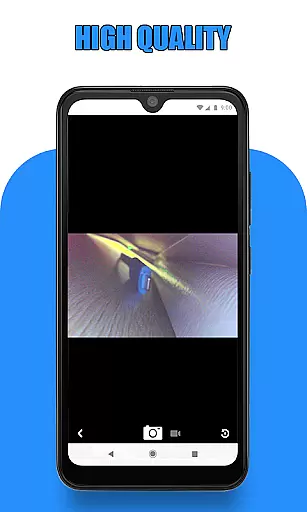
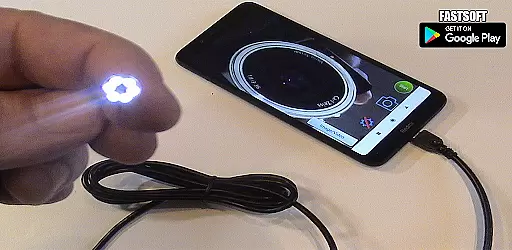
Endoscope Camera Connector is a specialized app designed to connect Android devices with external cameras such as endoscopes, USB cameras, or Borescope cameras. This versatile tool allows users to view live feeds from these devices directly on their smartphones, making it ideal for various inspection tasks.
The app functions similarly to an OTG viewer, enabling users to connect external cameras via USB OTG or Type-C ports. Once connected, users can record videos with sound and capture images, which are then stored in the device's gallery. The app supports microphones for audio recording and requires proper permissions to access storage for saving media files.
This application is particularly useful for professionals in plumbing, sewer inspection, and other fields requiring remote visual inspections. By providing real-time viewing capabilities, Endoscope Camera Connector enhances efficiency and accuracy in diagnosing issues within hard-to-reach areas.
Endoscope Camera Connector offers several notable features that enhance its functionality. Firstly, it includes an OTG checker to verify if your device supports USB OTG technology, ensuring compatibility before use. Additionally, the app confirms whether your USB camera is UVC-compatible, guaranteeing seamless integration.
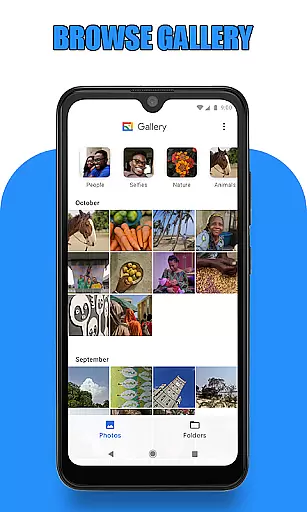
Once connected, users can easily capture photos and record videos using the external camera. The intuitive interface allows for straightforward navigation between the camera view and the gallery, where all captured media is stored. Users can manage their media by deleting unwanted files directly within the app.
Furthermore, the app provides practical applications across various industries. For instance, plumbers can utilize the endoscope camera to inspect blocked drains without needing additional tools like drain unblockers or plumbing cams. Its versatility extends to any scenario requiring external camera usage, such as webcams, enhancing its utility beyond traditional inspection tasks.
Endoscope Camera Connector offers a comprehensive solution for connecting your mobile device with various external cameras, including endoscopes, USB cameras, and Borescope cameras. This app ensures that users can conveniently access and control these devices directly from their Android phones.
The app supports essential functionalities such as video recording with sound and photo capturing. It also integrates seamlessly with the phone's gallery, allowing users to store, read, and manage their captured media efficiently. By covering a wide range of external camera devices, Endoscope Camera Connector provides extensive compatibility and utility.
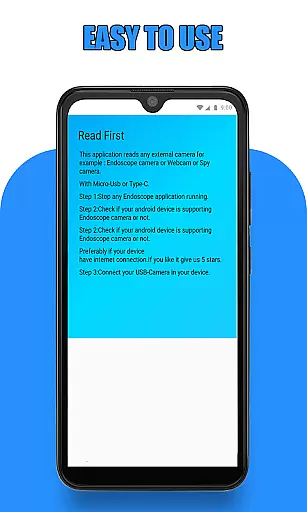
Before using the app, users are guided to check if their device supports USB OTG technology and whether their USB camera is UVC-compatible. These preliminary steps ensure optimal performance and prevent potential connectivity issues, enhancing the overall user experience.
Usability is a key focus of Endoscope Camera Connector, designed to provide a smooth and intuitive operational experience. The app simplifies the process of connecting an external camera by offering clear instructions and an easy-to-navigate interface. Users can quickly start viewing live feeds from their cameras by merely plugging in the USB and tapping the camera icon within the app.
Managing media is straightforward, thanks to the app's integration with the phoneu2019s gallery. Users can effortlessly view, delete, and organize their photos and videos. Long-pressing on any media file in the gallery reveals a deletion icon, making file management quick and hassle-free.
This operational simplicity extends to specialized tasks like drain inspections or plumbing repairs. The app transforms your phone into a versatile tool capable of handling complex visual inspections, reducing the need for dedicated hardware solutions. With its user-centric design, Endoscope Camera Connector ensures that both casual users and professionals can operate it effectively.
User-friendly interface
Wide compatibility range
Real-time video streaming
Efficient media management
Versatile application uses
Limited iOS support
Requires OTG adapter
Dependent on UVC standards
Potential connectivity issues
No advanced editing tools

Do you want to drive easy ? do you wanna full mirror link Mobile with your car
 4.10
4.10
Read Quran pak offline & listen online mp3 Quran in Al Quran Majeed app
4.1
Zlink Carplay Android a mirror link app with a Carplay interface style
4.5
Connect and Find your smart tag via our app.our app is compatible with smarttag.
3.30
Study Bible King James Version: the correct way to learn the Bible with audio
4.80
a wireless controller that provides a seamless and gaming experience for players
3.80
Looking to connect your phone to your car screen? Mirror Link is the solution.
3.20
Turn your phone into a wireless Xbox controller – play, stream & control anytime
4.4
Game booster GFX may reduce interruptions and improve gaming experience.
4.50
Phone Software Update Quick Checker helps you to keep your phone apps up to date
4.50
Enjoy Minecraft Mod Scary Neighbor Granny for Minecraft PE.
4.30
An impressive collection of tools, characters, weapons, skins and more!
4.30
Android secret code for smart phone, mobile codes, with secret codes app
4.20
Connect and find your Smarttag devices through our app.
4.00
Ps2 plugins for 64 bit artitechture
3.70
Connect and find your Smart Tag 2 devices through our app.
3.60
Mirror phone to TV effortlessly! Stream, share & connect with Airplay ease.
3.60
Experience virtual reality on your smartphone with Cardboard.
3.50
Now Available on Android ™
3.40


User Reviews