

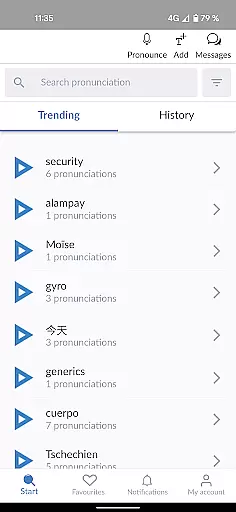

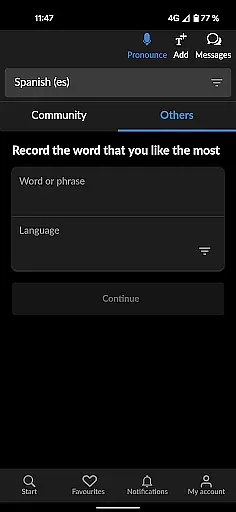
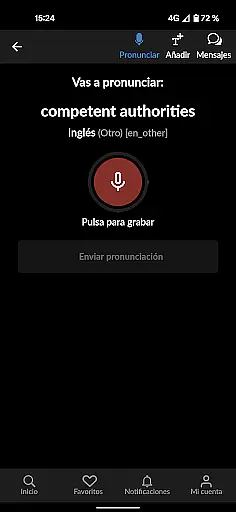
Forvo Pronunciation Guide is an educational app designed to enhance language learning through accurate pronunciation. The core functionality allows users to search for words and listen to pronunciations provided by native speakers across more than 400 languages. This feature-rich app not only supports widely spoken languages like English, Spanish, and Chinese but also lesser-known ones such as Kabyle and Tamil.
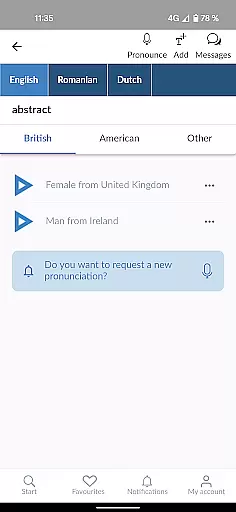
A standout feature of the app is its ability to compare different accents within the same language, providing learners with a nuanced understanding of pronunciation variations. Additionally, users can track recently listened pronunciations, record their own in their native language, and even follow favorite speakers. With over 7 million pronunciations available, Forvo ensures authentic learning experiences while offering customization options like dark mode and multilingual interface support.
This app is particularly useful for language learners, educators, and professionals who need to master correct pronunciation for work or travel. By leveraging native speaker recordings, Forvo bridges the gap between theoretical language study and real-world application, making it an invaluable tool for anyone committed to improving their linguistic skills.
Forvo Pronunciation Guide stands out due to its comprehensive features tailored for language learners. One of the key highlights is the ability to access pronunciations from native speakers in over 400 languages, including both major and minority languages. This diversity ensures that users can find pronunciations for virtually any language they are studying.
The app offers advanced functionalities such as accent comparison within the same language, which helps users understand regional variations. It also provides gender-specific voice options, allowing learners to hear both male and female pronunciations. Furthermore, the app integrates seamlessly with forvo.com accounts, enabling users to save and manage their favorite pronunciations effortlessly.
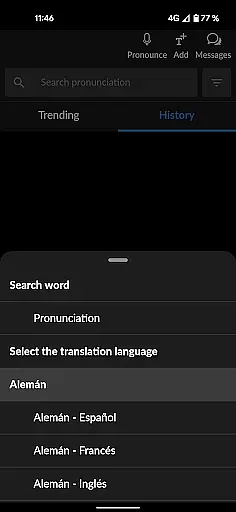
Additional features include a dark mode for comfortable nighttime use, the ability to follow preferred speakers, and an interface available in multiple languages such as English, Spanish, and French. These thoughtful additions enhance user experience and make Forvo an indispensable tool for mastering pronunciation across diverse languages.
Forvo Pronunciation Guide stands out in ensuring content accuracy and authority, which is crucial for language learners. The app provides pronunciations from native speakers, guaranteeing that users learn the correct pronunciation as spoken in real life.
With over 7 million pronunciations available across more than 400 languages, Forvo covers not only widely spoken global languages but also less commonly taught ones. This extensive coverage ensures that learners have access to a vast array of accurate linguistic data.
The platform allows users to compare different accents within the same language, enhancing their understanding of regional variations while maintaining high standards of authenticity. By listening to both male and female voices, learners gain a comprehensive grasp of how words are pronounced across genders.
Moreover, Forvo integrates with forvo.com accounts, enabling personalized learning experiences where users can track recently listened pronunciations and follow favorite voice contributors. This personalization supports an authoritative learning journey tailored to individual needs.
Forvo Pronunciation Guide offers personalized learning paths by allowing users to tailor their experience according to specific needs. Learners can search for words they need help with and listen to multiple pronunciations, making it easier to grasp nuances unique to each language.
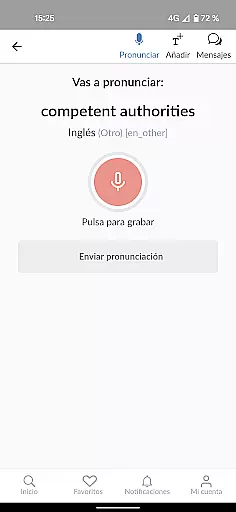
One key feature is the ability to record your own pronunciations in your native language. This not only helps fellow learners but also reinforces your learning through active participation. Additionally, keeping track of recently listened pronunciations aids in reviewing past lessons effectively.
Users can follow other users whose voices they find particularly helpful, creating a customized network of pronunciation guides. This social aspect enhances personalized learning by connecting learners with mentors who best suit their learning style.
Furthermore, Forvo's dark mode and multilingual interface options (English, Spanish, French) contribute to a comfortable and adaptable learning environment. These features ensure that learners can focus on their studies without distractions, ultimately leading to more effective language acquisition.
Extensive language coverage
Native speaker recordings
Accent comparison tool
User-friendly interface
Dark mode feature
Limited offline functionality
Occasional audio quality issues
Premium subscription required
Interface can feel cluttered
Learning curve for new users

Short Lessons for Better Finances, Health, Skills, Jobs & Relationships.
 4.80
4.80
Astronomy Guide to the Night Sky
4.40
Welcome to the Speak Navajo Language Application - Volume 1
4.50
An interactive enhancement of the Sesame Street classic.
4.50
Hasbro's Classic Board Game - Make Cavity Sam better or get the buzzer!
3.50
Hasbro’s classic CANDY LAND game is now a gorgeous interactive storybook app.
2.30
Learn to make peaceful contact with extraterrestrial civilizations
4.10
The "Go To" app for Airmen studying for promotion to SSgt and TSgt
4.30
The best way to study for your amateur radio license exam.
4.90
Memorize anything efficiently with AnkiDroid! Many pre-built decks available.
4.80
Discover Your Place in the Universe
4.70
Monkey Preschool Lunchbox: 7 exciting educational games for your preschooler.
4.30
Make your own game and world. Draw and animate characters
3.70
Bebefinn and Baby Shark educational, animated videos & games for kids
3.40
Snap a dog photo to identify its breed instantly. Fast, accurate and easy to use
3.40
scanner body part for fun Prank friends realistic scan effects
3.00
Study the questions most likely to be asked during the Oral & Practical Exams.
2.80
A collection of favorite stories from Daniel Tiger's Neighborhood
2.00
A 2024 digital study guide for the Expert Infantryman and Expert Soldier's Badge
4.1


User Reviews