
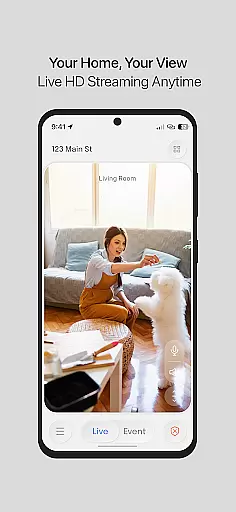
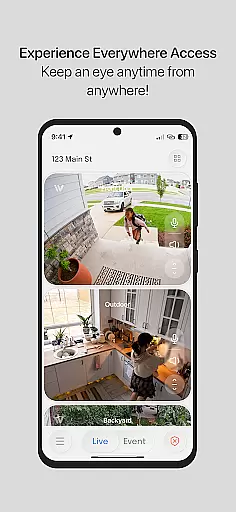
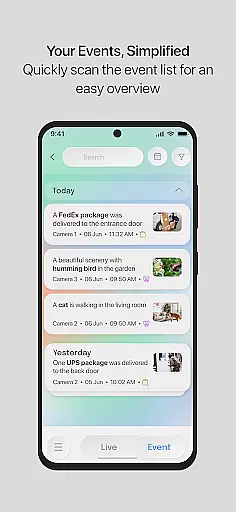
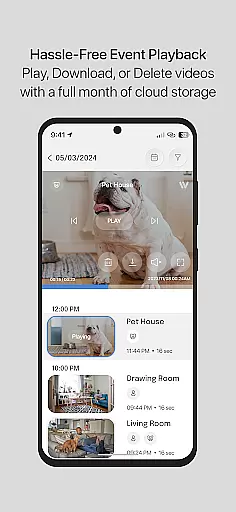
InstaVision is a comprehensive home security application that offers advanced monitoring tools to keep your home safe. The app provides live HD video streaming, allowing users to view their home in real-time with high-definition clarity. Additionally, the two-way audio feature enables communication and reinforces home protection. For those seeking enhanced security, the InstaVision Smart Security plan includes AI-powered event tagging, secure cloud storage for event videos, and customizable user sharing options.
The app is designed specifically for American households, developed by leading experts in the USA. It ensures top-notch data privacy and security standards, storing all information securely within the country. Whether you need basic surveillance or advanced AI insights, InstaVision caters to various security needs, making it an ideal choice for safeguarding your home.
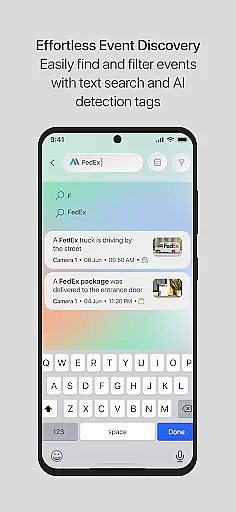
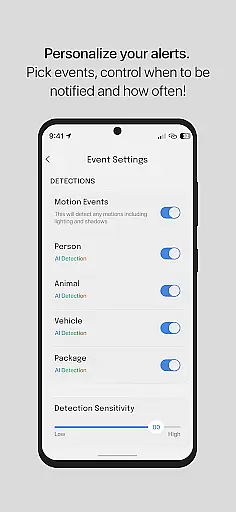
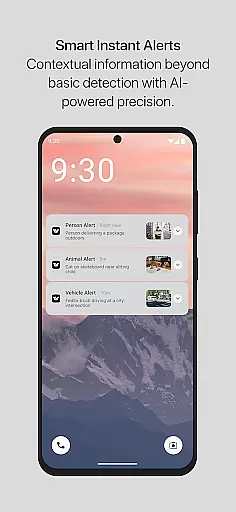
InstaVision stands out with its robust feature set tailored for home security. The live HD video streaming delivers crystal-clear images, ensuring no detail goes unnoticed. Two-way audio adds an interactive layer, allowing users to communicate through the app. The AI-powered event tagging system detects specific movements like people, vehicles, or animals, sending relevant alerts with video clips.
For users opting for the Smart Security plan, extended features include enhanced user sharing, where multiple users can access cameras with custom permissions. Secure cloud storage retains event videos for 30 days, providing ample time to review and download important footage. These features collectively offer a sophisticated yet user-friendly approach to home security, distinguishing InstaVision from traditional monitoring solutions.
Property listing authenticity is crucial for users seeking reliable information about homes and properties. InstaVision ensures that every property listed within its system undergoes a rigorous verification process. This includes cross-referencing data with trusted sources and employing advanced algorithms to detect discrepancies.
The app provides high-definition live video streaming and event snapshots, giving users an accurate and real-time view of properties. These features are essential for verifying the current state and surroundings of a listed property, ensuring transparency and trustworthiness in every listing.
By leveraging American innovation, InstaVision offers a meticulous approach to home security and property listing. Developed by leading experts, the platform guarantees that all property listings are authentic and regularly updated, providing peace of mind to users who rely on this information for security decisions.
InstaVision offers a comprehensive suite of home management features designed to enhance your property oversight experience. Central to these features is the ability to stream live HD video, allowing homeowners to monitor their properties with clarity and precision at any time.
Two-way audio functionality further enriches home management by enabling communication through the app. Whether it's speaking with family members or alerting potential intruders, this feature reinforces your home's protective layer while keeping you connected.
For advanced needs, the InstaVision Smart Security plan unlocks AI-powered event tagging, secure cloud storage, and enhanced user sharing capabilities. These tools collectively ensure that managing and securing your home is both efficient and effective, offering unparalleled control over your living space.
Advanced AI features
Secure cloud storage
Customizable user permissions
HD live video streaming
Two-way audio communication
Premium features require subscription
Limited free storage
High system requirements
Occasional connectivity issues
Complex setup process

Draw house plans, floor plans 3d & house design with house plan drawing 3d app
 3.60
3.60
Universal TV remote Control for Roku TV brands via WiFi remote
4.1
B-hyve Pro App for landscape irrigation professionals
4.70
Universal TV Remote for TV, control all Smart TVs with your mobile phone.
4.0
Control Fire TV & mirror your phone screen instantly over Wi-Fi.
3.30
Smart AI plant care schedules, Real plant experts, support & Thriving community!
4.20
USHUD.com helps you find the best homes for sale in your area
4.00
View houses and apartments for rent, updated daily.
4.80
Find the perfect paint color with advanced tools to explore and visualize color.
3.80
Turn old phones into security cameras, baby monitors, pet cams, and more.
4.70
Map-based search app for apartments and homes for rent.
4.60
3D House Design and AI Room Planner - from floor plans to full interior design.
4.40
Control your Vivint Smart Home with the next generation Vivint App.
4.30
Fully control your Philips TV with this all-in-one remote control app.
4.20
Schlage Lock Company LLC
4.00
Technology powering many in-home services for residents across the United States
3.80
Our app allows Sunrun customers to monitor systems, pay bills, and get support.
3.80
Find paints using a Color Muse & ColorSnap® Match
3.60
An awesome mobile app for Home Security Surveillance - uses ZoneMinder
3.20


User Reviews