
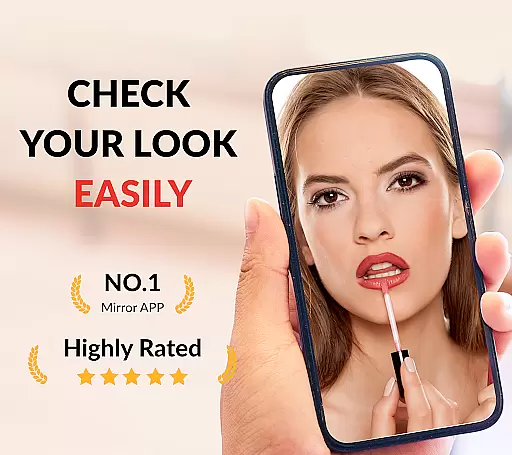




Mirror App is a versatile beauty and makeup mirror application designed for Android users. This app serves as a portable light mirror, allowing users to check their appearance anytime and anywhere. With features like zoom in and out, brightness control, and image freezing, it provides an enhanced mirror experience that goes beyond traditional mirrors.
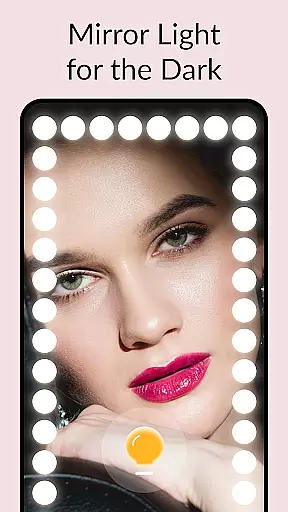
The app's true reflection technology ensures a realistic mirror view without filters, making it ideal for makeup application and shaving. The built-in mirror light works perfectly even in dim environments, offering natural lighting instead of harsh flashes. Mirror App also supports full-screen mirroring and one-handed operation, ensuring convenience and ease of use.
Whether you need a magnifying mirror for detailed work or a simple pocket mirror for quick checks, this app caters to various needs. Its user-friendly interface and customizable settings make it suitable for different scenarios, from daily makeup routines to professional use.
Mirror App stands out with its comprehensive feature set tailored for beauty enthusiasts. One of the key highlights is the true mirror experience it offers, providing a real reflection just like a physical mirror. This feature is particularly beneficial for makeup application, as it avoids the distortions often found in camera views.
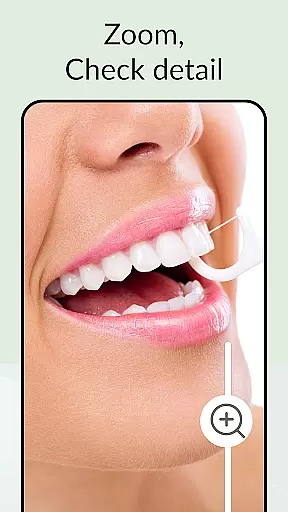
The app includes a mirror light function that mimics LED mirror lights, popular in professional makeup settings. Users can easily adjust the brightness and choose from different light shapes to suit their preferences. Additionally, the mirror zoom functionality allows users to zoom in and out, enabling precise adjustments for tasks like applying lipstick or styling hair.
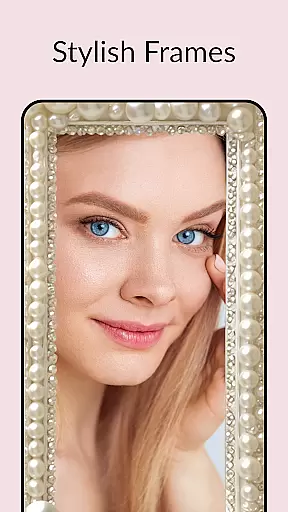
Another innovative feature is the image freeze option, which lets users capture and save a static image for later review. This is useful for comparing makeup styles or checking details over time. With customizable mirror frames and intuitive controls, Mirror App delivers both practicality and style, enhancing the overall user experience.
When it comes to beauty and personal care, having access to detailed product information is crucial for making informed decisions. The Mirror App offers an extensive product database that allows users to look up specific items and understand their ingredients, usage instructions, and compatibility with their skin or hair type. This depth of information ensures that users can confidently choose products that suit their needs.
The app's database is meticulously curated, providing not only basic product details but also professional reviews and user feedback. This combination of expert analysis and real-world experiences gives users a comprehensive understanding of each product's performance and reliability. Whether you're searching for a particular shade of foundation or a specialized skincare solution, the app provides all the necessary information at your fingertips.
Moreover, the product database is regularly updated to include the latest releases and trends in the beauty industry. This ensures that users always have access to current and relevant information. By leveraging this feature, users can stay ahead of the curve, experimenting with new products while being assured of their quality and effectiveness.
Personalization is key in the beauty industry, where individual preferences and characteristics vary widely. The Mirror App excels in delivering precise personalization by employing advanced algorithms that learn from user interactions and preferences. This tailored approach ensures that each user receives recommendations that are uniquely suited to their specific needs and desires.
Upon using the app, users can input their skin type, tone, and specific concerns, allowing the app to generate personalized suggestions for makeup and skincare products. These recommendations are not static; they evolve as the app learns more about the user's habits and feedback. This dynamic personalization process enhances the overall user experience, making it more engaging and effective.
In addition to product recommendations, the app offers personalized tips and tutorials based on the user's profile and past behavior. Whether it's a step-by-step guide to achieving a particular look or advice on maintaining skin health, the app provides valuable insights that cater specifically to the individual. This level of personalization precision not only saves time but also boosts confidence, ensuring that users feel empowered and satisfied with their beauty routines.
User-friendly interface
True reflection technology
Customizable mirror light
Full screen mirroring
Image freeze functionality
Requires good device lighting
May drain battery faster
Limited to Android platform
No advanced editing tools
Occasional lag in older devices

Beauty camera & Selfie camera for perfect selfie with filter, sticker, makeup
 4.70
4.70
The all new Cosmo Prof app offers exclusive pro products, deals, and training.
4.00
Create, design and dress up your own beautiful characters in cute fashion styles
3.50
Change your hairstyle and color instantly with AI-powered virtual makeovers.
3.90
Book beauty salon, hair or health and wellness experiences in an instant
4.90
For businesses, Booksy Biz allows you to manage your schedule & more on the go.
4.60
DSLR Hd camera capture high quality 4k hd picture with filters and blur editor
4.50
Monthly Perfume Subscription
4.70
Top brand haircare & fragrance
4.60
Beauty Camera & Selfie Camera snap Beauty selfie with filter, makeup, stickers
4.80
HD Camera, Selfie Camera, Camera filters, is a fully featured 4K camera
4.60
Professional HD Camera App: Capture Bright HD Selfie & Record Stunning Moments
4.40
Your on-demand aesthetician
4.40
Beauty Camera AI Photo Editor with effect, filter, makeup tools for photo editor
4.30
Never run out of your go-to beauty & get 5% off with auto-replenish deliveries!
4.00
The Official Voting App
3.90
Enhance Your Look with Face Analysis, Hair Style Changer, Beauty Score, Rating
3.90
This barber game allows you to create and design hair styles on diverse people
3.80
Color haircut changer style on
3.30


User Reviews