
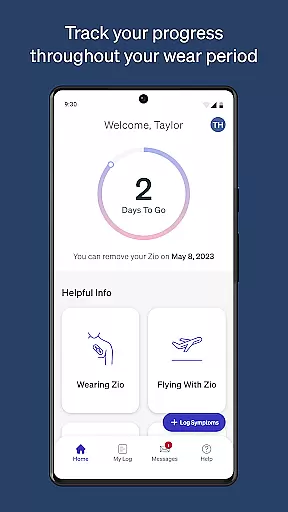
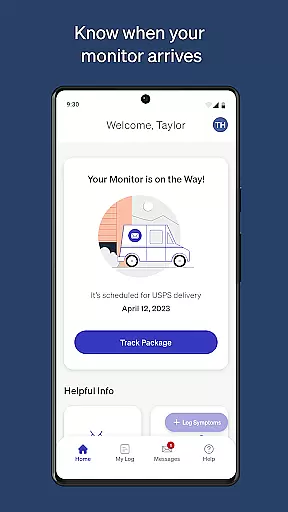
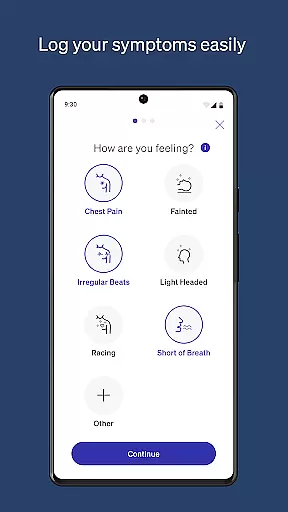
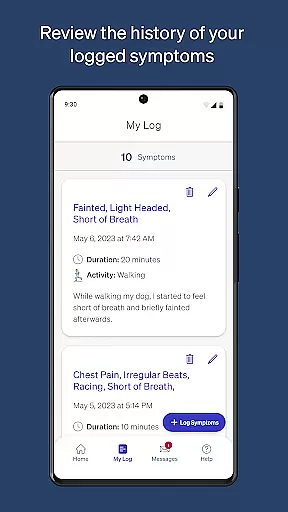
MyZio is a specialized medical application designed to complement the Zio ECG monitor, providing users with comprehensive tools for managing their heart health. The app allows patients to track the shipping status of their Zio ECG monitor, ensuring they are always informed about its delivery progress. Additionally, MyZio enables users to log and manage symptoms directly through the app, offering an intuitive interface for entering and editing symptom data as needed.
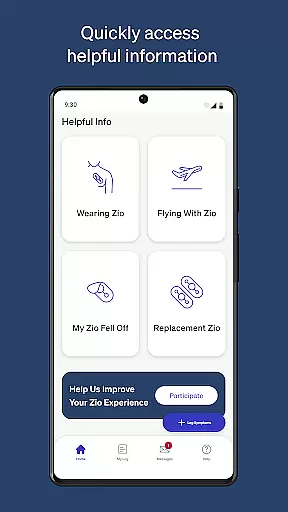
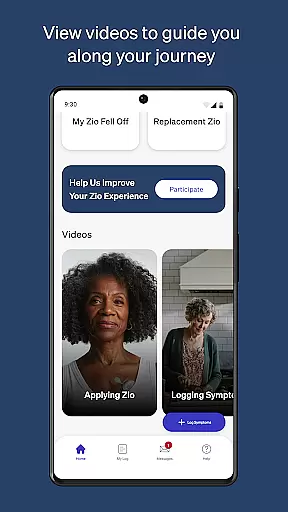
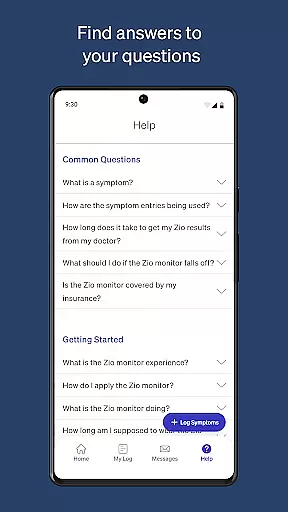
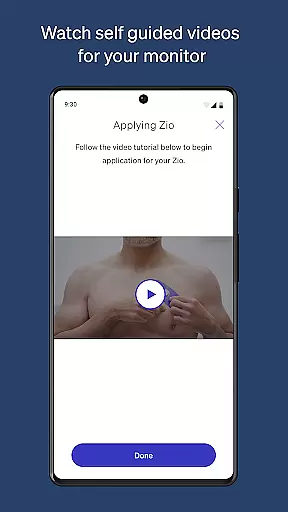
Beyond logistics and symptom tracking, MyZio serves as an educational resource by granting access to instructional videos and detailed information about the Zio service. This ensures that users can maximize the benefits of their Zio ECG monitor while gaining valuable insights into their cardiac health. Whether you're at home or on the go, MyZio provides a seamless experience for anyone relying on continuous heart monitoring.
MyZio stands out with its robust feature set tailored specifically for Zio ECG monitor users. One of its core functionalities is the ability to create a MyZio account at any time, allowing users to immediately begin leveraging the app's capabilities. Once registered, patients can effortlessly track the shipping status of their Zio ECG monitor, ensuring transparency throughout the delivery process.
In addition to logistics management, MyZio simplifies symptom logging by enabling users to enter, view, and edit symptoms seamlessly. This functionality empowers patients to maintain accurate records of their condition over time. Furthermore, the app provides access to a wealth of resources, including instructional videos and detailed guides about the Zio service, enhancing user understanding and confidence in managing their heart health.
By combining practical tools with educational content, MyZio delivers significant value to individuals using the Zio ECG monitor, making it an indispensable companion for proactive cardiac care.
When it comes to medical applications, the credibility of the content is paramount. MyZio ensures that all information provided within the app undergoes rigorous expert review. This guarantees users receive accurate and reliable guidance concerning their Zio ECG monitor usage.
The app offers instructional videos and detailed descriptions about the Zio service, all verified by healthcare professionals. Such an approach not only educates users effectively but also instills confidence in managing their health monitoring process.
By prioritizing content accuracy and expert validation, MyZio establishes itself as a trustworthy tool for individuals relying on continuous cardiac monitoring. Users can rest assured knowing they are accessing quality information curated specifically for their needs.
MyZio goes beyond just tracking and logging symptoms; it enhances teleconsultation experiences significantly. By integrating features like symptom logging and monitor registration, the app streamlines remote consultations with healthcare providers.
Patients can easily share their ongoing health data captured by the Zio ECG monitor directly through the app. This seamless exchange facilitates more informed discussions during virtual appointments, leading to potentially better diagnostic outcomes.
Moreover, the ability to edit and view previously entered symptoms allows both patients and doctors to track progress over time accurately. With these capabilities, MyZio sets a high standard for teleconsultation quality in mobile health applications.
User-friendly interface
Comprehensive symptom tracking
Real-time shipping updates
Educational resources included
Seamless device integration
Limited to Zio ECG users
Feature availability varies by region
No offline functionality
Requires account creation
Symptom logging could be automated

MySafeRide simplifies booking and managing rides for health plan members.
 3.50
3.50
Master AEMT with 1,400+ study items, TEIs, practice tests, and scoring.
4.10
Elegant, easy-to-use period tracker for fertility, PMS symptoms, and more
4.90
Save up to 80% on your pharmacy prescriptions & medications with free Rx coupons
4.70
Remote, medical-grade heart care at your fingertips
4.70
Use the phone microphone or headset mic as sound amplifier for louder hearing.
4.30
Assess and treat left neglect more effectively in stroke and brain injury rehab.
4.30
X-Vein: Advanced vein detection for medical practice
3.10
The Client Portal app empowers you to manage care from one secure place
4.10
myVCA is your tailor-made guide to raising a healthy and happy pet.
4.90
Pelvic Floor Muscle Exercises
4.80
Access health information and communicate with your care team anytime, anywhere.
4.80
The NightOwl Companion app allows you to interact with the NightOwl sensor.
4.70
The MDLIVE app makes connecting with a doctor fast, easy, and convenient.
4.60
ASCCP Management Guidelines- There’s an app for that!
4.60
Beat alcohol and drug addiction with a revolutionary treatment program in an app
4.50
Get your lab results on your smartphone with MyQuest.
4.40
Crush your paramedic exam with NREMT-style tests, ECGs, and top-tier prep!
3.90
MHealth is the mobile version of MEDITECH’s Patient and Consumer Health Portal.
3.10


User Reviews