

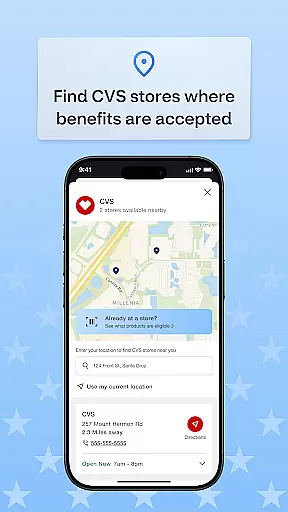
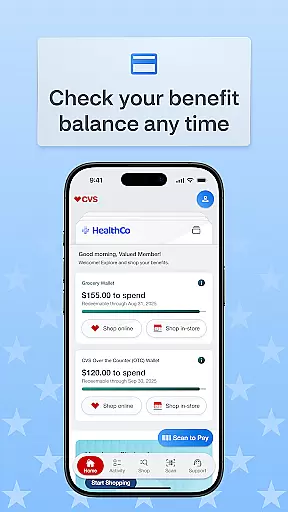
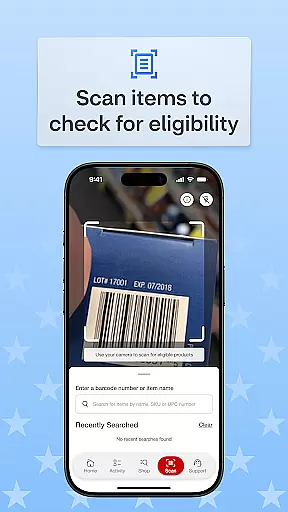
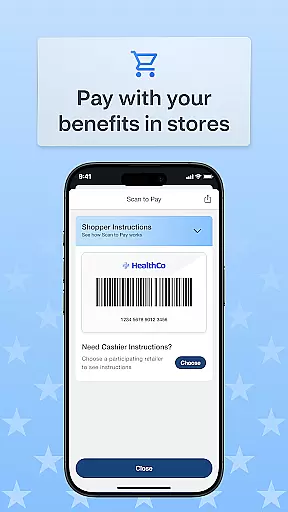
OTC Health Solutions is a comprehensive mobile application designed to help users easily access and manage their Over-the-Counter (OTC) health benefits from anywhere. The app provides secure and straightforward access to both health and OTC benefits, which can be utilized at nearby CVS stores or through online shopping. With real-time updates on fund balances and activity, users can take full control of their benefits.
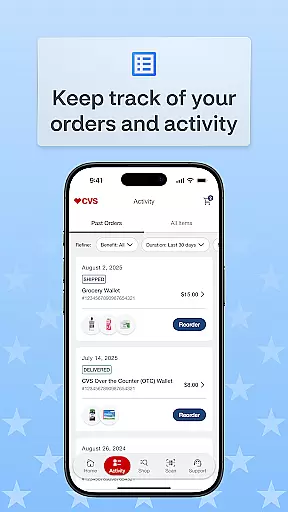
The app also allows users to view detailed transaction histories, track the status of their orders, and locate nearby CVS stores where they can use their benefits in-store. Additionally, it offers flexible shopping options including CVS in-store purchases, online ordering, and home delivery services. This makes it convenient for users to shop according to their preferences while ensuring they maximize their health benefits effectively.
One of the standout features of OTC Health Solutions is its ability to provide real-time balance updates on funds and activities, empowering users with up-to-date information about their benefits. This feature ensures that users are always aware of their available resources and can plan accordingly.
Another key aspect is the transaction history and order tracking functionality. Users can review past transactions, understand how their benefits have been utilized, and monitor the status of current orders. This transparency helps in managing health expenses more efficiently.
Additionally, the app includes a store locator tool that makes it easy to find nearby CVS locations where benefits can be used in-store. Coupled with flexible shopping options such as in-store purchases, online shopping, and home delivery, these features collectively enhance user convenience and satisfaction by providing multiple ways to utilize their health benefits.
Personalized planning in the OTC Health Solutions app empowers users to tailor their health and over-the-counter benefits according to individual needs. This feature ensures that each user can access relevant information and resources, enhancing their healthcare experience.
The app provides real-time balance updates on funds and activity, allowing users to make informed decisions about their OTC purchases. With this functionality, users can effectively manage their budgets and maximize the value of their benefits without any guesswork.
Additionally, the ability to view transaction history for benefits used and track order status enables users to maintain a clear overview of their healthcare spending. This transparency not only aids in financial planning but also helps users understand their consumption patterns better.
By integrating personalized planning features, the app ensures that users have a seamless and customized experience, making it easier to navigate and utilize their OTC benefits efficiently.
Progress visualization within the OTC Health Solutions app offers users a clear and intuitive way to monitor their health and over-the-counter benefit usage. By presenting data in an easily digestible format, users can quickly grasp their current status and make necessary adjustments.
This feature includes visual representations of transaction histories and order statuses, providing users with a comprehensive view of their activities. Such insights help users track how and where their benefits are being utilized, promoting better management of resources.
Moreover, the app's progress visualization extends to tracking orders placed at CVS stores or online. Users can see the status of their orders in real time, ensuring they are always informed about delivery times and processing stages.
Overall, progress visualization enhances user engagement by offering transparent and actionable insights, empowering users to take full control of their healthcare journey with confidence.
User-friendly interface
Real-time updates
Secure access
Flexible shopping
Comprehensive support
Limited to CVS
Occasional bugs
Feature limitations
Regional restrictions
Update delays

Create powerful subliminal audio with custom affirmations and background music.
 4.00
4.00
Pack of 66 calming lullabies for smooth fall asleep and relaxation
4.10
Period Tracker, the easiest way to track your periods!
4.50
Measure real-time wrist & ambient temperature with your Galaxy Watch (Wear OS)
3.20
Protect your healthy sleep
4.80
Load the bar with this barbell & plate calculator. It's leg day, not brain day!
4.70
The Official Blood Type Diet® App - know your categorized foods anytime.
4.50
You deserve easy access to important insurance information. Download for FREE.
4.70
Jogging app for calorie counter and distance tracker. Running app to lose weight
4.20
Show your support for the development of FitNotes - Gym Workout Log
4.90
a fun app full of surprises :)
4.70
Memory, mind & logic exercises. Puzzle games, IQ & brain test for kids & adults
4.50
Point, scan, and unlock truth in every bite.
4.50
“Overcoming pain based on EMDR” helps you to alleviate chronic pain and stress.
4.10
SportWerks - Workout Tracker for Wear OS Watches
3.90
Your Health Has Met Its App (℠)
3.90
Turn your steps into cash, gift cards & rewards with our step counting pedometer
3.80
Insanity blocks of intense physical activity, short breaks of 30 seconds.
4.3
Using Recognise™ has been shown to reduce pain and improve performance
4.5


User Reviews