
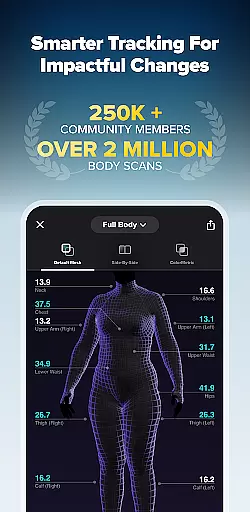
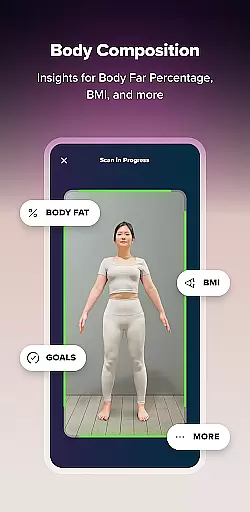
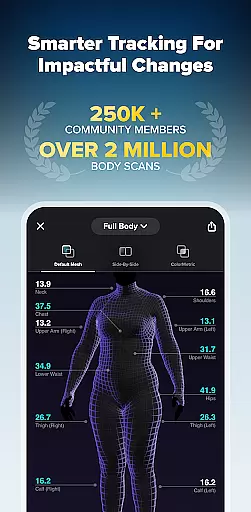
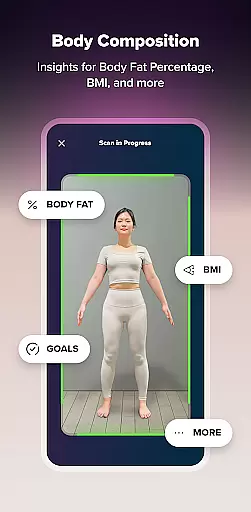
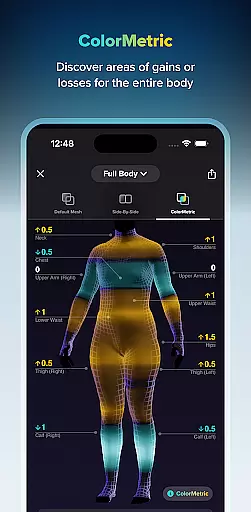
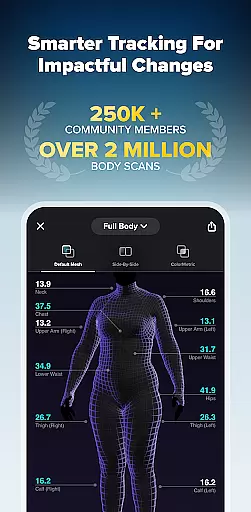
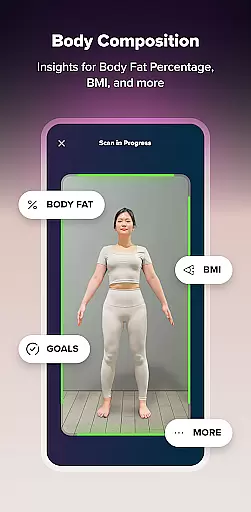
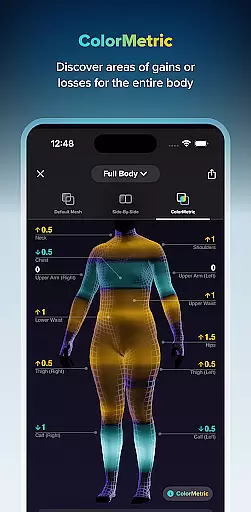
ZOZOFIT is a comprehensive fitness tracking app that combines precise 3D body scanning with AI-powered nutrition monitoring. The app provides users with detailed measurements of 12 key body areas, body fat percentage calculations, and visual progress tracking through its innovative ColorMetric system. Designed for health-conscious individuals, ZOZOFIT helps users monitor their fitness journey beyond simple weight metrics.
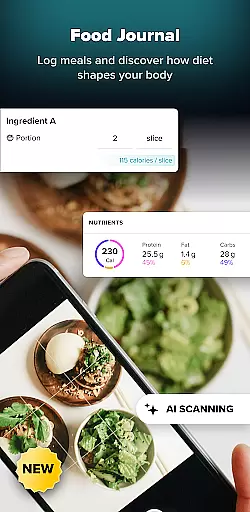
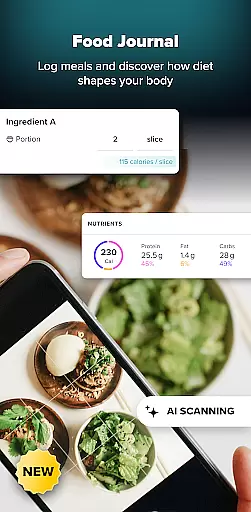
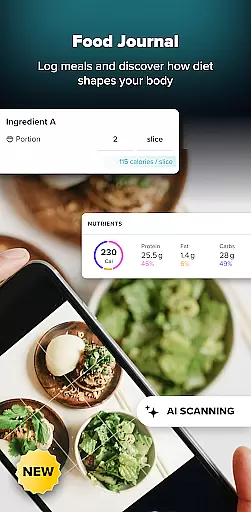
The app's standout features include the 3D Mesh view for full-body scanning, Goal Setting and Simulator tools for personalized fitness targets, and the new Food Journal for effortless meal logging. Compatible with select Android devices running OS 11 or later, ZOZOFIT is optimized for Galaxy S21 series and newer, as well as Google Pixel 6 series and above. Whether you're tracking physical changes or nutritional intake, ZOZOFIT offers a complete digital toolbox for achieving impactful health improvements.
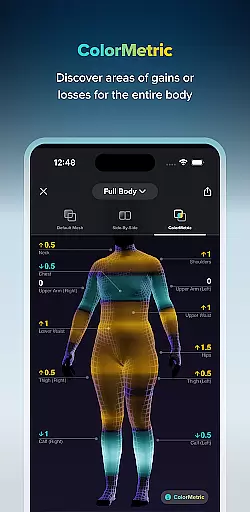
ZOZOFIT distinguishes itself through its advanced technological integration and user-focused features. The app's 3D body scanning capability captures precise measurements in under two minutes, providing users with accurate data on their body composition. Its ColorMetric feature uses a color gradient system to visually represent growth, reduction, or stability in specific areas, offering a more intuitive understanding of progress over time.
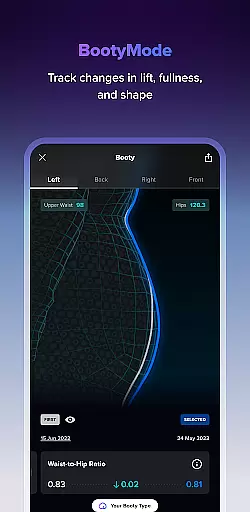
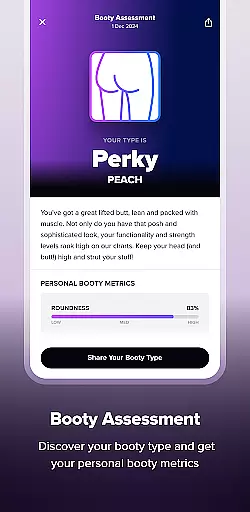
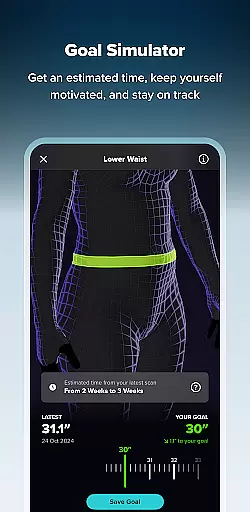
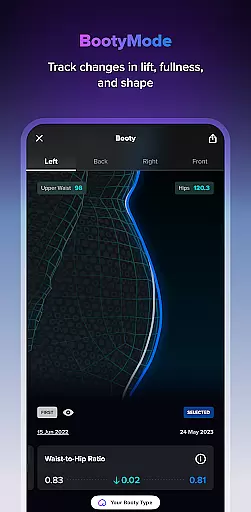
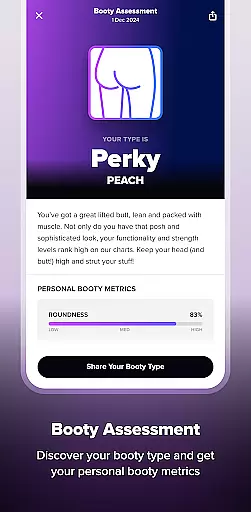
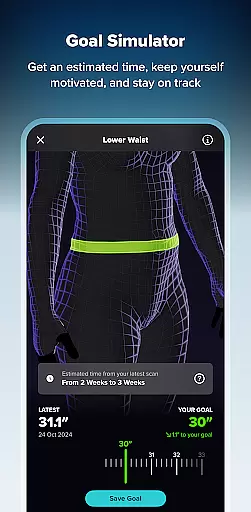
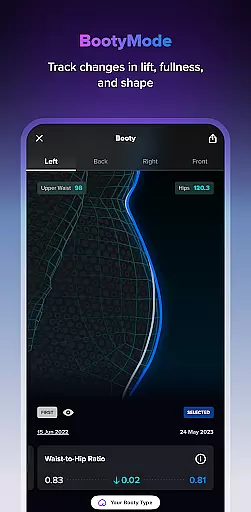
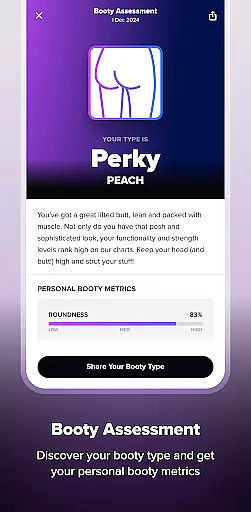
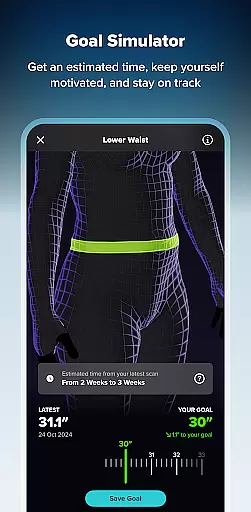
Beyond physical tracking, ZOZOFIT incorporates powerful nutrition tools like the AI-driven Food Journal, which simplifies meal logging through photo analysis and manual entry options. Additional features such as Booty Mode for targeted glute tracking and Goal Simulator for visualizing future progress make this app particularly versatile. By combining these capabilities with an easy-to-navigate interface, ZOZOFIT delivers a holistic approach to fitness tracking that empowers users to maintain accountability and achieve measurable results.
Personalized planning in fitness applications refers to the ability to create tailored workout and nutrition plans based on individual user data. ZOZOFIT takes this a step further by utilizing precise 3D body scanning technology to gather detailed measurements from 12 key body areas.
The app's AI algorithms process this data to provide customized recommendations for fitness goals, ensuring users can target specific areas of their body effectively. With features like Goal Setting and Goal Simulator, users can establish measurable objectives and visually predict changes in their body composition.
This personalized approach offers significant benefits to users. By having access to accurate body metrics and progress tracking, individuals can make informed decisions about their fitness routines. The Booty Mode feature, for example, allows focused tracking of gluteal development over time.
Ultimately, ZOZOFIT's personalized planning tools empower users to take control of their fitness journey with data-driven insights. This level of customization ensures that each user's experience is uniquely suited to their body type and fitness aspirations, leading to more effective and satisfying results.
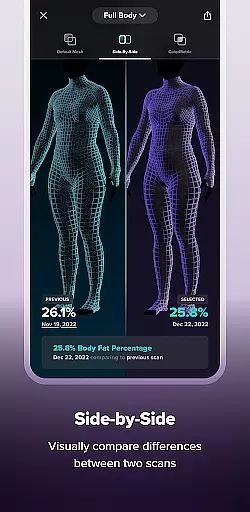
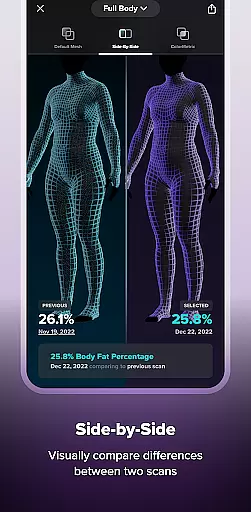
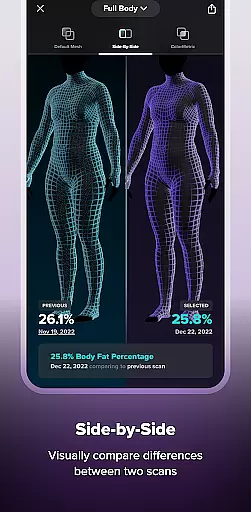
Progress visualization in fitness apps involves presenting user data in an easily understandable and engaging format. ZOZOFIT excels in this area through its innovative ColorMetric system, which uses color gradients to represent measurement changes across the body.
The app's 3D Mesh view provides a comprehensive full-body perspective, while the Side-by-Side comparison feature allows users to analyze changes between different scan points. Amber indicates growth, teal shows reduction, and clear represents stability, making it simple to track transformation patterns.
This visualization approach offers substantial value to users. Rather than relying solely on numbers, the color-based system provides an intuitive understanding of body changes. Users can quickly identify which areas are responding to their fitness regimen and which may need adjustment.
Furthermore, these visualization tools maintain user motivation by making progress tangible and visible. When combined with the app's precise measurement capabilities and nutrition tracking, ZOZOFIT creates a holistic view of personal health transformation that keeps users engaged and committed to their fitness goals.
Precise 3D Scanning
AI Nutrition Tracking
Comprehensive Metrics
User-Friendly Interface
Goal Visualization Tools
Limited Device Support
Requires OS 11+
Premium Feature Costs
Complex Setup Process
High Data Usage

Transform your body and soul with DBFFitness, with a 40-day fitness journey.
 4.0
4.0
Beauty Care, Makeup & Skin Care Scanner | Pregnancy App For A Mom | Healthy Baby
5.00
When the night comes, we prepare your eyes for deep, sweet dreams
4.70
Load the bar with this barbell & plate calculator. It's leg day, not brain day!
4.70
The Crunch Mobile app - Find a gym, manage favorites, reserve & cancel classes.
4.60
Step Counter, track steps when you walk or run
4.70
Track sleep cycle, relax with white noise, sleep sounds & smart alarm clock
3.80
Monitor blood sugar, gain insights, and manage diabetes with ease.
3.20
Control your blood pressure, heart rate and blood sugar in a fast way.
4.00
App to stop smoking slowly or now with a motivational badges and helpful tips
4.80
Binaural Beats - Fully Customizable Waves - Pure Sound - No Loops
4.50
The OFFICIAL Couch to 5K® running training app! A 9 week walk-run workout plan.
4.50
Eat smarter with Eato, your personal calorie counter and nutrition tracker!
4.40
Download MadMuscles to start your positive body transformation!
4.30
Walk, track, and burn calories with step counter & GPS walking tracker
4.20
Find Paid Clinical Trials In Your Area
3.70
The Sleep Miracle Sound Machine: Soothes baby to sleep with a gentle "Shhh"
3.00
Using Recognise™ has been shown to reduce pain and improve performance.
4.4
Using Recognise™ has been shown to reduce pain and improve performance
4.4


User Reviews