
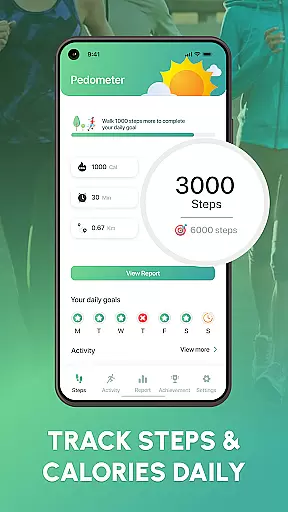
Walk Log - Daily Pedometer is a comprehensive fitness tracking application designed to help users monitor and improve their physical activity. The app's core functionality revolves around accurate step counting, distance tracking, and calorie monitoring, making it an essential tool for anyone looking to maintain an active lifestyle.
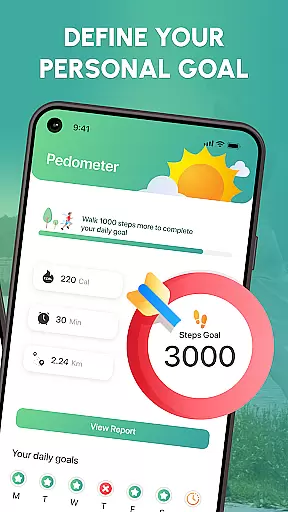
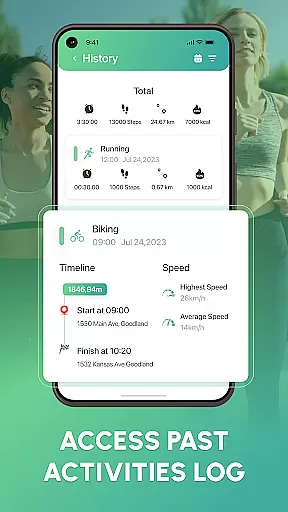
Beyond basic tracking, Walk Log offers advanced features like customizable daily goals, detailed activity reports, and multi-activity tracking with built-in GPS. These features create a personalized fitness experience that adapts to each user's unique needs and objectives.
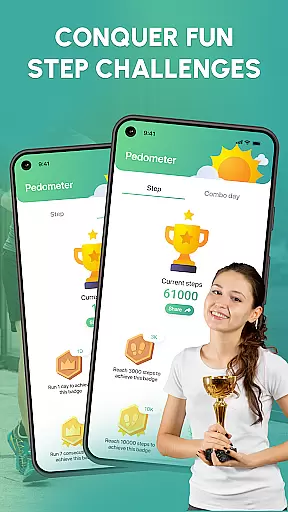
The app particularly shines in workplace wellness programs, where employees can track their movement throughout the day, participate in fitness challenges, and share achievements with colleagues, fostering a supportive health-conscious environment.
Walk Log distinguishes itself through its robust feature set tailored for health enthusiasts. The app employs advanced algorithms to ensure precise step counting and distance measurement, while its sophisticated goal-setting system helps users establish and achieve realistic fitness targets.
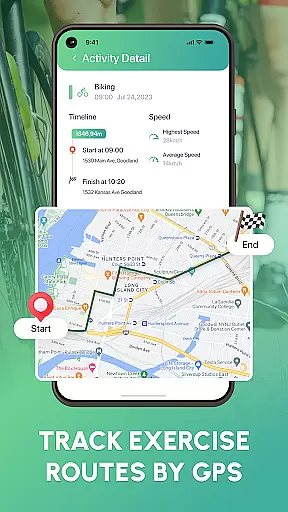
A key innovation lies in its comprehensive activity tracking capabilities. Users can log various activities including running and cycling, with automatic GPS route mapping. The app's pause and resume function ensures only active time is recorded, while the reset feature allows for fresh starts.
What sets Walk Log apart is its social motivation framework. Through fitness challenges and achievement sharing, the app creates a community-driven approach to personal fitness, helping users stay engaged and accountable in their health journey.
Personalized planning in fitness applications like Walk Log is essential for tailoring individual health goals. This feature uses advanced algorithms to analyze user data such as step count, walking distance, and calories burned.
Walk Log offers a customizable experience by allowing users to set daily targets and adjust their goals based on detailed activity reports. The app's ability to track various activities with built-in GPS adds another layer of personalization.
Users benefit from personalized planning through increased motivation and adherence to their fitness routines. By having insights into their progress via charts and graphs, individuals can make informed decisions about their health strategies.
The true value of personalized planning lies in its adaptability. As users interact with the app, it learns from their habits and preferences, refining its suggestions to better fit their lifestyle and ensuring long-term engagement and success.
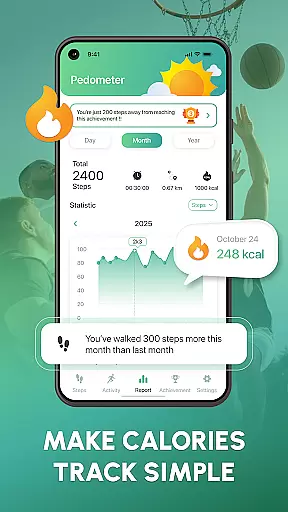
Progress visualization is a critical component of any fitness tracker, transforming raw data into understandable and engaging visual formats. In Walk Log, this translates to comprehensive displays of the user's journey towards better health.
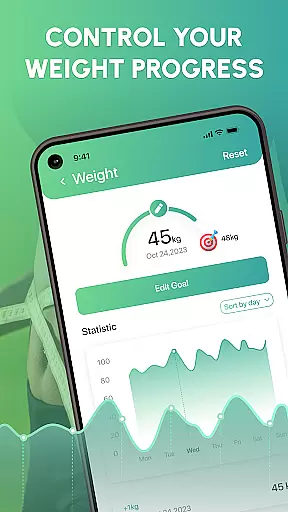
The app provides a variety of visual tools such as charts and graphs that depict activity levels over time. Users can easily monitor trends in their step counts, pace, and active durations, which helps maintain motivation and awareness of personal achievements.
With progress visualization, Walk Log ensures that users are not only counting steps but also seeing the bigger picture of their fitness story. Visual feedback loops reinforce positive behavior by celebrating milestones and highlighting areas for improvement.
Ultimately, effective progress visualization empowers users to take control of their fitness journey. By presenting clear evidence of improvement or signaling when changes are needed, Walk Log supports sustained commitment to health goals.
User-friendly interface
Accurate tracking
Customizable goals
Social motivation
Detailed analytics
Premium features locked
Drains battery
Limited device support
No live coaching
Basic UI design

Using Recognise™ has been shown to reduce pain, and improve performance.
 4.3
4.3
The Sleep Miracle Sound Machine: Soothes baby to sleep with a gentle "Shhh"
3.00
Show your support for the development of FitNotes - Gym Workout Log
4.90
FODMAP, Gluten, Allergy, Vegan
4.50
FitCloudPro takes care of your health every minute.
3.70
Make sense of your health data.
3.80
Track sleep cycle, relax with white noise, sleep sounds & smart alarm clock
3.80
Fast Body building & Weight Loss. Home Workouts with Daily Coach, No Equipment.
4.30
Control your blood pressure, heart rate and blood sugar in a fast way.
4.00
Power-lifting, weightlifting and Wendler 531 app to track your workout program.
4.90
A brain game that moves you
4.70
Get lasting results with Chair Yoga, Wall Pilates, and Walking workouts!
4.60
Your AI pet BFF. Talk, play, and beat anxiety in this calming game.
4.60
Blood Pressure Log, HRV & Heartbeat Tracker. Pulse Checker.
4.40
Your Health Assistant
3.90
Understand your body’s most meaningful messages and transform your health.
3.90
GloryFit is a companion app for the smart bracelet.
3.60
Your plan in your pocket 24/7
3.00
Transform your body and soul with DBFFitness, with a 40-day fitness journey.
4.3


User Reviews