
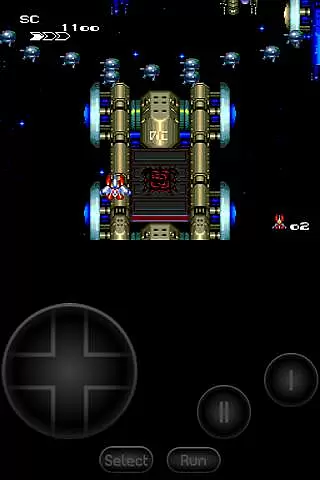
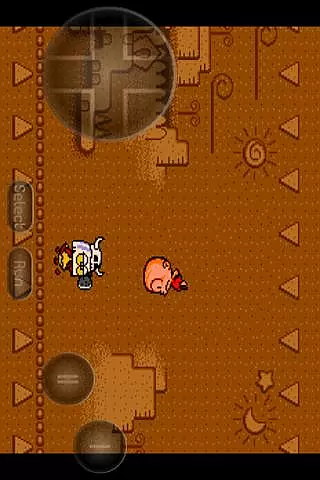
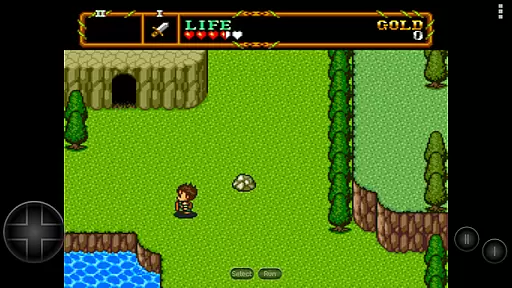
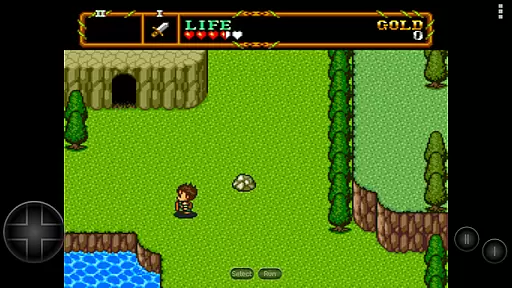
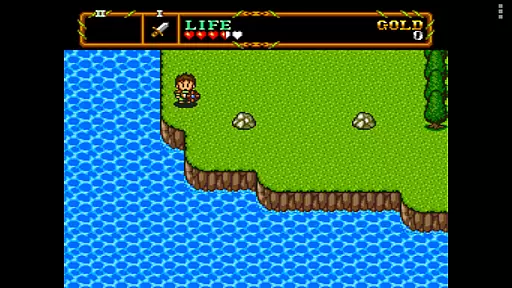
PCE.emu is an advanced PC Engine/TurboGrafx-16 emulator that brings classic gaming to modern Android devices. Built on the Mednafen emulation engine, this app focuses on delivering low audio and video latency while maintaining a minimalist user interface. It supports a wide range of file formats including .pce, .sgx, and .cue for CD-based games, making it versatile for retro gaming enthusiasts.
The emulator is compatible with various controllers, including Bluetooth and USB gamepads like Xbox and PS4 controllers, offering a seamless experience across different devices. Whether you're using an older Xperia Play or a modern Nvidia Shield, PCE.emu ensures smooth performance and accurate emulation for your favorite retro games.
PCE.emu stands out with its robust feature set tailored for retro gaming aficionados. The app supports multiple file formats such as .pce, .sgx, and optionally compressed files with ZIP, RAR, or 7Z. For CD-based games, users can load .cue files, provided they have the required Super CD-ROM System card. The emulator also handles various audio track formats like FLAC, Ogg Vorbis, and Wav, ensuring high-quality sound during gameplay.
Customization is key in PCE.emu, allowing users to configure on-screen controls to their preference. With support for external controllers, including Bluetooth and USB devices, the app delivers a console-like experience. Its compatibility with HID devices recognized by the Android OS makes it versatile for different gaming setups. Additionally, the app integrates with Android's storage access framework, enabling easy access to game files stored on both internal and external storage options.
Arcade authenticity and nostalgia are crucial elements for any emulator aiming to recreate the classic gaming experience. PCE.emu, as an advanced PC Engine/TurboGrafx-16 emulator, excels in this area by offering precise emulation of original hardware.
The app supports both .pce and .sgx file formats, which are native to the PC Engine and TurboGrafx systems. This ensures that users can enjoy games exactly as they were meant to be played, preserving the nostalgic value.
Additionally, PCE.emu includes CD emulation through .cue files, allowing gamers to relive the full experience of titles released on CD-ROM. This feature is essential for capturing the complete essence of arcade nostalgia.
By focusing on low audio/video latency and supporting a wide range of devices, from older models like the Xperia Play to modern ones such as the Nvidia Shield and Pixel phones, PCE.emu guarantees an authentic and responsive arcade experience.
Control responsiveness is vital for an immersive and enjoyable gaming experience, particularly in arcade games where precision and timing are key. PCE.emu addresses this need by ensuring that controls are both intuitive and highly responsive.
The emulator offers configurable on-screen controls, enabling users to customize their interface for optimal performance. This flexibility allows players to tailor the control setup to their preferences, enhancing overall responsiveness.
PCE.emu also supports Bluetooth and USB gamepads, including popular models like Xbox and PS4 controllers. By being compatible with any HID device recognized by the OS, it ensures that physical controls are just as responsive as their on-screen counterparts.
This combination of customizable on-screen controls and broad peripheral support makes PCE.emu stand out, providing gamers with a seamless and engaging arcade experience that captures the spirit of the original console.
Low audio/video latency
Wide device compatibility
Supports multiple file formats
Customizable on-screen controls
Active development and issue reporting
No ROMs included
Requires technical knowledge
Interface may feel outdated
Limited touchscreen optimization
External storage management needed

Monster Run its a game for relax.
 4.1
4.1
Payback 2 includes everything from tank battles to high speed helicopter races!
4.50
Fruit is waiting to be sliced, ninja. Play the hit mobile game !
4.50
Fast reflexes, glowing obstacles, endless action.
4.2
Infinite Arcade
4.0
A fluid, action-packed arcade space shootout!
4.4
Bounce through platforms. Avoid obstacles. Get the bouncing ball to the finish.
4.00
Jump and fly your way through danger in this rythm-based action platformer!
4.70
You control the ball! Dribble, shoot and score against eleven soccer players!
4.60
Absorb, or be absorbed...
4.70
Save the Galaxy from galaxiga alien - Classic arcade shooter game
4.60
The precise emulator of 8 bit handheld... Now even better!
4.50
Premium version. Save the galaxy from alien shooter in this classic game
4.50
Genesis/Mega Drive/CD & Master System/Mark III Emulator
4.30
Join the art challenge: Guess the word and draw fast before the timer runs out!
4.20
Sega Saturn Emulator
4.20
It's quite possibly the world's hardest game!
3.90
Machine Gun Fire Rumbles in the Jungle
4.2
Divine powers at your fingertips! An innovative and frantic shoot-'em-up!
4.5


User Reviews