
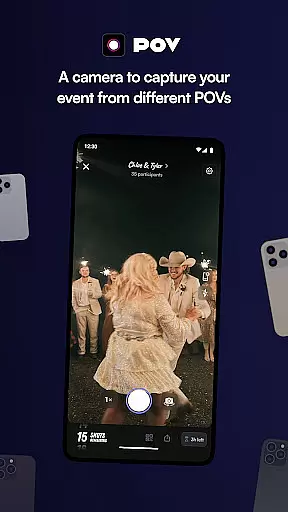
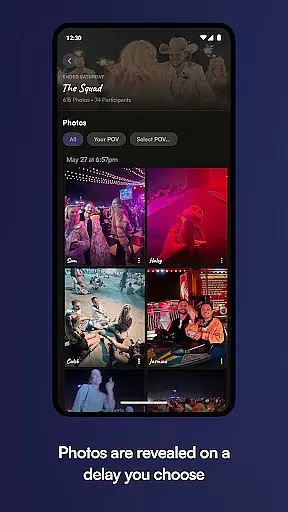

POV is an innovative event photography app that allows guests to capture and share moments through a unique disposable camera concept. Designed for event organizers, this app lets you control the number of photos each guest can take, creating a sense of exclusivity and anticipation. The next-day reveal feature adds excitement as attendees relive the event through curated images.
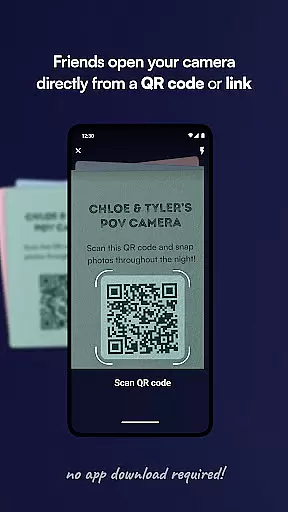
What sets POV apart is its seamless guest experience – no app download required. Participants simply scan a code or click a link to access the customized photo experience. With extensive customization options for camera settings, gallery timing, and visual design, POV ensures your event's photography perfectly matches its unique atmosphere and style.
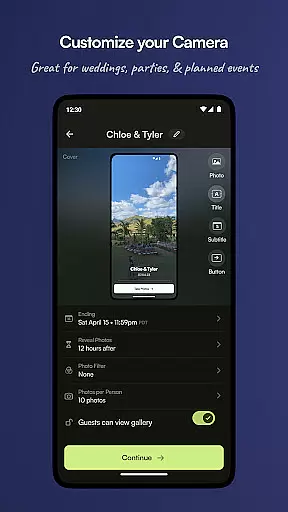
POV offers several distinctive features that enhance event photography management. The customizable camera function lets organizers set precise photo limits per guest, while the flexible gallery timing allows same-day or next-day photo reveals. The app's powerful design tools enable complete customization of the user interface, including stickers, text styles, and background elements.
For event accessibility, POV provides multiple entry points for guests through QR codes and NFC tags. The platform supports easy sharing and discovery of events while maintaining professional quality control. These features work together to create a controlled yet creative environment where event memories can be captured authentically and shared meaningfully.
Creating and customizing tasks within POV allows event organizers to define unique photo-taking experiences for their guests. This feature is crucial as it sets the parameters for how guests interact with the camera, including the number of photos they can take.
The app enables you to tailor each event by setting specific limits on photo counts and customizing the camera interface. You can design a personalized experience that aligns with your event's theme or purpose, ensuring that every snapshot contributes to a cohesive narrative.
Users benefit from this level of customization as it enhances engagement and participation at events. By controlling the number of photos and designing unique visual elements, guests are encouraged to be more thoughtful in capturing moments.
This functionality ultimately enriches the collective memory of an event, allowing attendees to relive experiences through a curated selection of images shared by all participants.
Reminder settings in POV play a vital role in keeping guests engaged and informed throughout an event. Timely notifications ensure that participants are reminded to take photos or check the gallery for updates, enhancing overall user interaction.
Event organizers can schedule reminders based on the event timeline or specific activities. Whether it's prompting guests to capture a particular moment or announcing the reveal of the gallery, these settings help maintain excitement and anticipation.
For users, well-timed reminders mean they never miss an opportunity to contribute to the event's story. This feature ensures continuous engagement and encourages guests to remain active participants from start to finish.
By leveraging reminder settings effectively, POV not only boosts user involvement but also helps create lasting memories with minimal effort required from both hosts and their guests.
User-friendly interface
Highly customizable
No download needed
Next-day reveal
Professional quality
Limited free features
Requires internet
Paid upgrades
Guest limit
Learning curve

An App for Bhutanese
 4.4
4.4
Manages display and transfer of tickets from the Mundo Tickets platform
3.80
Greeting card maker with photos best app| Birthday cards| All wishes eCards FREE
4.50
Microsoft Ignite is an event that showcases latest advancements in technology
4.00
Invitation Card Maker, Design & share wedding, birthday & party invites fast
4.40
Design Invitations & Cards for Any Occasion
4.80
TV Garden - World Live TV : Play & cast your videos seamlessly!
3.20
Thanksgiving Wishes, Thanksgiving Stickers & Animated GIF for Whatsapp Stickers
4.5
TodayTix is the easiest way to get tickets to the best shows in your city.
4.90
Here you can choose tickets for films, performances, concerts and other events
4.60
Create Wedding Invitation and Wedding Anniversary Cards using our app
4.60
Listen Full Quran MP3 Offline - Qibla Compass, Salah Timing & 99 Names of Allah
4.60
Text message invitations for birthday party, wedding, graduation, baby shower +
4.60
Rocket Monkey - Space rocket launch schedule for launch sites around the world
4.20
Introducing the official Magic: The Gathering app for mobile.
4.20
Local events, contests, and giveaways for local dads
3.70
ETH Mining provides secure way to mine Ethereum & earn ETH in Cloud mining app
3.50
The Official App
4.5
The Official Football Ticketing App for Fans in Qatar
4.4


User Reviews