
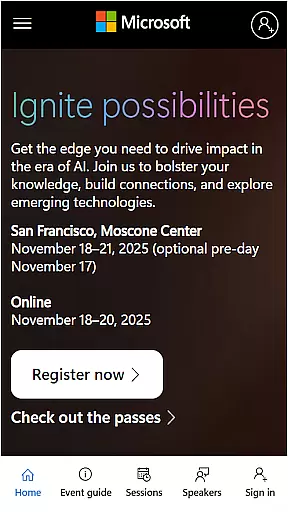
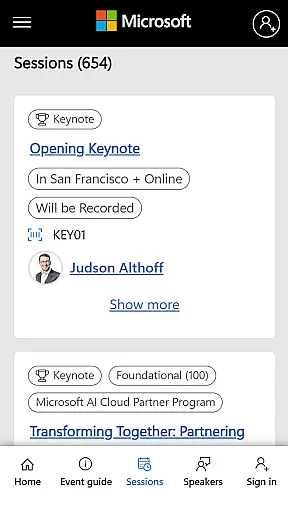
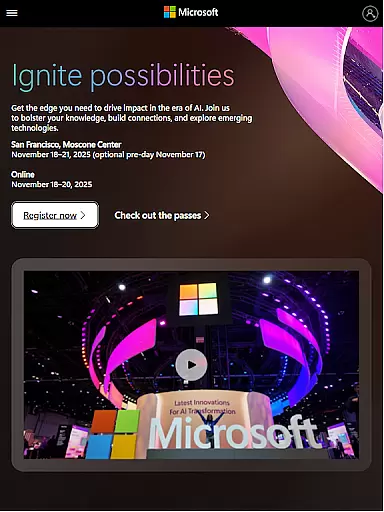
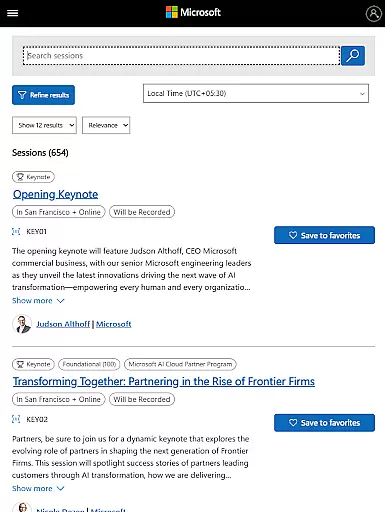
Microsoft Ignite is a premier annual event hosted by Microsoft, designed to showcase the latest advancements in technology. This event serves as a hub for tech enthusiasts, developers, and industry leaders who are keen on exploring new solutions, enhancing their skills, and connecting with the broader tech community.
Attendees can expect a comprehensive program featuring innovations and announcements across AI, cloud computing, and productivity tools. The event also emphasizes networking and community building, offering numerous sessions and learning opportunities that allow participants to engage deeply with content and each other.
Whether you're looking to stay ahead of technological trends or seeking practical solutions to enhance your business operations, Microsoft Ignite provides valuable insights and connections that can drive success in various industries.
Microsoft Ignite offers a rich array of features tailored to provide an immersive experience for all attendees. One standout feature is its focus on showcasing cutting-edge innovations and announcements in AI, cloud computing, and productivity tools, ensuring participants are at the forefront of technological advancements.
The event excels in facilitating networking and community building. Through interactive sessions, workshops, and social engagement opportunities, attendees can connect with peers, share insights, and build lasting professional relationships. These interactions are crucial for fostering collaboration and sparking new ideas within the tech community.
Additionally, Microsoft Ignite provides extensive learning opportunities through a variety of sessions led by industry experts. Participants can deepen their knowledge, acquire new skills, and gain practical insights that they can immediately apply to their work, making the event a pivotal platform for professional growth.
Task creation and detail customization are essential features for any event management app, including Microsoft Ignite. This functionality allows users to create tasks that align with their specific needs and preferences, ensuring a personalized experience.
Microsoft Ignite offers an intuitive interface where users can easily set up tasks related to sessions they want to attend or networking opportunities they wish to explore. The app provides options to add detailed descriptions, set reminders, and categorize tasks based on themes such as AI, cloud computing, or productivity tools.
The benefit of this feature is the ability it gives users to organize their schedules efficiently. By customizing task details, attendees can prioritize important events, track session timings, and receive timely notifications, enhancing their overall event experience.
This level of personalization ensures that each attendee maximizes their time at the event by focusing on areas most relevant to them, whether it's learning about new technological advancements or connecting with like-minded professionals in the tech community.
Reminder settings play a crucial role in ensuring attendees do not miss out on key sessions or networking opportunities during large-scale events like Microsoft Ignite. These settings help manage time effectively by providing timely alerts.
In Microsoft Ignite, users can configure reminder settings according to their preferences. Whether itu2019s setting up notifications 15 minutes before a session starts or receiving daily summaries of upcoming events, the app caters to various scheduling needs.
The advantage of customizable reminder settings is evident in how they enhance user engagement. Attendees can stay informed about the latest innovations, participate in learning opportunities, and engage in community building without worrying about losing track of time.
Ultimately, these reminder features contribute significantly to a seamless event experience, allowing tech enthusiasts, developers, and industry leaders to make the most of their time at Microsoft Ignite while staying connected with the broader tech community.
Cutting-edge technology showcases
Extensive networking opportunities
Expert-led educational sessions
Community-driven event atmosphere
Valuable industry insights
High attendance cost
Limited virtual participation options
Overwhelming content volume
Intense schedule demands
Geographic limitations

Audio guide companion APP for SEE's Michelangelo's Sistine Chapel
 3.50
3.50
Clubs, Festivals, Discounted Tickets, Guest Lists & VIP Tables
4.90
Wedding planner app with wedding venues, wedding checklist, countdown & budget.
4.60
The KRUU app - plan, celebrate, remember
4.80
Beautiful invitation cards + easy RSVP tracking for any event. Design Invites.
4.80
The Official Football Ticketing App for Fans in Qatar
4.0
TodayTix is the easiest way to get tickets to the best shows in your city.
4.90
Buy and Sell Tickets for Concerts, Sports, and Theater.
4.70
Save money on concert, sport, and theater tickets, and discover upcoming events.
4.80
Invitation card maker for birthday party & Wedding. Digital greeting card editor
4.90
CUE Live utilizes ultrasonic sound waves to sync devices at CUE enabled events
4.80
Here you can choose tickets for films, performances, concerts and other events
4.60
For weddings, parties & events
4.60
Greeting card maker with photos best app| Birthday cards| All wishes eCards FREE
4.50
PheedLoop Go! is the mobile event app for events powered by PheedLoop.
4.40
Freebie Games for Epic Games, Steam, Amazon, Rockstar etc.
4.40
The calendar app in this 2026 year see all dates.
4.20
Buy and sell tickets to sports, concerts, theater, festivals, and comedy events
4.10
Create Birthday Cards in Birthday Invitation Maker and Birthday Card Creator App
3.00


User Reviews