
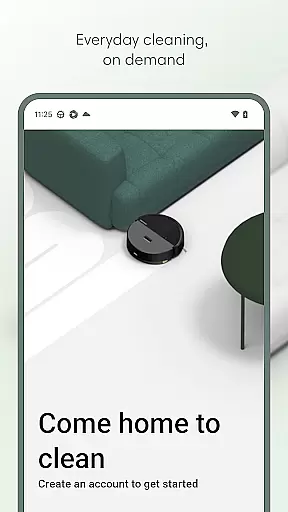
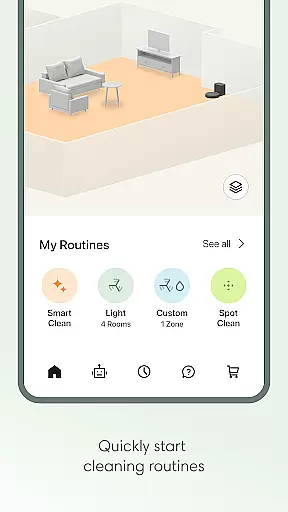
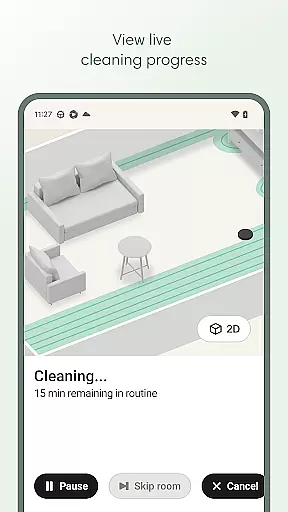
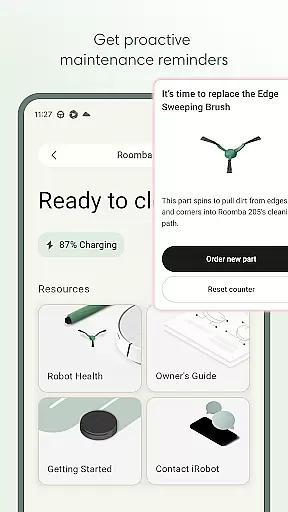
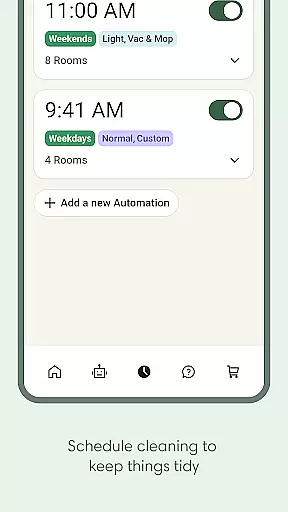
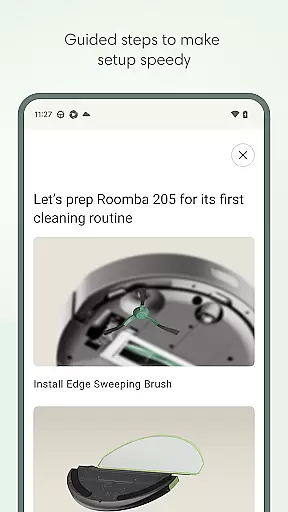
Roomba Home is a smart cleaning management app designed for Roomba robot vacuum owners. The application allows users to remotely control their robotic cleaners, set personalized cleaning schedules, and adjust detailed cleaning preferences through an intuitive interface. With compatibility across multiple Roomba series, it provides real-time tracking of cleaning progress and proactive maintenance alerts.
A key feature is the ability to create detailed home maps, label rooms, and establish specific cleaning zones. This ensures targeted cleaning that meets individual household needs. The app also supports voice commands through integration with Alexa, Siri, and Google Assistant, making daily use effortless. Whether starting a clean or troubleshooting your device, Roomba Home keeps your living space spotless with minimal effort.
Roomba Home offers a comprehensive suite of features to enhance user experience. One standout capability is the Routine Builder, which lets users customize cleaning routines by selecting specific rooms, adjusting suction power, and enabling advanced scrubbing modes. Additionally, users can save up to five detailed floor maps, complete with labeled rooms and virtual no-go zones.
The app's real-time monitoring provides live updates on the robot’s location and cleaning path, ensuring optimal performance. Integration with smart home ecosystems via Alexa, Siri, or Google Assistant adds convenience, while the Health Dashboard tracks the condition of both the robot and its accessories. These innovations make Roomba Home not just functional but indispensable for modern households.
The Roomba Home app offers comprehensive coverage of lifestyle categories by integrating advanced cleaning functionalities with smart home capabilities. This app is designed to work seamlessly with various Roomba series robots, ensuring that users can maintain cleanliness in their homes with minimal effort.
With features like easy setup, customizable cleaning routines, and real-time insights, the app addresses multiple aspects of a user's lifestyle. Whether it's scheduling cleanings around busy lifestyles or creating personalized cleaning paths, the app ensures that every corner of the living space is catered to effectively.
Additionally, the app supports voice control compatibility with Alexa, Siri, and Google Assistant, making it adaptable to different smart home ecosystems. This extensive integration enriches the useru2019s lifestyle by allowing effortless management of cleaning schedules and routines through simple voice commands.
Roomba Home app assures content authenticity and expert credibility by providing verified and accurate information about its robotic products. The app is developed by iRobot, a renowned leader in the robotics industry, which adds a layer of trust and reliability for users seeking effective home cleaning solutions.
Every feature within the app, from setting up the robot to managing intricate cleaning schedules, is crafted based on expert knowledge and technological advancements in home automation. Users can be confident that the guidance and recommendations provided are rooted in professional expertise.
Moreover, the app includes a Robot Maintenance & Health Dashboard that offers credible advice on maintaining the device's optimal performance. By addressing potential issues proactively and offering troubleshooting suggestions, Roomba Home establishes itself as a dependable tool in achieving a consistently clean and healthy living environment.
User-friendly interface
Customizable cleaning schedules
Voice command support
Real-time cleaning insights
Proactive maintenance alerts
Limited to 2.4GHz Wi-Fi
Not compatible with all models
Requires initial setup time
Premium features may cost extra
Dependent on stable internet

Fly your Solo like a boss.
 4.10
4.10
Big bold digital watch face with 30 colors, 6 complications and AOD.
4.0
Digital watch face design. Modern looking, hi-res & battery friendly.
4.00
Cute Adorable Animals now on your wrist with our Wear OS watch face!
4.40
Designed to delight, impress and energize your festive spirit every single day
4.0
Daily lessons from A Course in Miracles with scheduled reminders
4.80
Big bold hybrid watch face with 30 colors, 5 fonts & 5 complications.
4.0
Spirit Communicator is a real paranormal ghost hunting app with many fun modes.
3.90
DailyGift can help you record your habits and get rewards along the way!
4.60
Pay your rent, submit work orders and much more with the RentCafe Resident App.
4.70
Crochet made easy: step-by-step tutorials, beginner patterns & projects
4.60
Discover your Nationality, Family Origin, and Ancestry from one selfie
4.50
Redecor your home with Home AI interior design, room planner and home designer.
4.50
Material You inspired colors with BIG and Bold looks for Wear OS watches.
4.20
Subwoofer school’s in session! You’ve now enrolled into KICKER U.
3.80
Creativity and savings for kids, beginners and experts in arts and crafts
3.50
Discover how to help puppies stay calm around noise with this helpful app.
4.3
The cutest Autumn watchface featuring the adorable Mr. Squirrel
4.4
Futuristic watchface inspired by Back to the Future: sleek, retro, timeless
4.1


User Reviews