

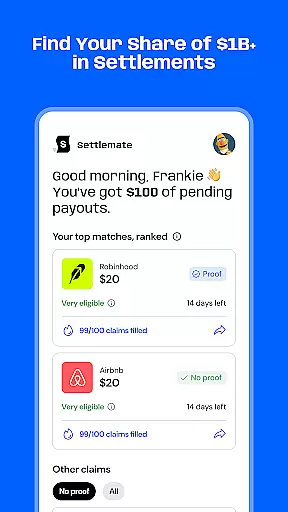
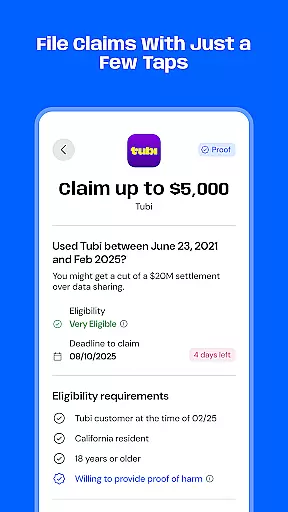
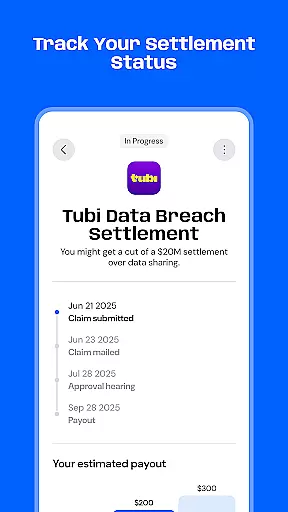
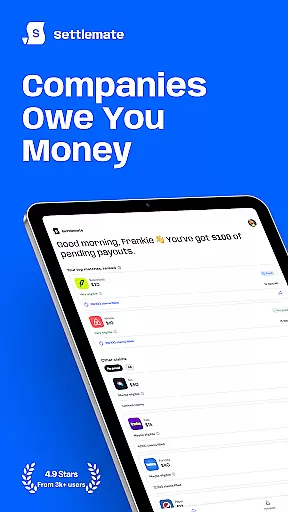
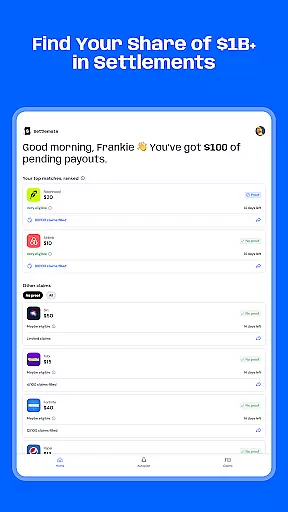
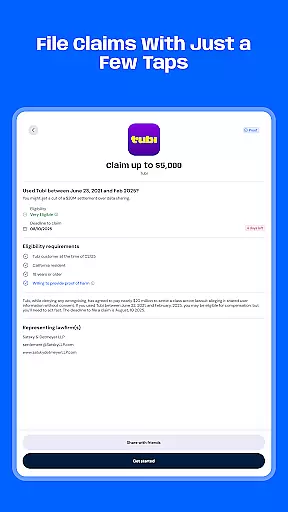
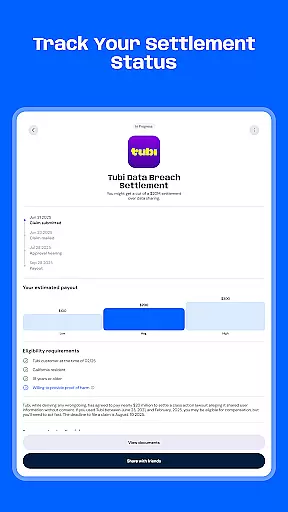
Settlemate is a financial application designed to help users discover and claim money from class action settlements they may be entitled to. The app simplifies the entire process, eliminating the need for legal expertise or hiring a lawyer. By answering a few simple questions, users can instantly find eligible claims and submit their settlement claims in seconds. The platform provides real-time updates on refund statuses, payouts, and compensation timelines, ensuring users stay informed throughout the process.
One of Settlemate's standout features is its smart notification system, which alerts users to new class actions, ensuring no opportunity to claim money is missed. Security is also a top priority, with safe sign-in options through Apple or Google, and all legal information kept encrypted and private. This makes Settlemate an essential tool for anyone looking to effortlessly navigate the complex world of class action lawsuits and maximize their financial returns.
Settlemate offers a comprehensive suite of features that streamline the class action settlement process. Users can easily track lawsuits and check eligibility without needing any legal knowledge. The app's intuitive interface allows for quick submission of claims, bypassing traditional paperwork and legal fees. Real-time updates on the status of refunds and expected compensation timelines provide transparency and peace of mind.
Another key feature is the smart notifications system, which ensures users are promptly informed about new class actions relevant to them. This proactive approach maximizes the chances of claiming available funds. Additionally, Settlemate prioritizes user security with encrypted data and secure sign-in options via Apple or Google. These robust features collectively ensure a seamless, secure, and efficient experience for users seeking to claim what is rightfully theirs.
Account and fund security is a critical aspect of any financial application, ensuring that users' personal and financial information remains protected. Settlemate takes this responsibility seriously by implementing top-tier security measures. The app allows users to sign in safely via Apple or Google, which not only provides convenience but also adds an extra layer of security through these trusted platforms.
Furthermore, all legal information within Settlemate is encrypted and kept secure, safeguarding sensitive data from unauthorized access. This encryption ensures that users can track lawsuits, check eligibility, and claim money without worrying about their information being compromised. By focusing on security, Settlemate builds trust with its users, assuring them that their financial activities within the app are confidential and protected against potential threats.
The importance of robust security measures cannot be overstated when dealing with financial transactions and personal data. Settlemate's commitment to maintaining high standards of privacy and protection means that users can confidently use the platform to manage their class action settlements. This peace of mind is invaluable, allowing users to focus on claiming the money they are owed without concern for their data's safety.
A seamless transaction experience is essential for any financial service aiming to provide value and convenience to its users. Settlemate excels in this area by simplifying the entire process of filing class action claims. Users can submit their settlement claims in seconds, bypassing the need for extensive paperwork or legal counsel. This streamlined approach significantly enhances the user experience, making it accessible even to those unfamiliar with legal procedures.
In addition to simplifying claim submissions, Settlemate offers real-time updates on refund statuses, settlement payments, and expected compensation timelines. These features ensure that users are always informed about the progress of their claims, providing transparency and control over their financial dealings. Smart notifications further enhance this experience by alerting users to new class actions, ensuring they never miss an opportunity to claim what is rightfully theirs.
By focusing on delivering a smooth and efficient transaction experience, Settlemate empowers users to navigate the complexities of class action settlements effortlessly. This ease of use, combined with timely updates and proactive alerts, positions Settlemate as a valuable tool for anyone looking to claim unclaimed settlements without the usual hassle associated with legal processes.
User-friendly interface
Real-time updates
Smart notifications
Secure encryption
No legal expertise required
Subscription fees apply
Limited to class actions
Auto-renewal by default
Requires personal data
Eligibility varies

Debt pay off. Build credit history. AI budget tool. Loan offers.
 4.60
4.60
Easily invest, save, and plan—all in one app.
4.60
Simple & secure international money transfers - for personal & business needs.
4.80
Change the way you money with Credit Genie
4.30
Money App - Earn Cash back, Fast Cash Advance, Personal Loan Offers, Banking
4.70
Manage your credit card account with the Credit One Bank mobile app.
4.70
Mine Bitcoin in the cloud! Earn BTC daily with high-speed mining power.
4.30
View BSC Transactions for multiple accounts
3.90
The PayPal app is the secure way to send and receive money, shop and pay in 4.
4.20
“Money Manager” is an optimized application for personal asset management.
4.70
Get 250$ Cash Advance to solve emergencies instantly in loan app called LendMe
4.70
Powerful Money Manager, Expense & Savings Tracker, Budget Planner - Pro Version
4.70
Download the MySynchrony App to manage your accounts securely and conveniently!
4.60
Get a cash advance instantly. File taxes & cover unexpected bills in minutes.
4.60
Read and extract public data on NFC Contactless banking card (VISA, MasterCard
4.30
BTC, Crypto, Stocks & Options.
4.20
Make your paycheck work harder for you with Perpay.
4.10
NFC mobile payment app Use your phone as a contactless bank card
4.00
Secure Amex Account Access: View Balance, Make Payments, Redeem Rewards & more
3.60


User Reviews