

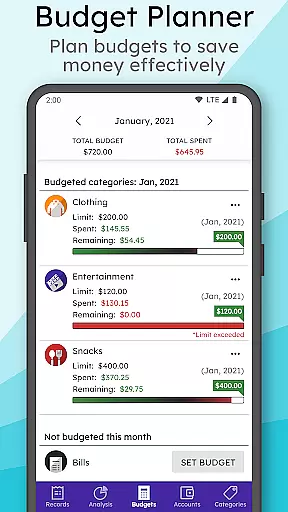
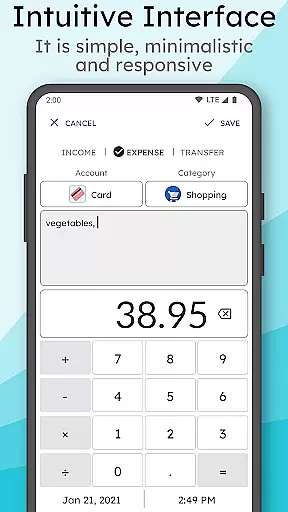
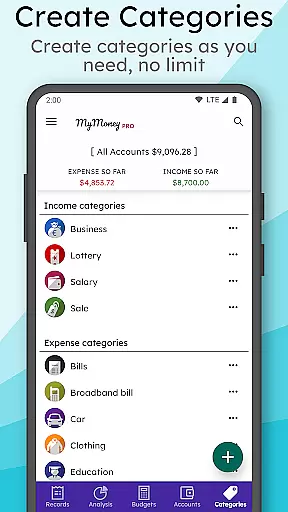
MyMoney Pro is a comprehensive personal finance management application designed to help users effectively track and control their spending habits. This budgeting app provides a complete suite of tools for managing personal finances, including an expense tracker, budget planner, and detailed financial analysis features.
The app's standout feature is its fully offline functionality, ensuring users can access their financial data anytime without internet connection. It offers intuitive analysis through clean charts and reports, helping users understand their spending patterns across various categories like food, transportation, and entertainment. The smart homescreen widget allows quick record entry and balance monitoring, making daily expense tracking effortless.
For individuals seeking better financial control, MyMoney Pro serves as an ideal solution. Its multiple account management system, customizable categories, and advanced security features make it particularly valuable for those who need to manage complex financial situations while maintaining privacy and data safety.
MyMoney Pro distinguishes itself through several key features that enhance the personal finance management experience. The app's Expense Manager allows users to categorize income and expenses across unlimited custom categories, providing granular control over financial tracking. Its Budget Planner helps users establish and maintain monthly spending limits, preventing overspending in specific areas.
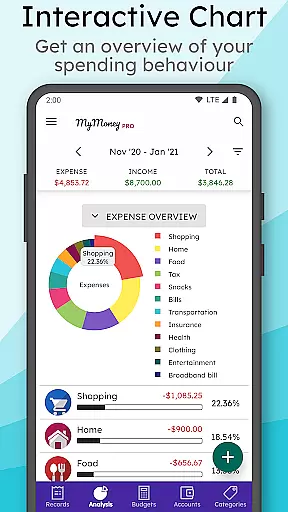
The app's analysis capabilities are particularly robust, offering visual representations of financial data through clear charts and graphs. Users can view their financial performance across different time periods, from monthly to yearly views. The customizable homescreen widget enables quick data entry and instant access to account balances, streamlining the daily tracking process.
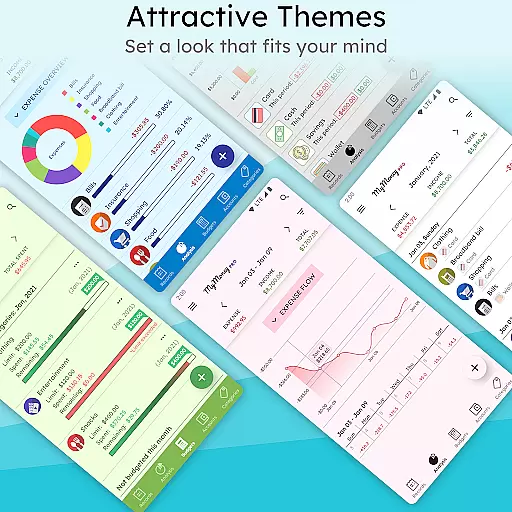
Additional premium features include multiple theme options, passcode protection for enhanced security, and smart input functionality. The app supports multiple accounts for managing different financial instruments separately, while allowing users to customize currency settings, decimal places, and category icons according to their preferences.
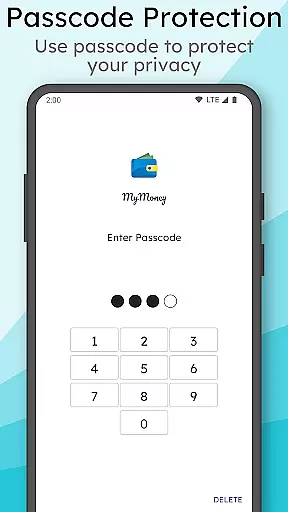
Account and fund security is a critical aspect of any financial management application. MyMoney Pro ensures the safety of your financial data through multiple layers of protection. The app provides passcode protection for privacy, allowing only authorized access to your financial records.
In addition to password protection, the app allows users to keep their record data safe with regular backups. These backups can be restored if necessary, ensuring that you never lose track of your important financial information. This feature is particularly useful when switching devices or recovering from an unexpected technical issue.
The application also supports exporting worksheets for printing purposes. This enables users to maintain physical records of their transactions while still benefiting from digital tracking and analysis. By offering both digital and physical record-keeping options, MyMoney Pro caters to various user preferences and enhances overall data security.
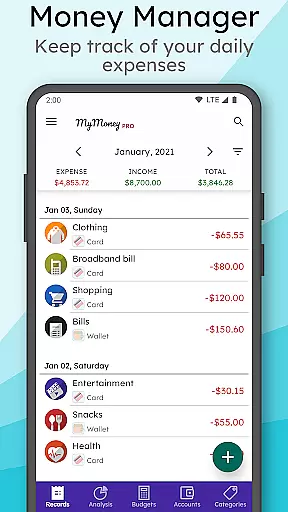
A seamless transaction experience is essential for effective personal finance management. MyMoney Pro offers an intuitive interface that makes tracking expenses straightforward and efficient. Users can easily add expense records on the go, ensuring that every transaction is accounted for without hassle.
The app includes a smart homescreen widget that streamlines the process of adding records and monitoring balances. This customizable widget allows quick access to key features, enhancing the overall user experience. With just a few taps, users can input new transactions or check their current financial status.
For those who want deeper insights into their spending habits, MyMoney Pro provides effective analysis tools. Clean charts display monthly income and expense breakdowns, helping users understand where their money goes. This level of detail empowers users to make informed financial decisions and better manage their budgets.
User-friendly interface
Comprehensive offline functionality
Customizable categories and accounts
Robust security features
Detailed financial analysis tools
Premium version costs money
Steeper learning curve
Limited social features
No automatic bank syncing
Manual data entry required

Currency Converter supports all currencies of the world.
 5.00
5.00
Play for fun, earn for real. Collect rent by owning virtual land & get cashback
4.60
Need help before payday? Get cash advances with no interest or credit checks.
4.60
Managing your money just got easier. Get the new Mobile app.
4.70
Your Big Financial Friend
4.70
Earn cash back. Build credit.
4.60
Easy budgeting planning on a calendar!
4.80
Read and extract public data on NFC Contactless banking card (VISA, MasterCard
4.30
Pay, bank & build credit.
4.70
Currency Converter, Exchange Rates, Widgets
4.90
No credit checked needed.
4.80
Early payday cash advance up to $150 a day with a max of $1,000 per pay period
4.70
Send money and bitcoin easily. Invest, bank and do more with your money
4.70
Download the MySynchrony App to manage your accounts securely and conveniently!
4.60
The US Debt Clock .org App gives you a Real-Time glimpse of US Financial Stats
4.60
Put crypto to work & earn rewards. Stake crypto like Ethereum, Solana & Cardano
4.40
Earn money as a tester with Testerup, get cash testing apps and games
4.20
Retirement plan, IRA, retail and HSA customers serviced by Empower.
3.10
StockTiles lets you view prices & charts of your favorite stock assets
2.30


User Reviews