
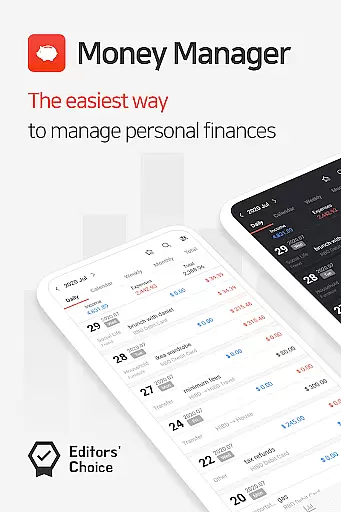
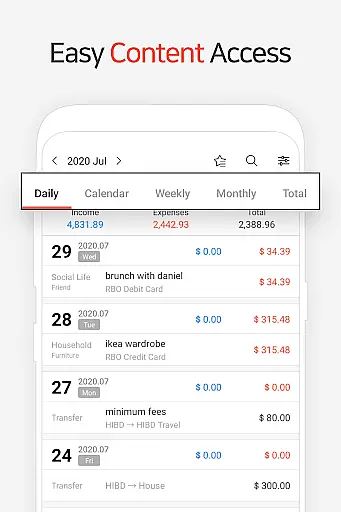
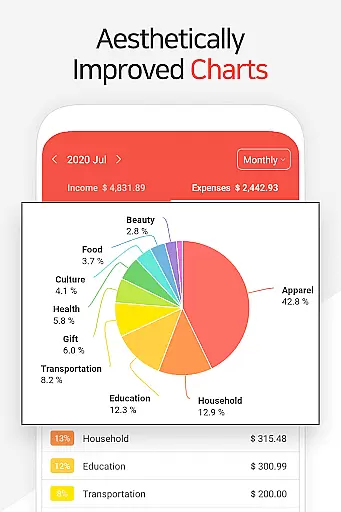
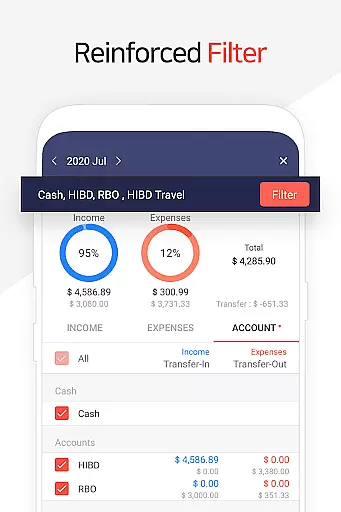
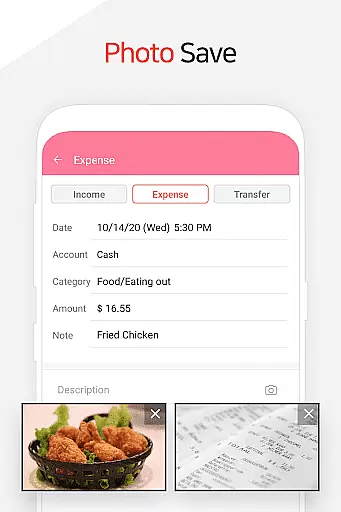
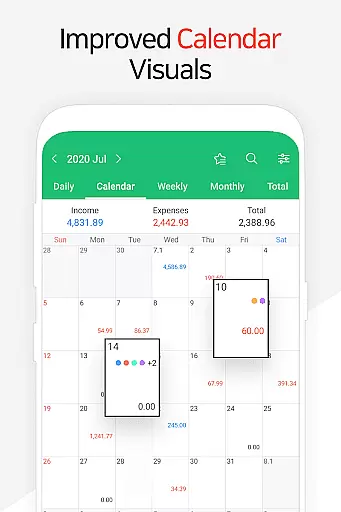
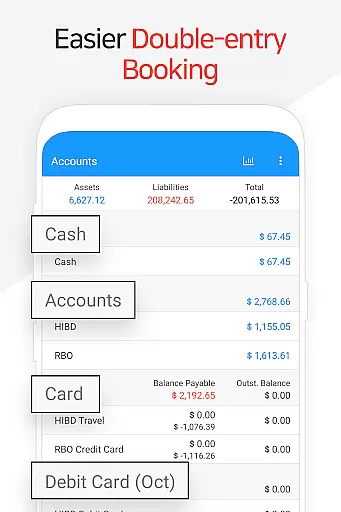
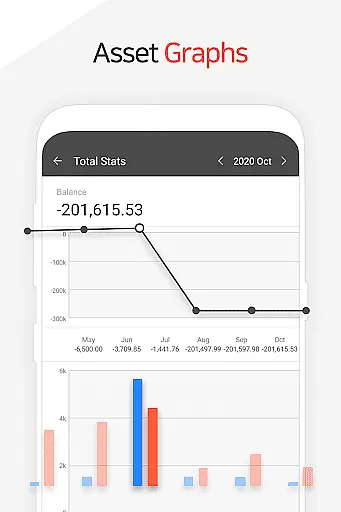
Money Manager is a comprehensive personal finance application designed to help users efficiently manage their assets and track financial activities. The app employs double-entry bookkeeping, ensuring accurate recording of income and expenses while automatically updating account balances. With its budget management feature, users can visualize spending patterns through graphs that compare actual expenses against set budgets.
The application also offers advanced tools for managing credit and debit cards, including automatic payment tracking and scheduling. Users can benefit from the instant statistics feature, which provides real-time insights into monthly expenditures and asset changes. Additional functionalities like passcode protection, data backup, and restore options make this app a secure and reliable choice for personal financial management across various platforms.
Money Manager stands out with its PC manager function, allowing users to conveniently view and edit financial data via Wi-Fi on a larger screen. The app's double-entry bookkeeping system streamlines asset management by immediately reflecting transactions in corresponding accounts. Its budget management tool uses visual graphs to display spending versus budgeted amounts, helping users maintain better control over their finances.
One of the key features is the card management system, which tracks payment schedules and outstanding balances. The app also supports automated transfers and recurring payments, making it easier to manage regular financial commitments like salary deposits or loan payments. With instant statistics and bookmark functions, users can quickly access frequently used entries and monitor financial trends through intuitive graphs and categorized reports.
Account and fund security is a critical aspect of any financial management application. Money Manager ensures the safety of user data through multiple layers of protection.
The app implements advanced encryption protocols to safeguard sensitive financial information. All transactions and account details are securely stored using industry-standard encryption methods.
Additionally, the application features a passcode verification system that adds an extra layer of security. Users can set up a unique passcode to access their financial data, preventing unauthorized access even if the device is lost or stolen.
These security measures provide users with peace of mind knowing their personal and financial information remains protected while using Money Manager for their asset management needs.
A seamless transaction experience is essential for effective personal finance management. Money Manager offers a comprehensive suite of tools designed to streamline financial transactions.
The application supports various transaction types including transfers between accounts, direct debits, and recurring payments. Users can easily manage their salary deposits, insurance payments, and loan repayments through automated scheduling features.
Real-time transaction tracking provides immediate feedback on all financial activities. The app updates account balances instantly after each transaction, ensuring users always have the most current financial information at their fingertips.
Furthermore, Money Manager's intuitive interface simplifies complex financial operations, making it accessible even for users with limited accounting knowledge. This combination of powerful features and user-friendly design creates an efficient and reliable transaction management experience.
User-friendly interface
Comprehensive budgeting tools
Secure passcode protection
Automatic transaction tracking
Multi-platform accessibility
Limited investment tracking
No multi-currency support
Premium features require subscription
Occasional syncing issues
Complex for beginners

 4.50
4.50
Bank better with our new app
3.80
The all-in-one app to save, earn, travel, and put more money in your pocket
4.50
Bitcoin gpu app helps you remote mine using your cell phone easily .
3.60
PayMe helps you claim money from settlements on companies that harmed you.
4.80
Manage and cancel subscriptions, lower bills, track expenses, create budgets.
4.60
Simple & secure international money transfers - for personal & business needs.
4.80
StockTiles lets you view prices & charts of your favorite stock assets
2.30
The PayPal app is the secure way to send and receive money, shop and pay in 4.
4.20
Wells Fargo Mobile allows you to access your investment and bank accounts.
4.80
Currency Converter (200+ currencies) with live exchange rates and offline mode.
4.70
Military retirement pay estimation calculator
4.70
Cash Advance, Credit Cards, Credit Lines, Score Monitoring, Saving, Budgeting
4.70
Over 180 currencies conversion rates with live exchange rates and offline mode.
4.60
Early payday & cash advances with no-fee mobile banking!
4.60
Earn cash back. Build credit.
4.60
BTC, Crypto, Stocks & Options.
4.20
Expenses, Bills, Budget and Accounts - All seamlessly integrated in one app!
3.80
Bill Manager is a simple app to help you keep track of your upcoming bills.
4.4


User Reviews