
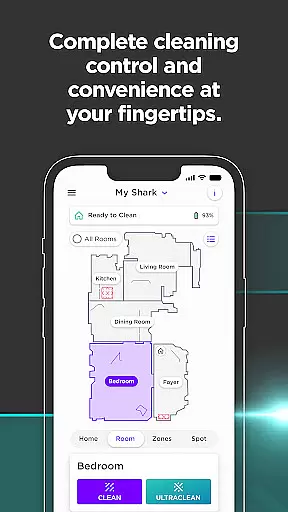

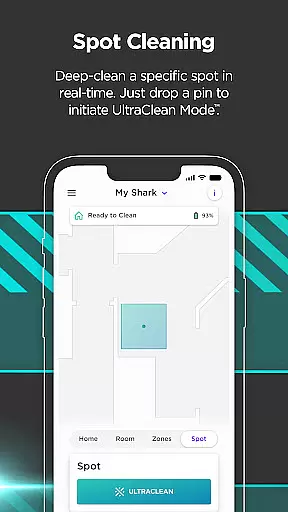
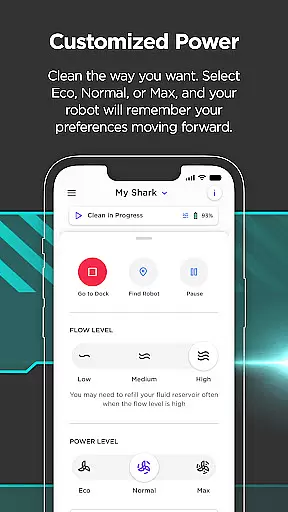

SharkClean is a comprehensive lifestyle app designed to enhance your home cleaning experience through advanced robotic technology. The app serves as the central control hub for Shark's connected robotic vacuums, enabling users to manage and customize their cleaning routines remotely.
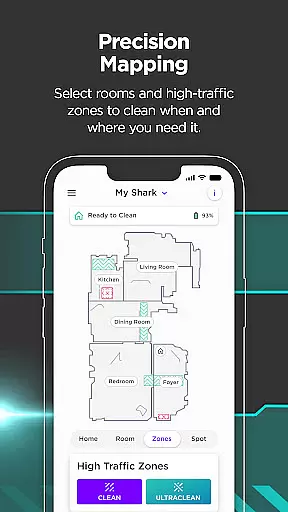
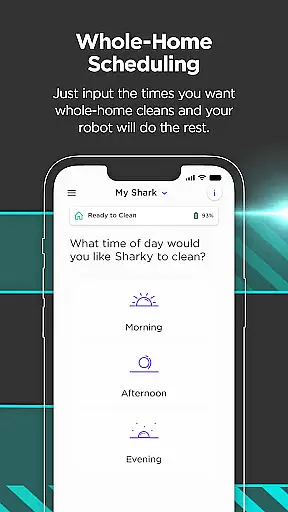
With its intuitive interface, SharkClean allows you to schedule cleanings, create detailed home maps, and control specific cleaning zones. The app supports various models, offering features like voice control integration with Amazon Alexa and Google Home, Recharge & Resume functionality for larger spaces, and specialized VacMop mode for simultaneous vacuuming and mopping in compatible models.
This application proves particularly valuable for busy households or those seeking smart home solutions, providing the convenience of managing cleaning tasks from anywhere in the world while maximizing cleaning efficiency through customizable settings and automated features.
The SharkClean app distinguishes itself through a robust set of features designed to optimize home cleaning routines. Its scheduling capability allows precise timing adjustments across all models, ensuring your home is cleaned at optimal times without manual intervention.
Advanced mapping technology enables users to create and modify virtual representations of their living spaces. For 1000 & 2000 series models, this extends to room-specific cleaning and zone prioritization, allowing targeted cleaning sessions that maximize efficiency. The innovative Recharge & Resume feature automatically manages battery life and cleaning continuity for larger areas.
Integration with smart home ecosystems through Alexa and Google Assistant support streamlines control, while the exclusive VacMop mode in RV2000WD models provides powerful simultaneous vacuuming and mopping capabilities, complete with intelligent carpet avoidance technology.
The SharkClean app offers comprehensive lifestyle category coverage by providing users with a versatile cleaning solution that adapts to various home environments and needs.
With features ranging from scheduling cleans, creating customizable home maps, to enabling voice controls with Amazon Alexa and Google Home, the app ensures that all aspects of robotic vacuuming are covered.
Users can take advantage of specialized functions such as Recharge & Resume and VacMop mode, which cater to specific cleaning requirements and preferences, making it an indispensable tool for maintaining cleanliness in any home setting.
SharkClean app prides itself on content authenticity and expert credibility, offering genuine advice and reliable functionalities that homeowners can trust.
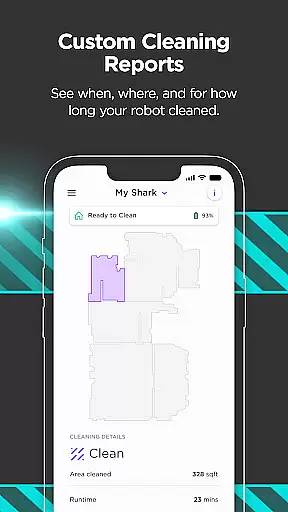
By integrating advanced features like detailed Cleaning Reports and instant access to troubleshooting tips and FAQs, the app provides transparent and accurate information regarding your cleaning sessions.
Furthermore, compatibility with reputable smart home ecosystems such as Google Assistant and Alexa-enabled devices underscores the app's commitment to credible technology partnerships, ensuring a seamless and trustworthy user experience.
User-friendly interface
Comprehensive scheduling options
Voice assistant compatibility
Advanced mapping capabilities
Customizable cleaning zones
Limited to Shark devices
Model-specific features
Wi-Fi dependency
Mapping requires setup
Premium model costs

A smart Siddur with halachic times
 4.60
4.60
Do you want to communicate with spirits?
3.80
See wait times and check into a hair salon ahead of time with Online Check-In.
4.80
Play fun games, complete quick surveys, and earn money. It's fun and easy!
4.40
Make money, get paid cash rewards & gift cards for every survey. Earn today!
4.60
My Diary - Daily Journal with lock: Diary journal app and secret diary with lock
4.80
Remotely monitor the time and temperature of food cooking on your grill.
4.60
AAA Mobile provides on-the-go access to the services you know and trust.
4.60
Just play, earn rewards, fetch gift cards, and turn gaming into real payouts!
4.80
Countdown to Christmas 2025 with festive games & activities in a virtual village
4.80
A unique and customizable watch face which rotates its layout every minute.
4.80
Tap to the beat with interactive videos — warm up your reflexes & have fun
4.70
Discover your Nationality, Family Origin, and Ancestry from one selfie
4.50
Mixing Colors for Menswear
4.20
Creativity and savings for kids, beginners and experts in arts and crafts
3.50
Unique Dual Colors with 6 Custom Complications for Wear OS watches!
3.40
Unique Dark Analog style for Wear OS watches.
4.2
Immerse yourself in the serenity of lavender fields and white butterflies
4.5
Futuristic watchface inspired by Back to the Future: sleek, retro, timeless
4.1


User Reviews