
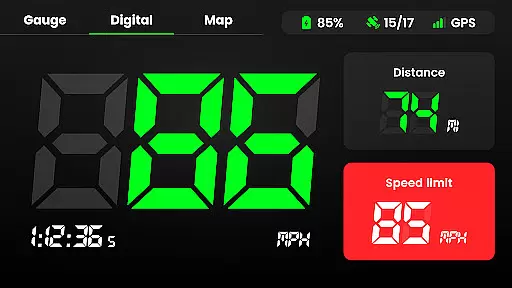
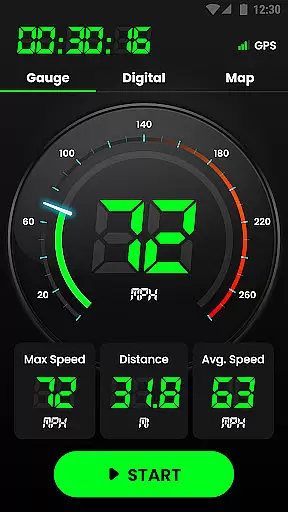
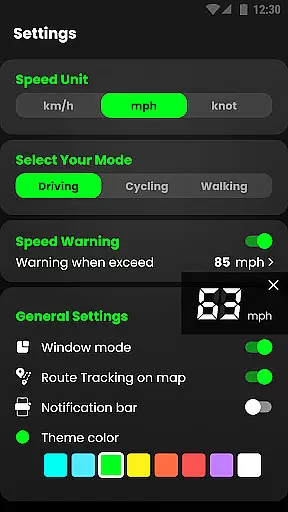
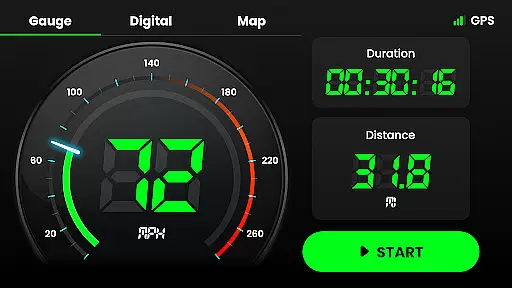
Speedometer is a highly accurate GPS-based speed tracking application designed for various modes of transportation. The app provides real-time speed monitoring, distance tracking, and speed limit alerts through notifications, ensuring users stay within safe driving limits. Its dual-mode display offers both digital and analog interfaces, catering to user preferences while providing crucial metrics like current speed, average speed, and maximum speed.
In addition to its core functionality, Speedometer includes advanced features such as offline usability, HUD (Head-Up Display) mode, and multi-unit support (km/h, mph, knots). These capabilities make it versatile for different vehicles including cars, motorcycles, bicycles, and even on-foot activities. With an intuitive map interface that records travel history and detailed statistics, this app ensures users can track their journeys effectively while prioritizing safety and convenience.
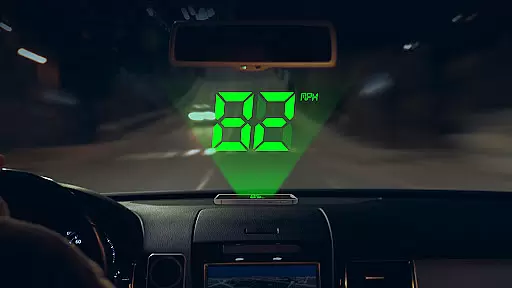
Speedometer stands out with its comprehensive feature set tailored for navigation and speed tracking. One of its key highlights is the ability to function offline, making it reliable in areas with poor internet connectivity. This ensures uninterrupted speed and location tracking regardless of network conditions. Additionally, the app's HUD mode projects speed readings onto a car's windshield, offering a safer and more convenient way to monitor velocity without distraction.
The app also supports multiple display modes—both portrait and landscape—along with customizable themes, giving users flexibility in how they view their data. Users can switch between different units of speed measurement seamlessly, and the trail recording feature allows them to review past trips with precise details such as starting points, endpoints, and total mileage. Furthermore, the built-in widgets and notification bar support provide quick access to essential stats, enhancing overall usability.
With added functionalities like speed limit alerts via vibration or voice notifications, Speedometer not only tracks but actively assists in maintaining safe driving practices. Its compact size and battery-friendly design ensure it runs efficiently without draining device resources, making it ideal for extended use during travels or daily commutes.
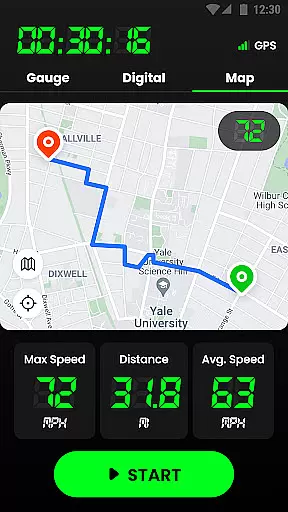
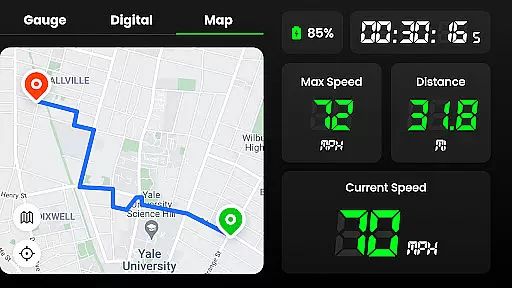
Map accuracy is essential for any navigation or tracking application, and Speedometer excels in this area. The app uses advanced GPS technology to ensure that your real-time location is displayed quickly and accurately on the map. This precision allows users to track their journeys with confidence, knowing that every route taken is recorded correctly.
The GPS Speedometer & Odometer app provides an intuitive mapping experience by displaying your trail and enabling you to enable or disable tracking according to your needs. Whether you're driving, cycling, or walking, the app's mapping feature ensures that you can see exactly where you've been and plan future routes effectively.
With its ability to work offline, Speedometer guarantees that even when internet connectivity is poor, the accuracy of the map data remains uncompromised. Users will appreciate the reliability of having a detailed record of their travels regardless of network conditions, making it an invaluable tool for both everyday commutes and adventurous explorations.
Route planning is a critical component of any journey, and Speedometer offers robust features to assist with this task. By providing real-time speed, average speed, maximum speed, and detailed mileage information, the app equips users with all they need to plan efficient trips. Whether commuting daily or embarking on long-distance travel, these insights help optimize travel times and enhance overall journey efficiency.
In addition to speed metrics, Speedometer tracks trip duration and locates starting and ending points, offering comprehensive data for effective route planning. Users can analyze historical travel records to refine future plans, ensuring each subsequent trip benefits from past experiences. This meticulous attention to detail supports smarter decision-making and more streamlined travel itineraries.
Speedometer also includes practical widgets and notification bar displays, which contribute to seamless route management. With instant access to vital stats such as current speed and distance covered, users can make informed adjustments on-the-go. These dynamic capabilities not only improve navigation but also empower users to maintain safety while achieving optimal performance throughout their travels.
Accurate GPS tracking
Offline functionality
User-friendly interface
Customizable display options
Comprehensive trip history
Limited free features
Occasional ads
High battery usage
Complex settings
Premium subscription required

Explore the world with Live Satellite View, 3D Maps, GPS Navigation & Earth Map.
 2.90
2.90
Start your next adventure confidently using our Accurate Compass App
3.70
Fully offline 1:50k New Zealand topographical map North Island
4.4
Turn your tablet or Android powered unit into a full blow Android Auto headunit.
2.30
Instant diesel discounts - save big with each fill up!
4.40
Phone Tracker and GPS Location Sharing
4.20
Truck Safe GPS Navigation & Maps: Parking, Fuel, Diesel, Weight Station
4.80
Ride or drive at YOUR price
4.70
Park in Chicago, NYC, Boston, SF, Houston & more!
4.70
Bolt is a ride-hailing app for requesting fast, safe, and affordable transport
4.80
This app is military GPS coordinate systems helper. (MGRS, UTM & DMS Maps)
4.80
Find AI powered cameras, ALPRs, and other surveillance infrastructure near you
4.70
America’s largest public fast charging network, with over 500 charging stations.
4.50
Affordable rides and food delivery with incredible discounts in just one app.
4.50
Rideshare, taxi cabs, and more for your airport travels and everyday trips.
4.50
GPS navigation offers route finder, compass, translator, currency converter, etc
4.30
Explore offline maps with radar, satellite view, and real-time alerts.
3.60
Your real-time window to the world. Explore anywhere, anytime.
3.30
Ride CTA, Metra & Pace: Manage your fares, buy Metra tickets, get arrivals.
3.00


User Reviews