
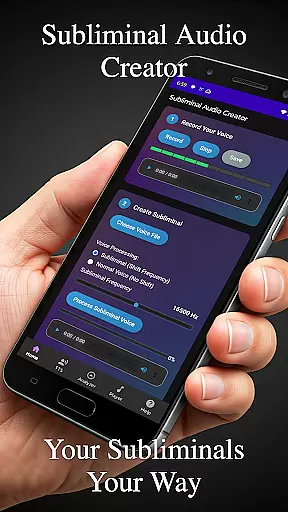
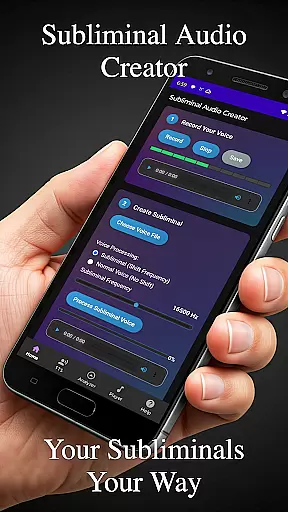
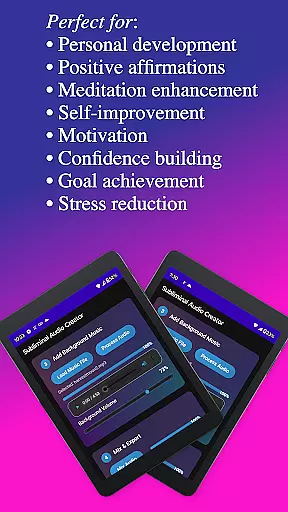
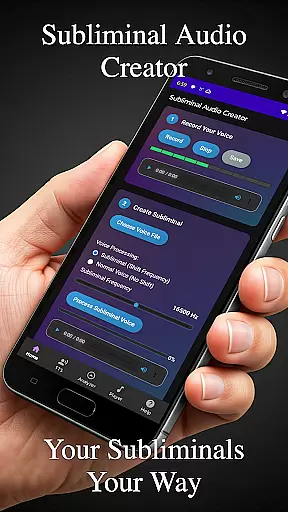
Subliminal Audio Creator is a comprehensive tool designed for creating personalized subliminal audio tracks, self-hypnosis recordings, and meditation music. This professional-grade app allows users to craft high-quality audio files by combining voice recordings or text-to-speech affirmations with background music or ambient sounds. Perfect for those interested in positive affirmations, self-improvement, meditation enhancement, motivation boosting, and personal development, the app provides an all-in-one solution for audio creation.
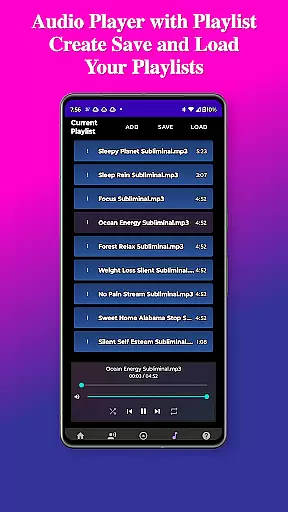
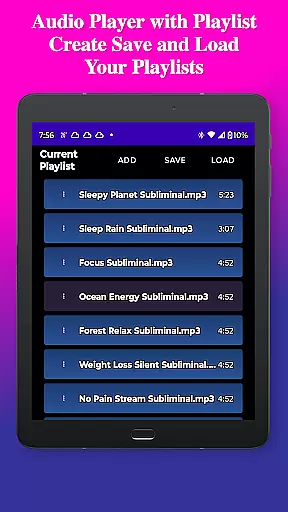
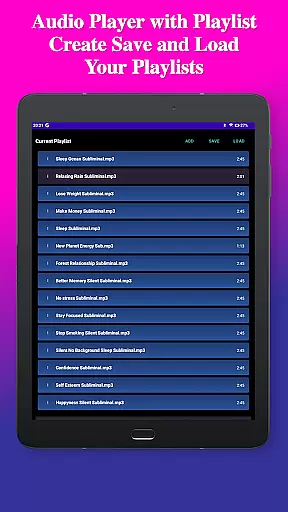
The app features a built-in audio analyzer for visualizing subliminal frequencies, ensuring that your mixes are perfectly tuned for manifestation and personal growth. With full-featured MP3 player capabilities including playlists, wireless streaming to Chromecast devices, and Bluetooth connectivity, users can enjoy flexible listening options tailored to their preferences.
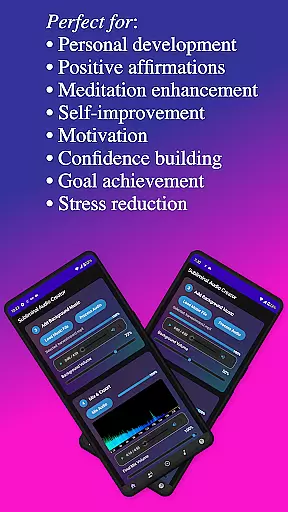
Whether you're looking to enhance your meditation practice, boost motivation, build confidence, or achieve specific goals, Subliminal Audio Creator offers the tools necessary to transform your life through sound. Its user-friendly interface and organized file management system make it easy to create, save, and manage your projects efficiently.
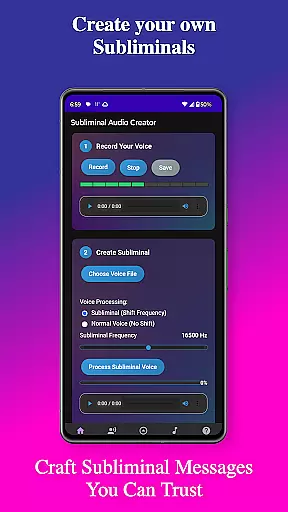
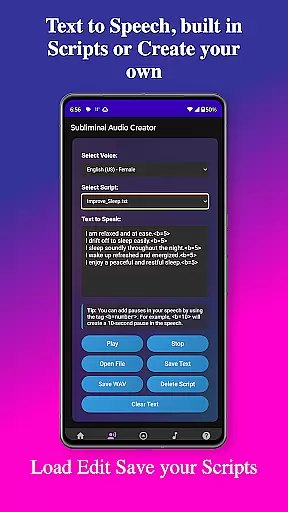
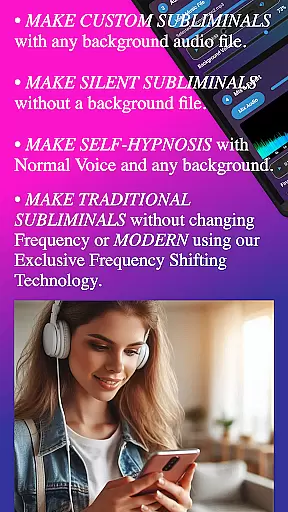
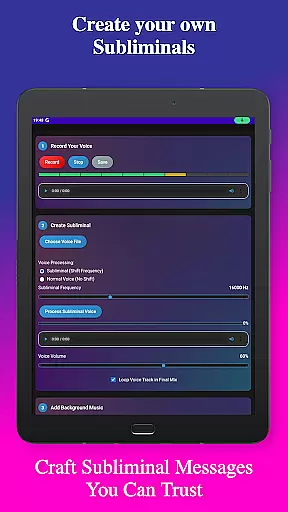
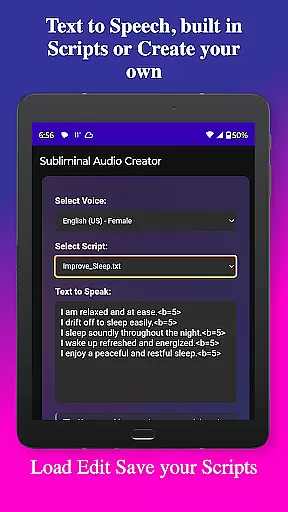
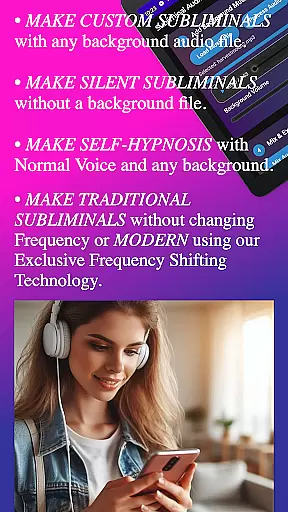
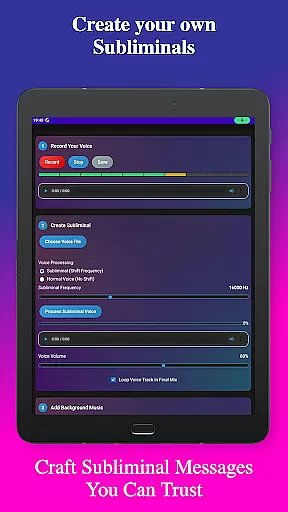
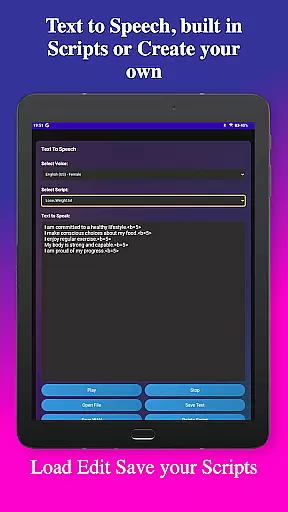
Subliminal Audio Creator stands out with its extensive feature set tailored for both beginners and advanced users. The app includes voice recording functionality with crystal-clear audio quality, allowing users to record custom affirmations and preview them until satisfied. For those preferring text-to-speech, multiple voice options and customizable pauses between affirmations provide flexibility in creating personalized audio experiences.
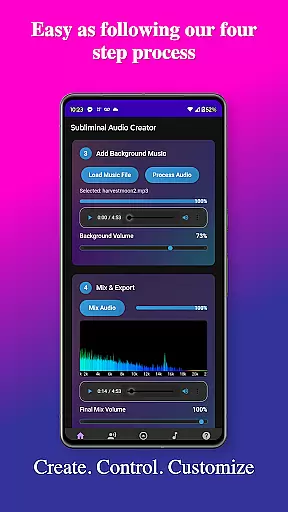
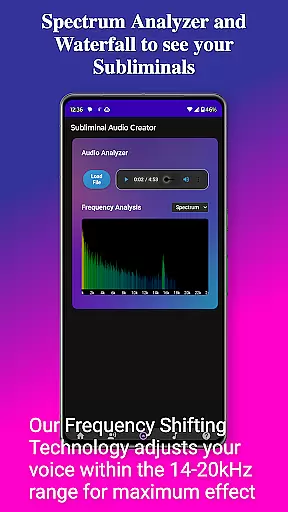
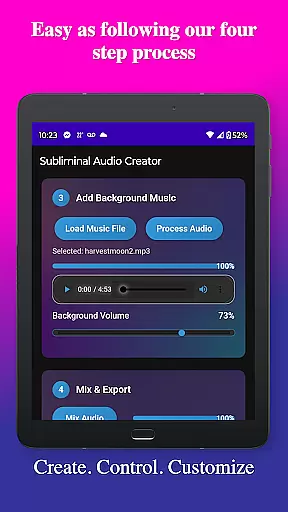
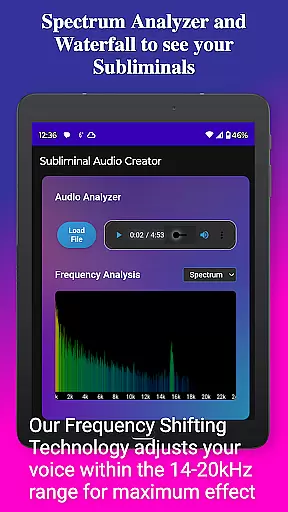
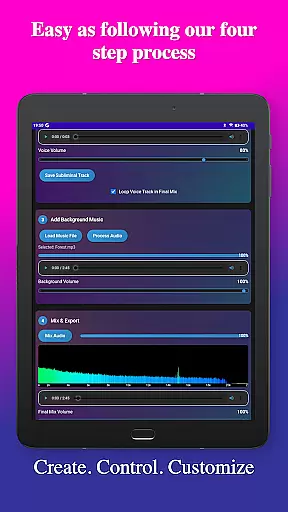
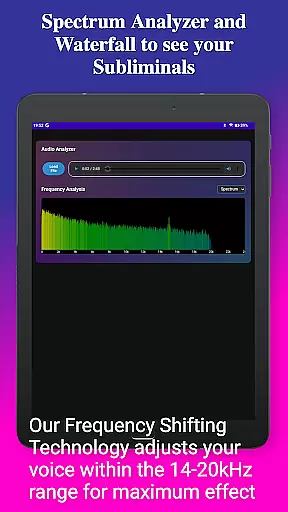
Background music mixing is another highlight, enabling users to blend affirmations with included tracks or their own music in MP3 or WAV formats. Independent volume adjustments ensure perfect balance, while the real-time frequency spectrum analyzer and waterfall display help verify subliminal frequencies and monitor audio quality during the creation process.
Advanced controls offer fine-tuning of subliminal frequencies (default: 16000 Hz), seamless audio loops, high-quality MP3 encoding, and options for silent subliminals or normal voice output. Playback features include a built-in MP3 player with Google Cast support, background playback capability, and media controls integration. The clean, modern design and step-by-step creation process make the app accessible to everyone, while dark theme viewing ensures comfort during extended use sessions.
Personalized planning in the realm of health and fitness refers to the ability to tailor wellness strategies specifically to an individual's needs and goals. Subliminal Audio Creator excels in this area by allowing users to craft custom affirmations that resonate with their personal development objectives.
The app provides a comprehensive suite of tools for recording voice affirmations, converting text to speech, and even mixing these with background music tracks. This level of customization ensures that each user can create a unique audio experience that aligns with their specific self-improvement journey.
Users benefit from the capacity to adjust subliminal frequencies and control audio loops, which means they can fine-tune their listening material to match their preferred method of engagement and time availability. The inclusion of pre-written scripts also offers a starting point for those seeking guidance.
Ultimately, the personalized planning feature empowers users to design their own subliminal audio content for meditation enhancement, motivation boosting, and various other personal growth activities, making it a powerful ally in achieving one's health and fitness aspirations.
Progress visualization is a critical component in maintaining motivation and tracking the effectiveness of personal development efforts. With Subliminal Audio Creator, users are equipped with an audio analyzer that serves as a visual tool for monitoring the quality and characteristics of their subliminal creations.
This feature includes a real-time frequency spectrum analyzer and waterfall display, enabling users to visualize the frequencies embedded within their audio mixes. Such visual feedback is invaluable for verifying that the subliminal messages are being delivered at the intended frequency, thus optimizing the potential impact on the subconscious mind.
By observing how different affirmations and background sounds interact through detailed visualizations, users can make informed adjustments to their audio tracks. This process not only enhances the listening experience but also reinforces learning about what elements contribute most effectively to personal transformation.
In addition to technical precision, progress visualization fosters a sense of accomplishment as users witness the tangible results of their creative efforts. This visual representation of progress can be incredibly rewarding and serve as a motivational boost, encouraging continued use of the app for ongoing self-improvement.
User-friendly interface
High-quality audio output
Flexible customization options
Comprehensive feature set
No ads or subscriptions
Requires storage permission
Microphone access needed
Limited free version
Advanced features may overwhelm beginners
Specific hardware requirements

The Wear OS BeechBand app is designed to alleviate anxiety and other conditions
 4.5
4.5
Relax to calm sounds, white noise, music, guided meditation and bedtime stories
4.40
Home workouts for fitness & fast bodybuilding at home - no equipment needed.
4.90
Effortlessly and naturally release anxiety by harnessing the power of your brain
4.60
Mind on steroids - relaxation, productivity, meditation and sleep!
4.60
Download MadMuscles to start your positive body transformation!
4.30
FitCloudPro takes care of your health every minute.
3.70
Make sense of your health data.
3.80
Looking to take control of your health? Our psychology-based programs can help.
4.10
Power-lifting, weightlifting and Wendler 531 app to track your workout program.
4.90
The Crunch Mobile app - Find a gym, manage favorites, reserve & cancel classes.
4.60
Your AI pet BFF. Talk, play, and beat anxiety in this calming game.
4.60
The OFFICIAL Couch to 5K® running training app! A 9 week walk-run workout plan.
4.50
Point, scan, and unlock truth in every bite.
4.50
Blood Pressure Log, HRV & Heartbeat Tracker. Pulse Checker.
4.40
This is an application that serves as a companion app for smart watch.
4.20
Focus on BP & Health
3.80
Control your sleep in real-time wearing Garmin device
3.60
Live Heart Rate Pro - Real Time Heart & Workout Data For Wear OS & Bluetooth BLE
3.20


User Reviews